
2.0 Change the assigned courier in the Monitoring Panel
This function allows you to quickly assign or change a courier in cases of need or force majeure.
To change a courier, go to the Monitoring Panel and find the required order card. Then click Change next to the courier's name and call sign in the quick action bar.

After that, you’ll see a window which allows you to select the following parameters:
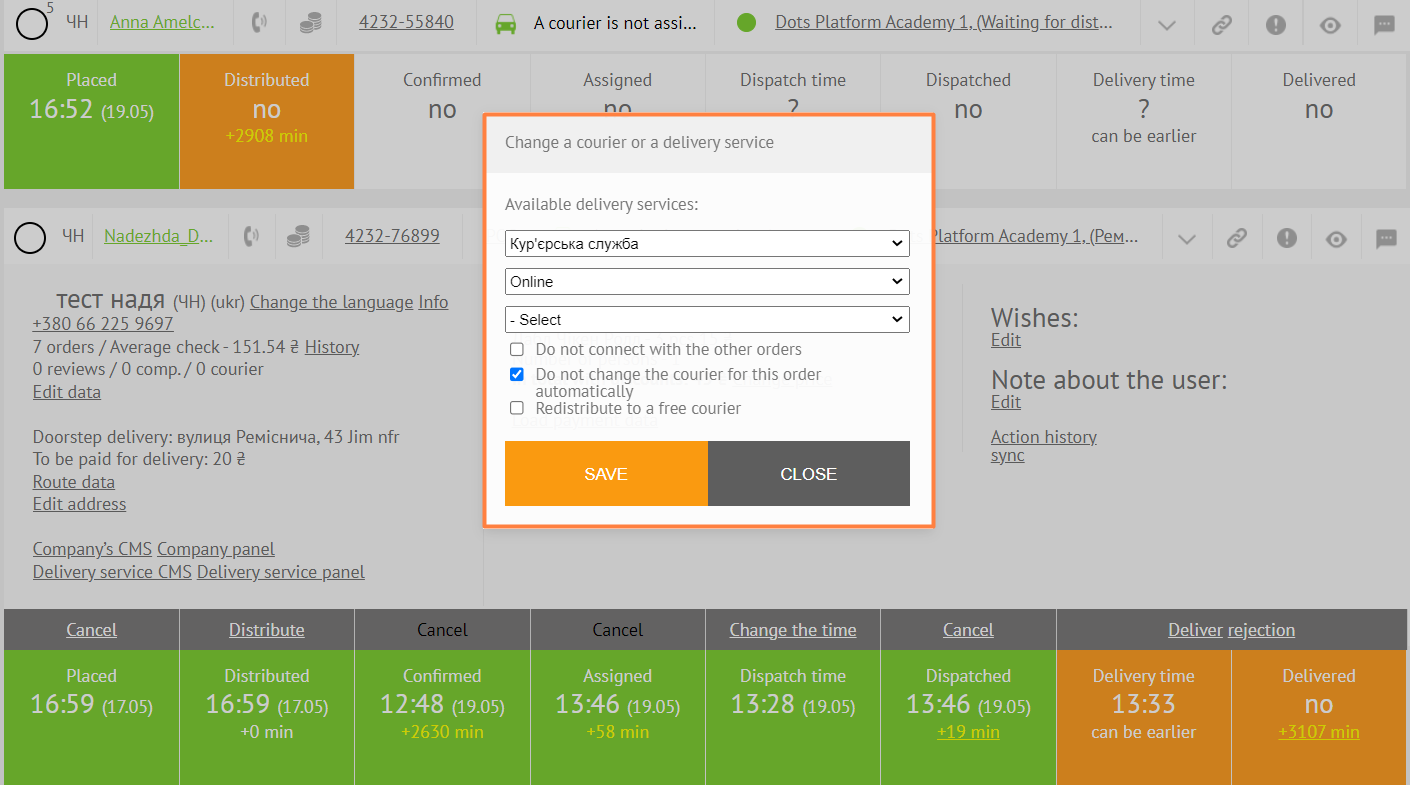
- Courier fleet
- Courier status
- Courier himself
Below are the following options:
- Do not merge with other orders. Disables the possibility of merging this order with other orders.
- Do not change the courier for this order automatically. Eliminates the possibility of changing the courier when changing the preparation due time, etc.
- Redistribute to an available courier. In cases where the assigned courier cannot deliver the order, it will be automatically assigned to the most suitable courier.
Note: When distributing an order to a courier who’s offline, he will be able to work with it, but will remain offline. Note: If a courier has not been assigned, then when you click Change, the same window for assigning a courier will appear.
Link to this article: here
Was this article helpful?
Thanks for your feedback!