
2.0 Control Panel. Editing a Company. Editing Addresses. Types of receiving
In this tab you may configure types of receiving which will be available to customers when placing an order.
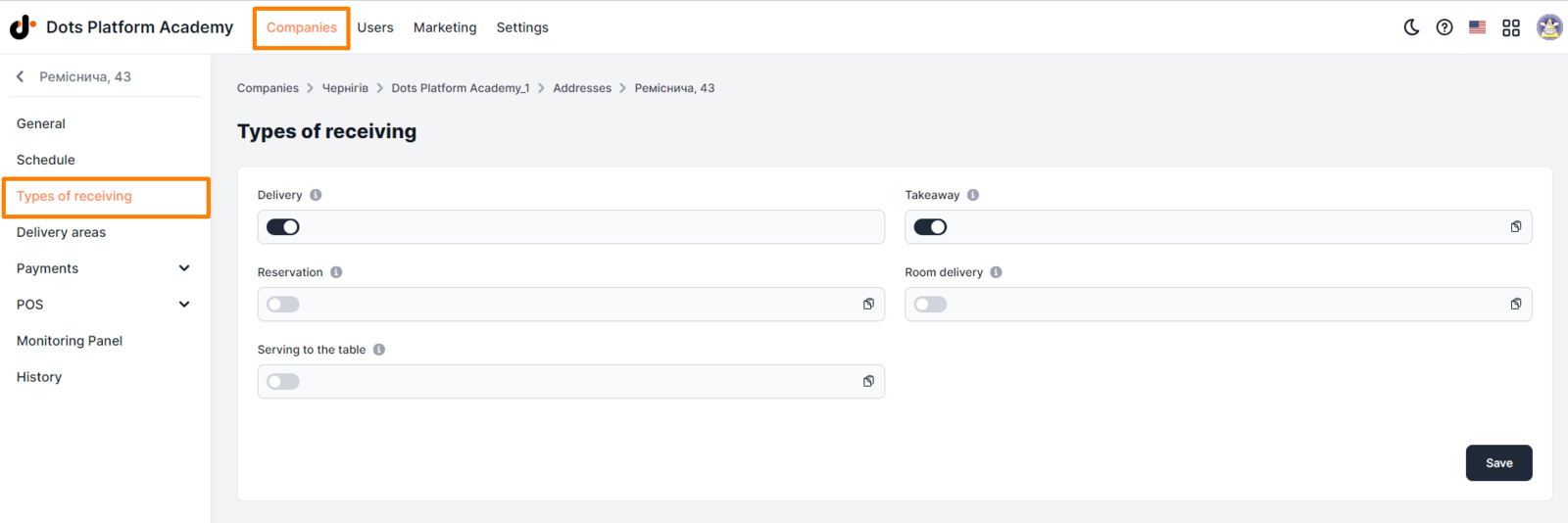
Setting up Types of receiving:
- Select the Companies section in the Control Panel.
- Click on the edit icon opposite the desired company.
- Go to the Addresses tab.
- Click on the edit icon opposite the desired location.
- Go to the Types of Receiving tab.
- Set the appropriate checkboxes in the fields of desired types.
- Click Save.
Setup requirements:
The following types of receiving orders are available:
- Delivery
- Takeaway (Pickup)
- Table reservation
- Room delivery
- Serving to the table
There is a toggle next to each type of receiving, which is responsible for its availability on the website and in mobile apps: Toggle box is active. The receiving type is available to customers when placing an order. Toggle is inactive. The receiving type is unavailable. Note: Choosing at least one of the options is mandatory.
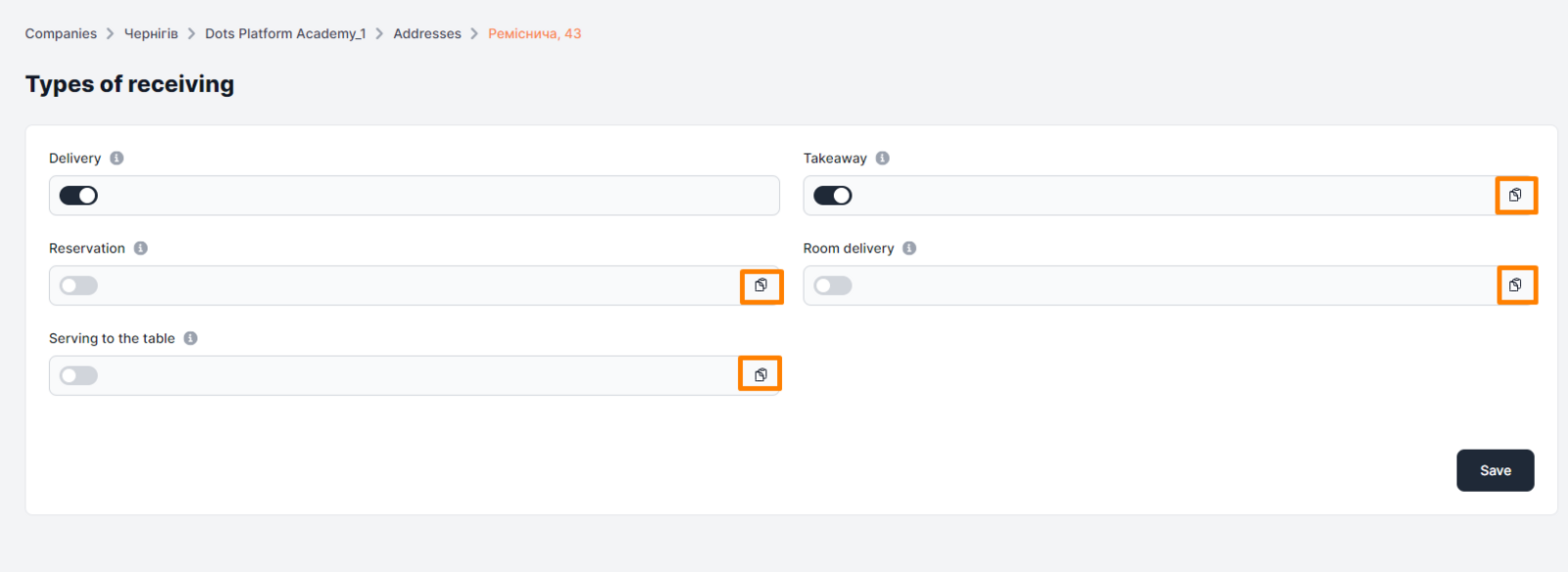
Each field has a Copy link button. It allows you to copy a link to a specific receiving type to generate QR codes. Learn more about how to generate a QR code here.
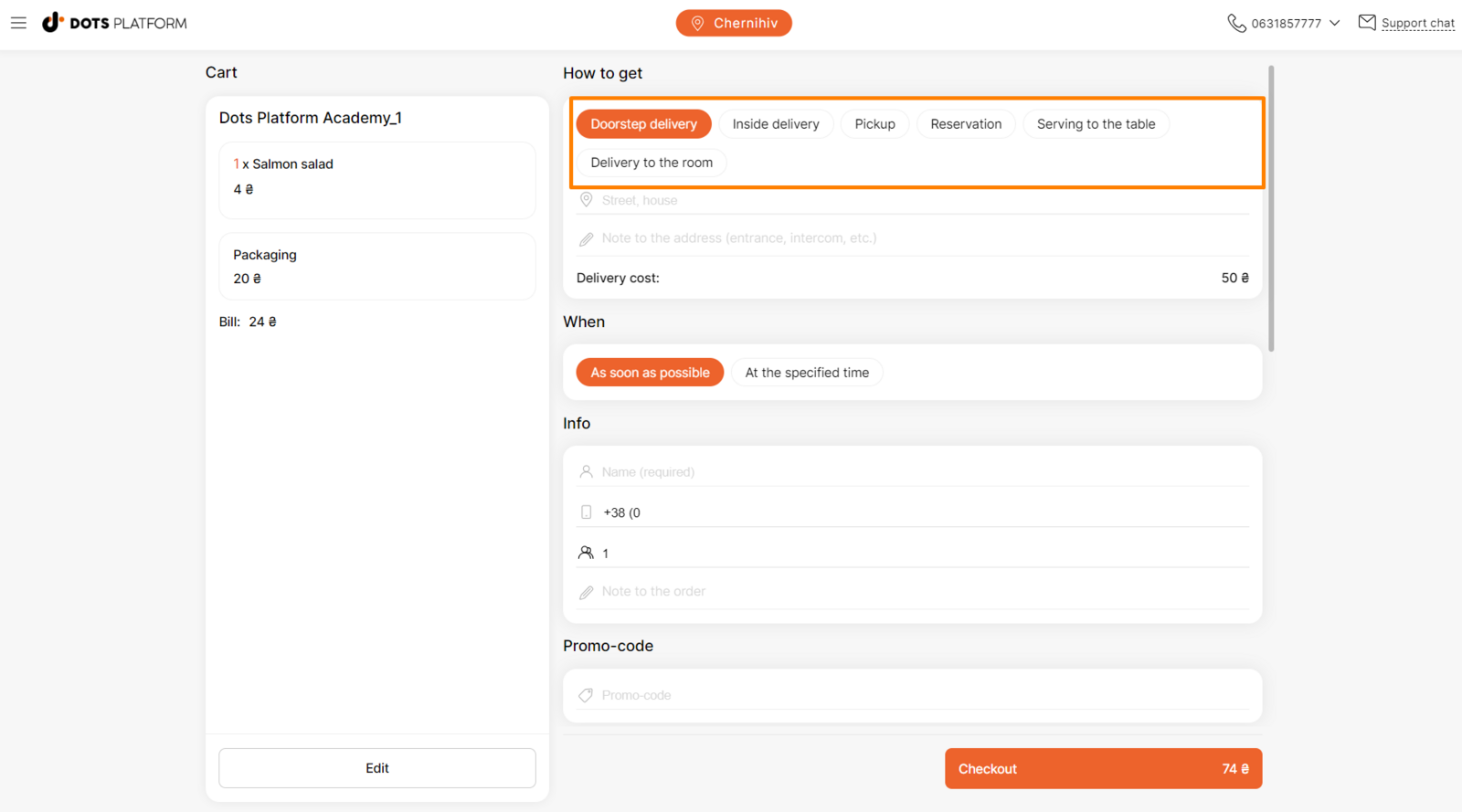
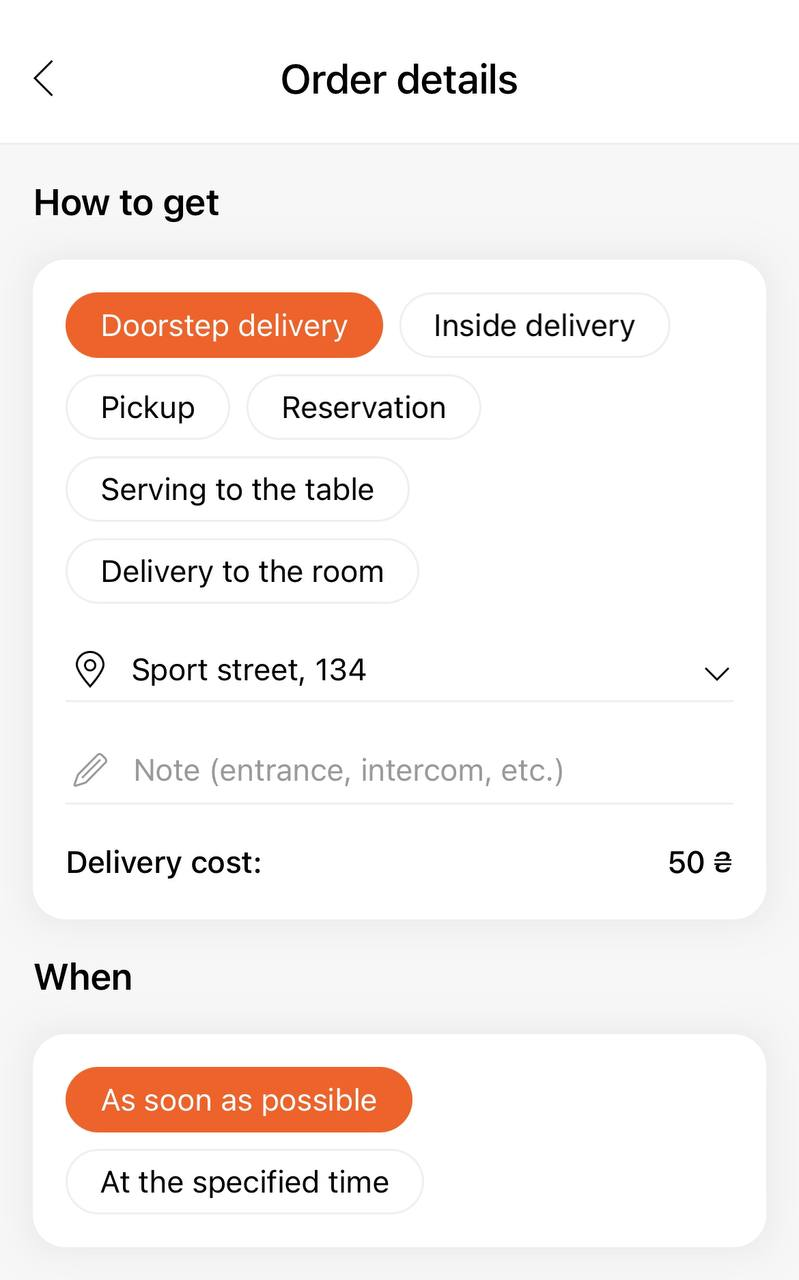
Display examples
The choice of the receiving type will be available to customers when placing an order on the website and in mobile apps.
Link to this article: here.
Was this article helpful?
Thanks for your feedback!