
2.0 Control panel. Settings. Interfaces. Web: Main page. Header
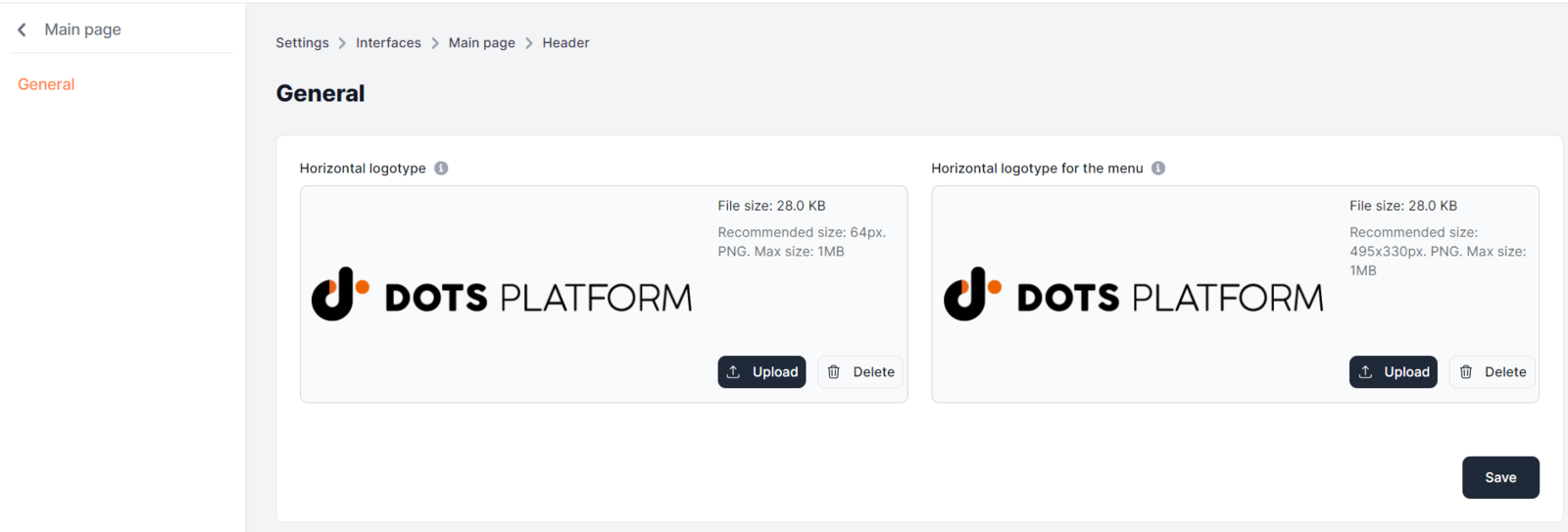
This tab configures the parameters of the Header block, such as the horizontal logo (64 px in .png format, no more than 1 Mb) and horizontal logo for the menu (495 x 330 px in .png format, no more than 1 Mb).
Configuring the Header block
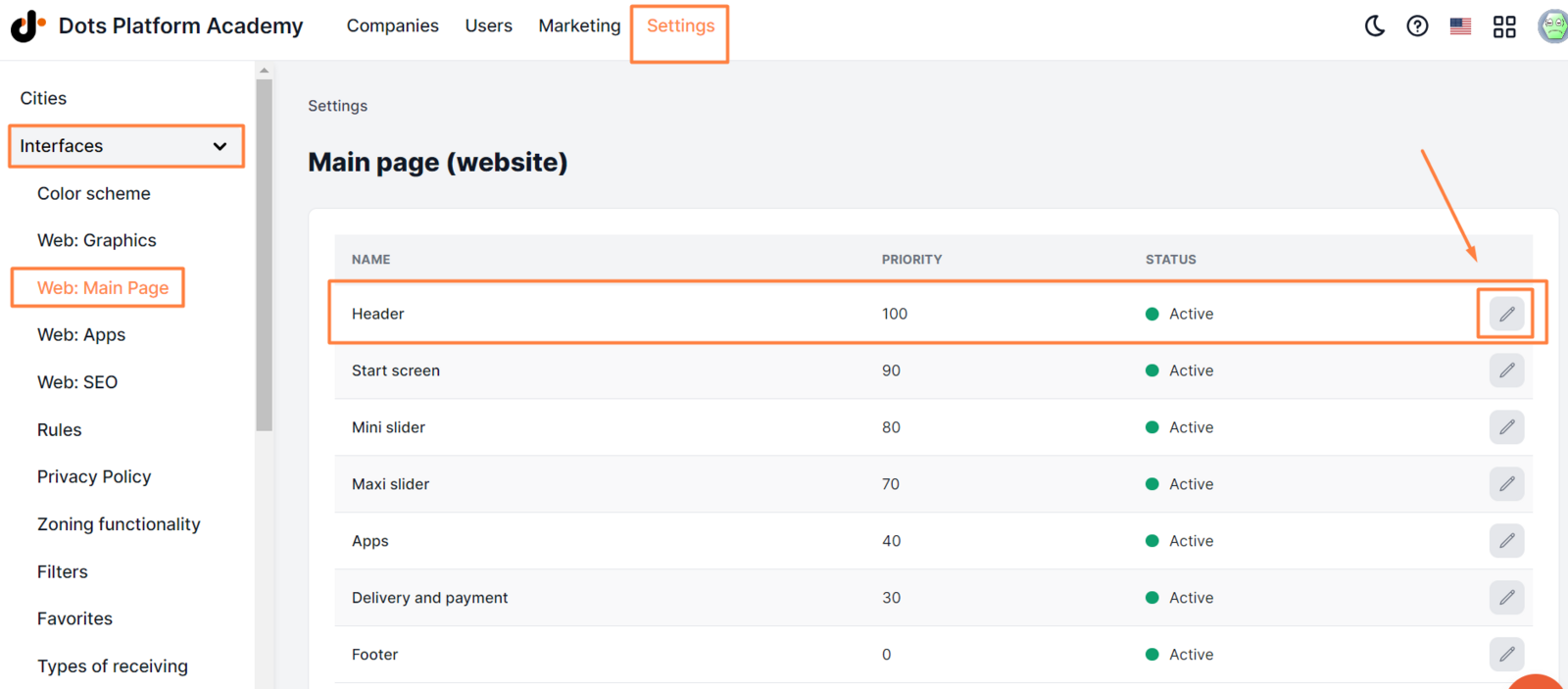
- Open the Settings section in the Control Panel.
- Go to the Interfaces tab → Web: Main page.
- Click on the edit icon next to the Header block.
- Enter or change the required information in the General tab.
- Click Save.
The following elements are also displayed in this block:
- City selection menu (if the service operates in ** several cities ** ).
- Language selection menu (in cases where ** multiple languages are enabled ** ).
- ** Call center phone number **
Link to this article: ** here **
Was this article helpful?
Thanks for your feedback!