
2.0 Control panel. Settings. Interfaces. Web: Main page
Easily enable or disable the home page blocks. Configure each of the blocks and change their priority right from the list.
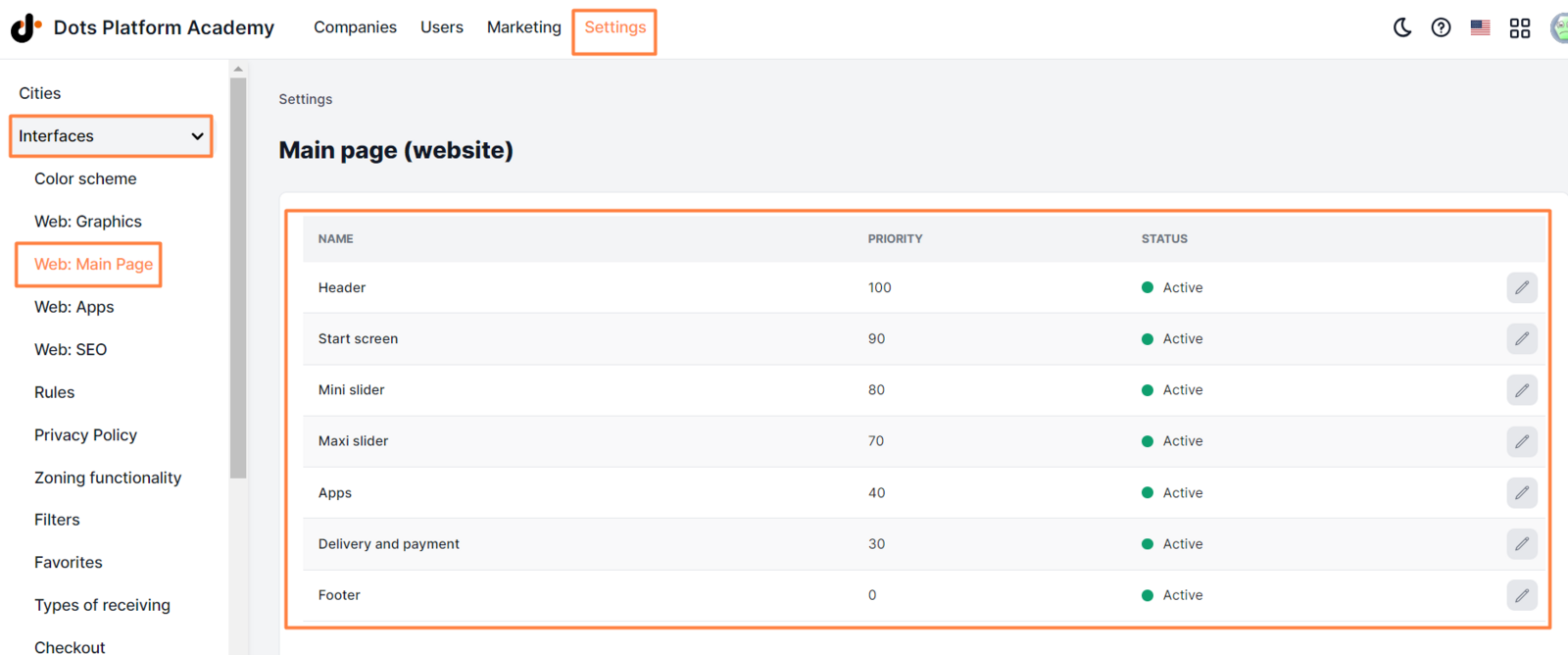
Available elements:
Name. Name of the block.
Priority. A value that affects the order of the blocks on the home page. To change the priority, double-click on it and enter a new value. Note: You can change the priority of all blocks except Header and Footer.
Status. Affects the appearance of the block on the home page.
Pencil icon. Opens the editing page.
Read more about setting up each section in the articles:
Header block - article Start screen block - article Mini slider block - article Maxi slider block - article Apps block - article Delivery and payment block - article Footer block - article
Link to this article: ** here **
Was this article helpful?
Thanks for your feedback!