
2.0 Control panel. Settings. Editing a city. Delivery. Editing Delivery fleets. Couriers tab
The Couriers tab lets you add new couriers to the selected delivery fleet or configure settings of the existing accounts.
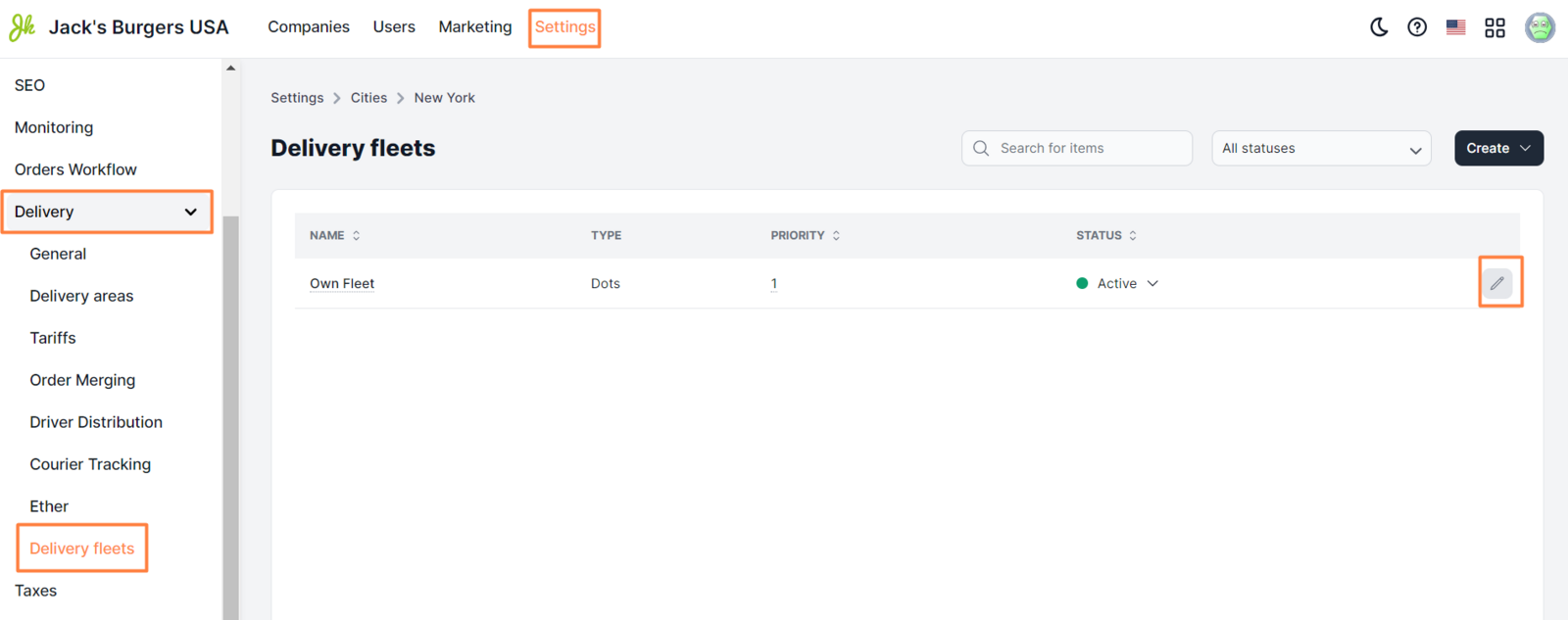
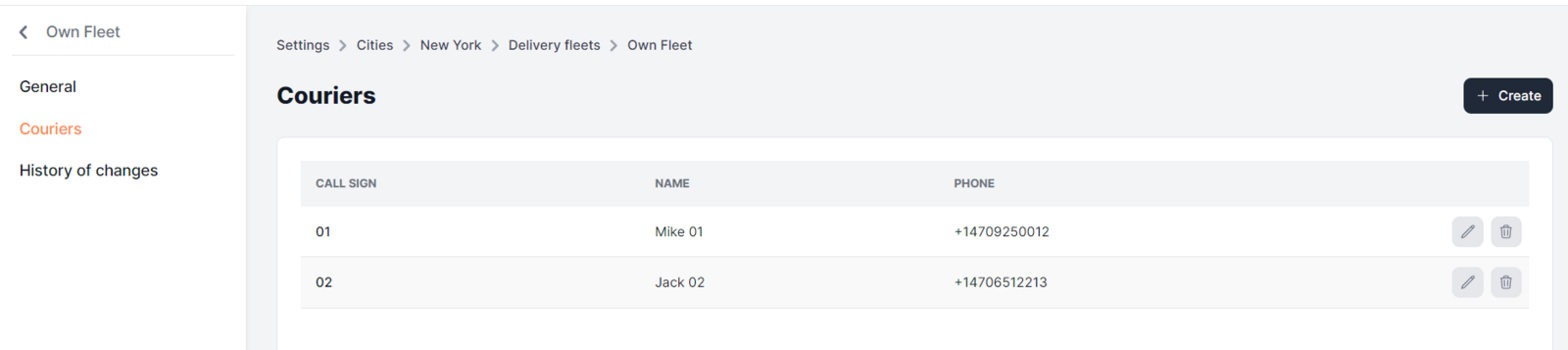
Available elements:
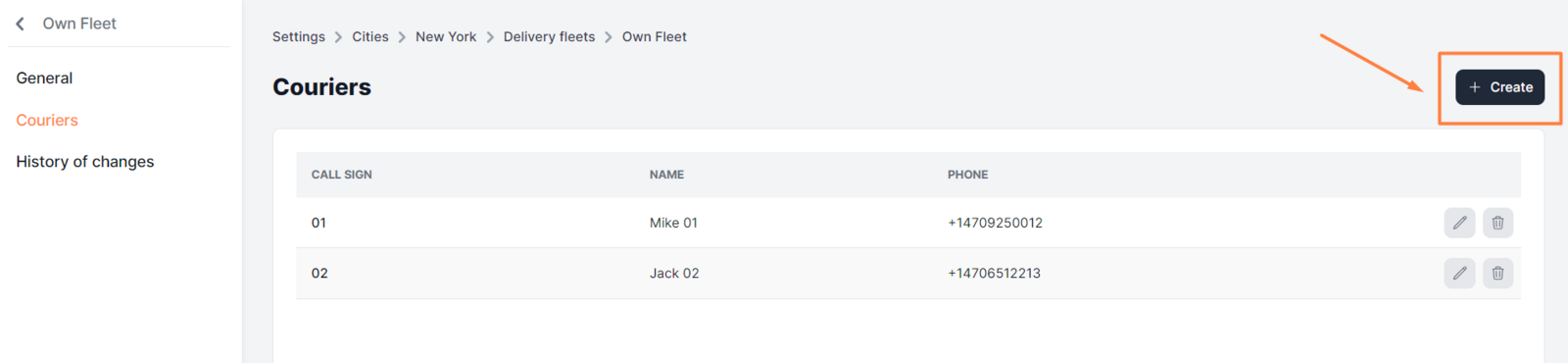
- +Create. Opens the page for adding a new courier.
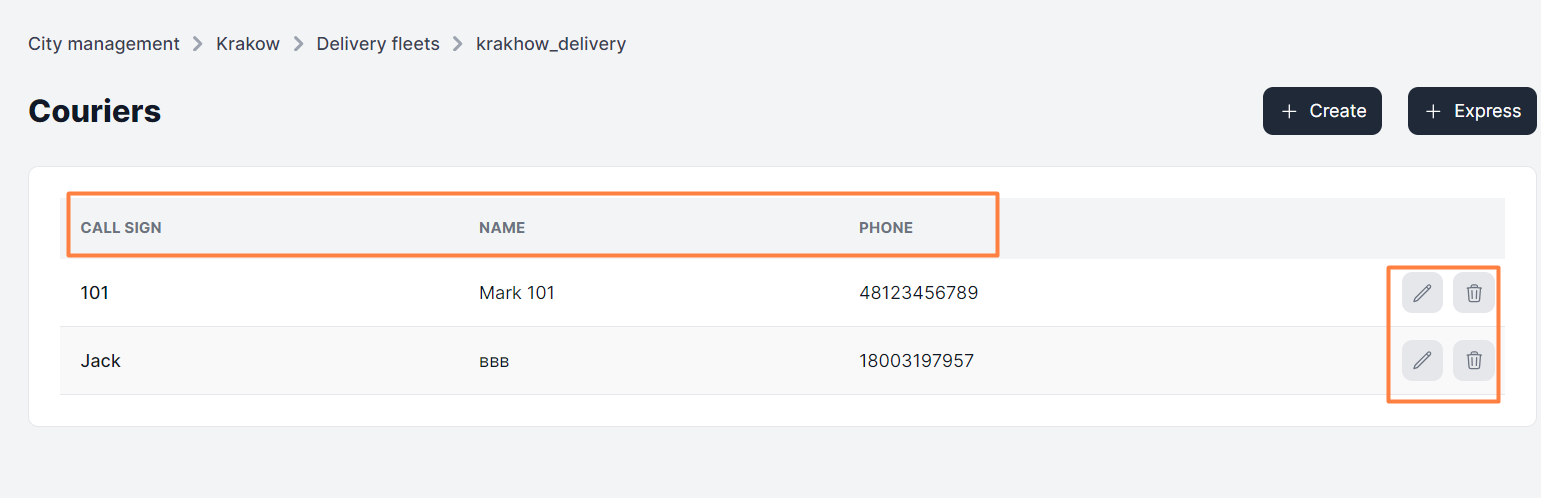
Below is the list that shows all couriers of the selected delivery fleet. Each element contains the following info:
- Call sign. Call sign of the selected courier that appears to customers, managers, and operators.
- Name. Courier's name (may also contain their call sign).
- Phone. Courier's contact phone number.
- Pencil icon. Opens the page for editing the courier account.
- Icon of Delete.. Permanently removes the courier’s account.
Link to this article: here
Was this article helpful?
Thanks for your feedback!