
2.0 Control panel. Settings. Interfaces. Checkout
In the Checkout block, you can edit the appearance of the checkout page, manage display elements, and change the priority of the fields of individual blocks.
Display elements
Name. The name of the block. Priority. A numeric value that affects the order of the block on the checkout page. A higher number means a higher priority Status. Responsible for the presence of the block on the page.
- Active = displayed
- Inactive = Not displayed Edit button. Opens the block editing page.
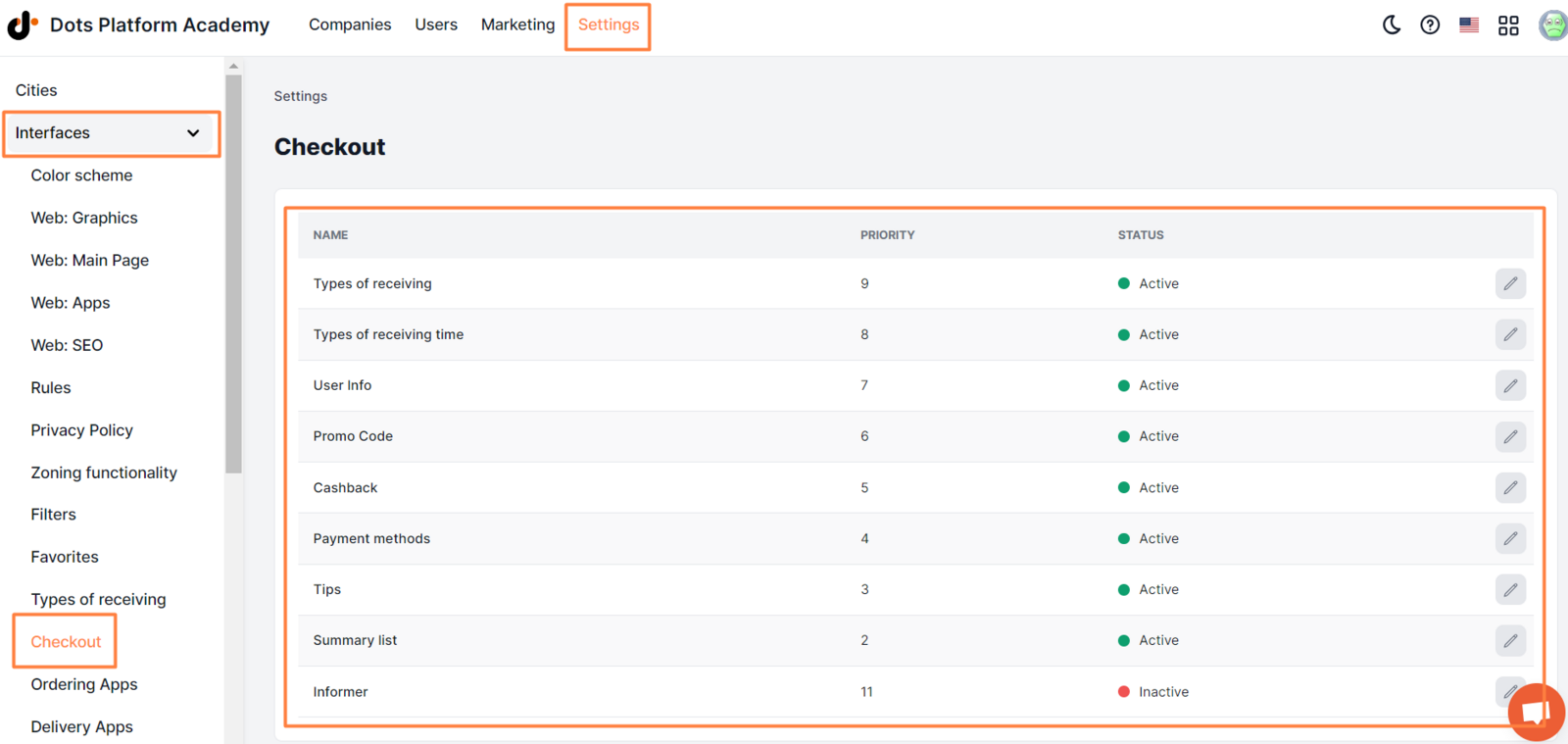
Read more about the description of each block in the articles:
- Types of receiving
- Types of receiving time
- User Info
- Promo Code
- Cashback
- Payment methods
- Tips
- Summary list
- Informer
Link to this article: here
Was this article helpful?
Thanks for your feedback!