
2.0 Control panel. Users. Users. User roles. Create a user role
This feature allows you to create a new moderator role and configure the appropriate access rights for it. User role settings determine moderators' access to system functionality.
Create a user role
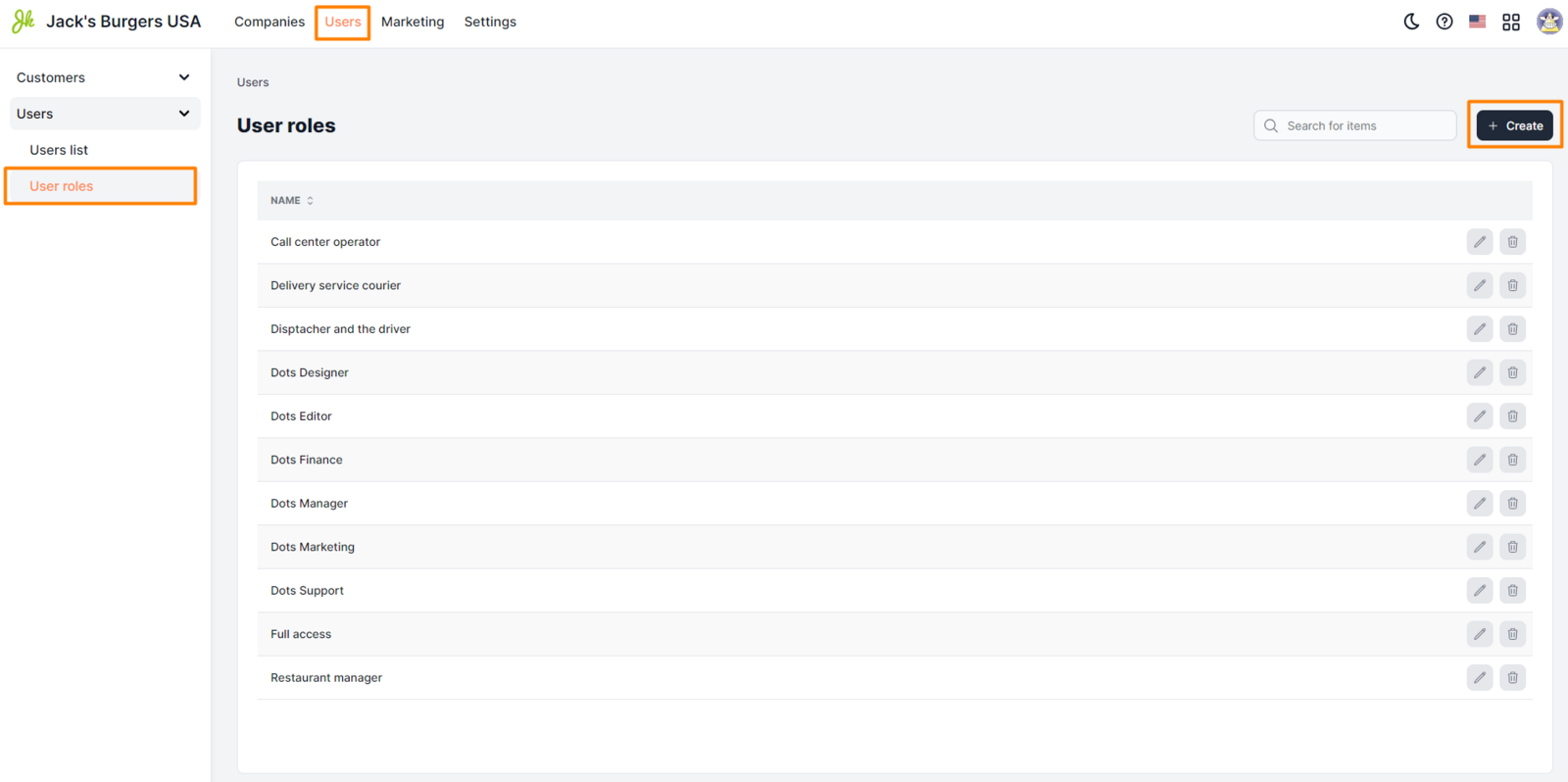
- Select the Users section from the Control Panel menu.
- Open the section Users => User Roles.
- Click the Create button.
- Set the settings for the new role.
- Click Save.
Setup requirements
-
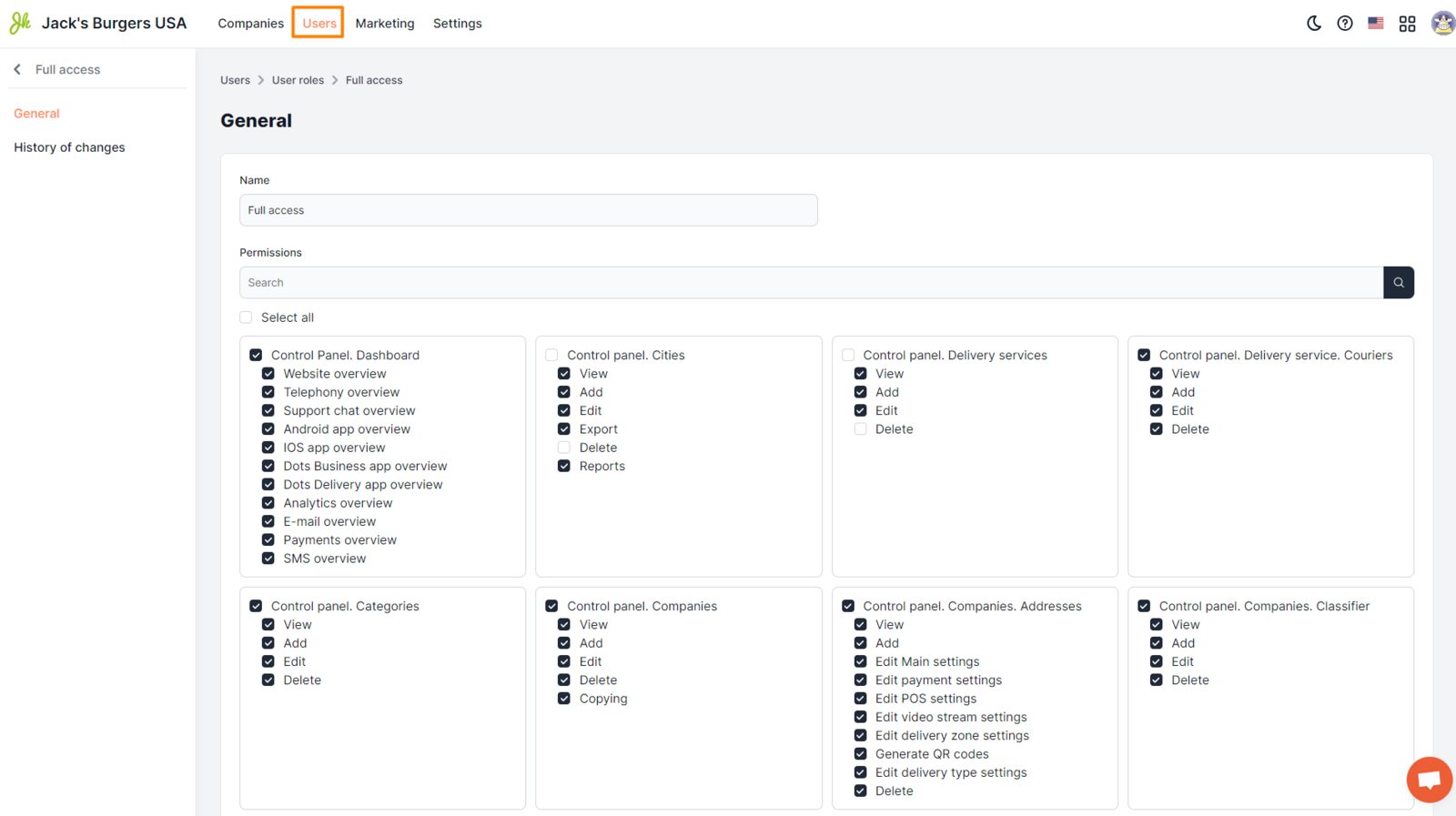
Name. The name of the role that will be displayed in the system when it is selected.
-
Access rights selection field. Use the check boxes to set the necessary access rights for the new role. For convenience, you can use the search field.
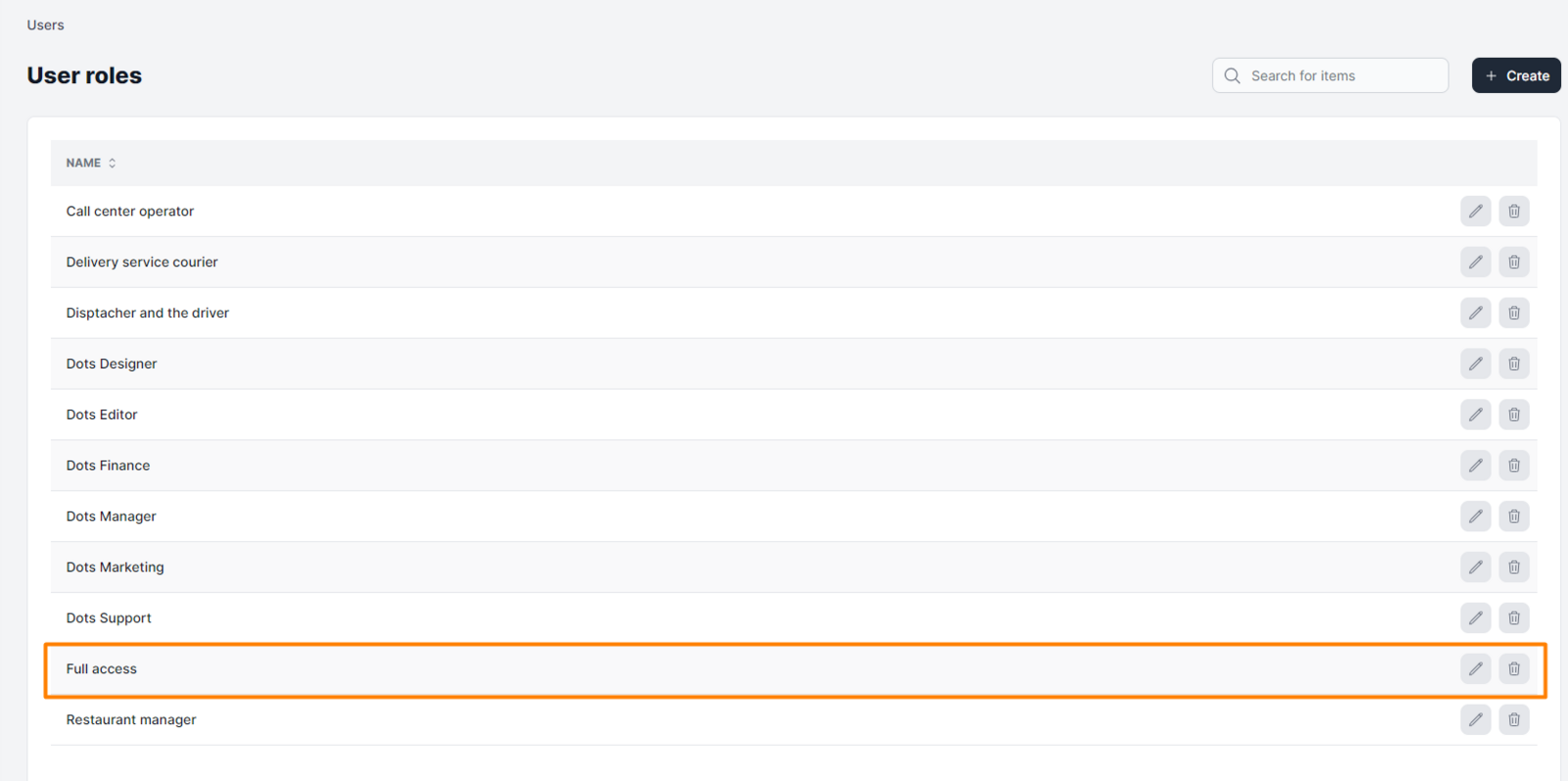
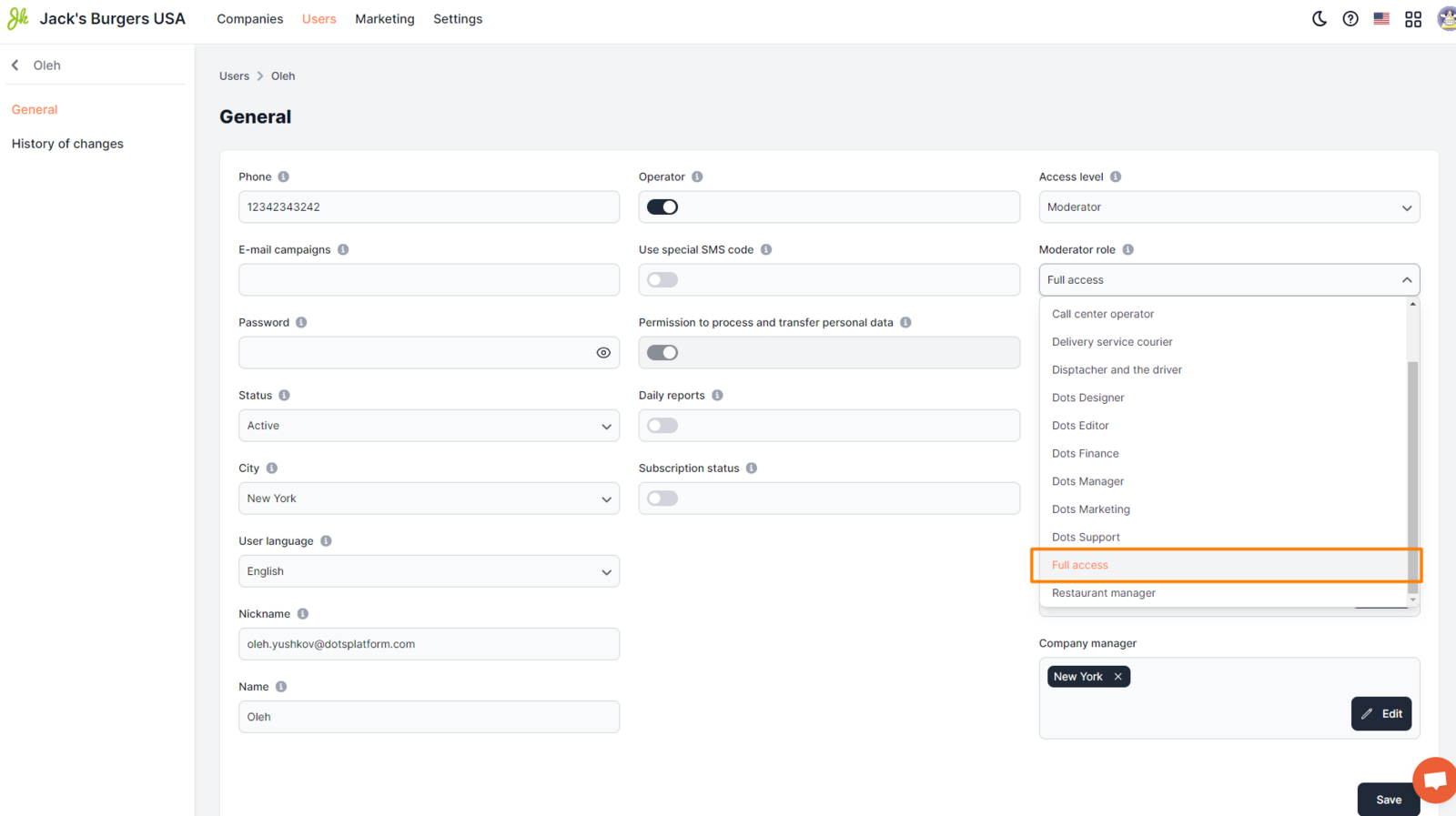
| After creation, the corresponding role will be available in the list of roles, as well as in the "Moderator role" field when creating a new user.
Link to this article: here.
Was this article helpful?
Thanks for your feedback!