
2.0 Control panel. Users. Users. Users list. Create a user. Full access
Creating this role of user allows you to add a Moderator with full control access to the system.
Create a user with full access
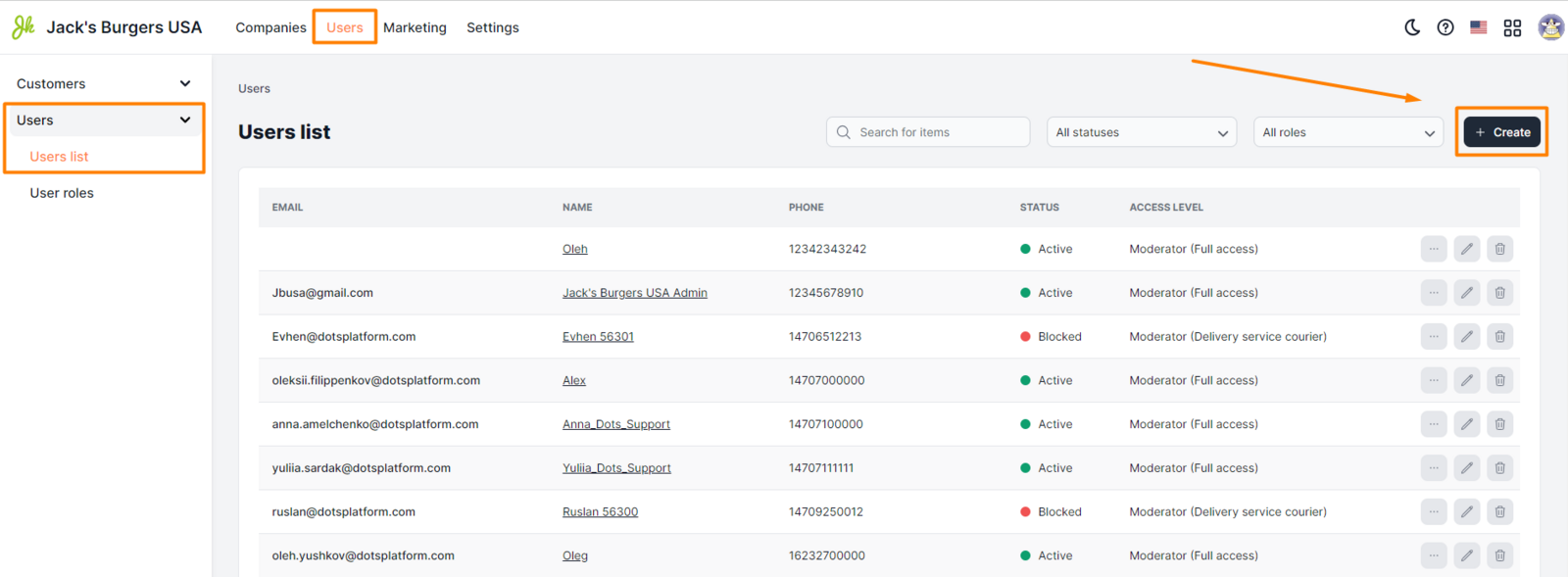
- Open the Users section of the Control Panel.
- Select the Users tab => Users list.
- Click the Create button.
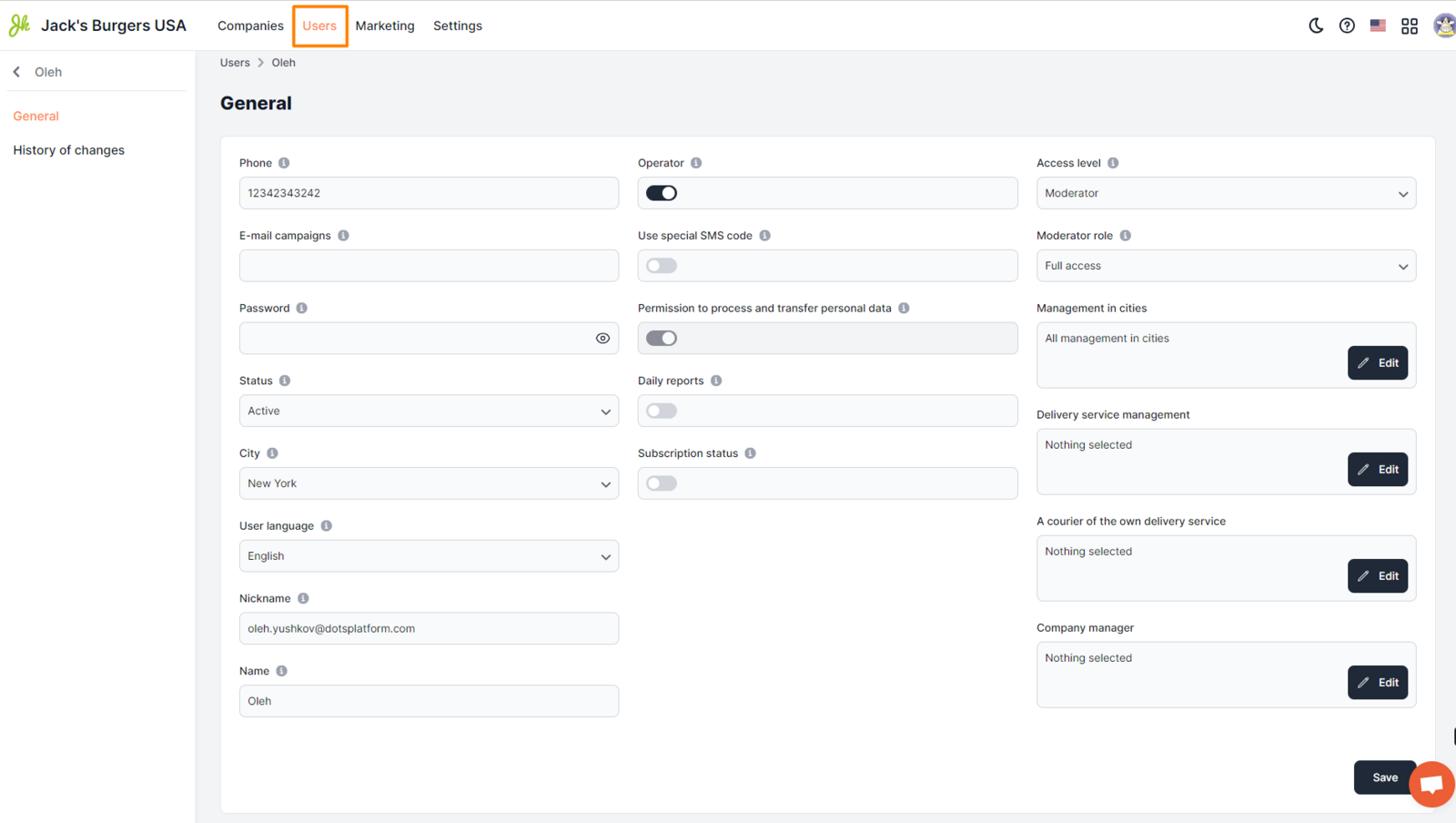
- Fill in all required fields.
- Click Save.
Setup requirements
-
Phone. The user's phone number is indicated. This field allows you to enter only one phone number, which is specified in an arbitrary format. Examples 380990000000 0980000000 || Attention: This field is mandatory.
-
Email. The user's email address used for authorization in the Control Panel. Examples [email protected] [email protected]
-
Password. A unique user password that will be used to log in to the control panel. It is filled in free format.
-
Status. Select "Active".
-
Name. The username that will be displayed in all elements of the system. Filling in this field is mandatory. It is specified in free form. Examples Sergey Viktorovych Andrew Svetlana
In the fields I agree to the processing and transfer of personal data and Subscription status, the switch must be turned on.
-
Access level. Select "Moderator".
-
The role of the moderator. Select "Full Access".
-
Management in cities. Select the cities that will be accessible to the user.
Link to this article: here.
Was this article helpful?
Thanks for your feedback!