
2.0 Control panel. Users. Users. Users list. Create a user. Operator of the Monitoring Panel
Creating a Monitoring Panel operator allows you to add a new user who will be able to manage orders in the panel.
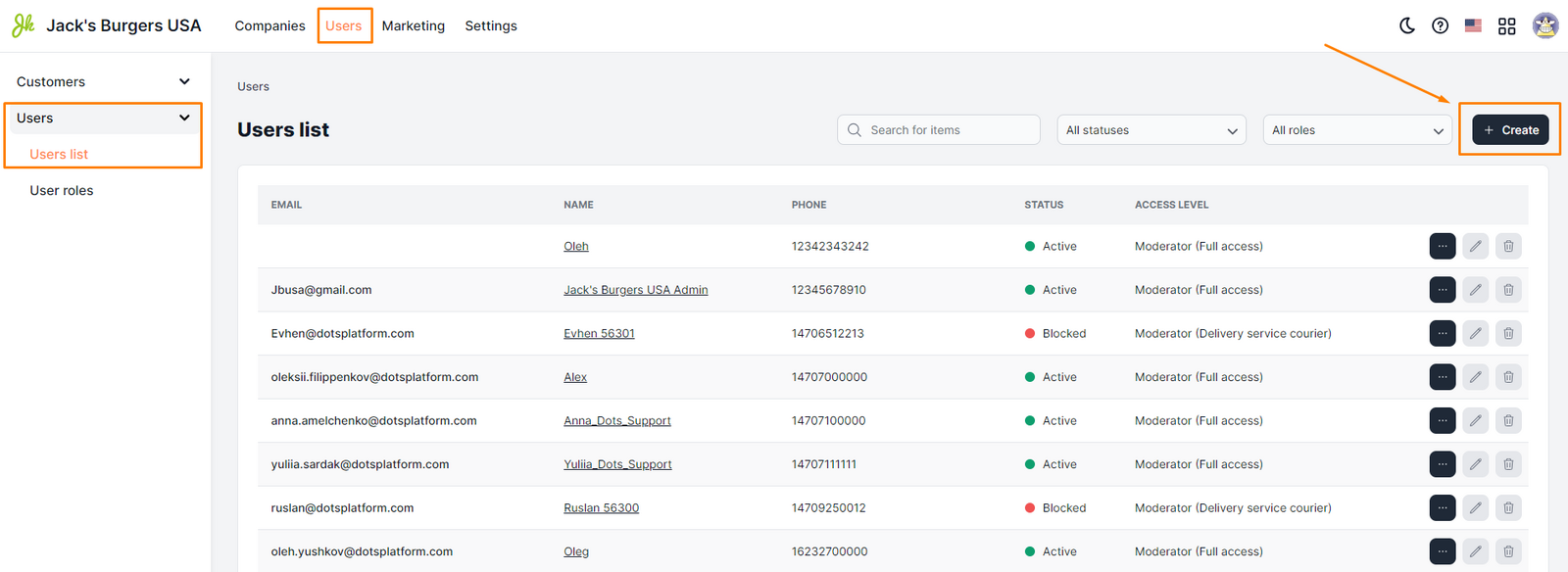
- Open the Users section of the Control Panel.
- Select the Users tab => Users list.
- Click the Create button.
- Fill in all required fields.
- Click Save.
Setup requirements
-
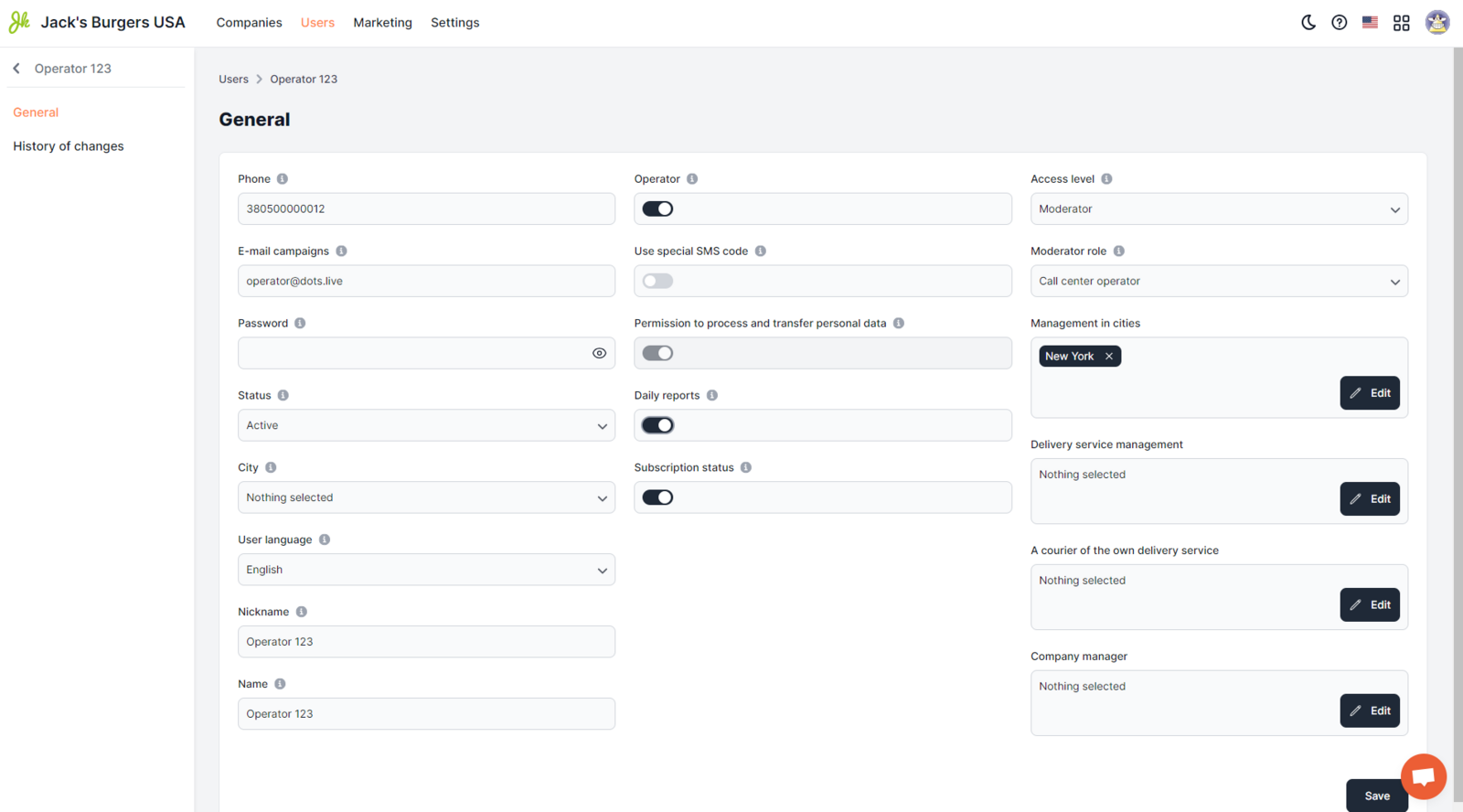
Phone. Phone number of the operator. This field allows you to enter only one phone number, which is specified in an arbitrary format. Examples 380990000000 0980000000 ||| Note: This field is mandatory.
-
Email. The e-mail address of the operator, which is used for authorization in the Monitoring Panel. Examples [email protected] [email protected]
-
Password. The unique password of the user, which will be used for authorization in the Monitoring Panel. Filled in any format.
-
Status. Select "Active".
Nickname The callsign number of the operator is indicated. Examples 101 115 078
-
Name. The username that will be displayed in all elements of the system. Filling in this field is mandatory. It is specified in an arbitrary format. Examples Sergey Andrew Svetlana
-
Operator - the switch is active (access to the Monitoring Panel is required).
In the fields I agree to the processing and transfer of personal data and Subscription status, the switch must be turned on.
-
Access level. Select Moderator.
-
The role of the moderator. Select Call Center Operator.
-
Management in cities. Select the city in which the current operator will work.
||| Note: The Operator role is edited in the User Roles section.
Link to this article: here.
Was this article helpful?
Thanks for your feedback!