
2.0 Enable a mobile app promotion pop-up
You can quickly and easily convince your website visitors to install your mobile app with a handy mobile app pop-up.
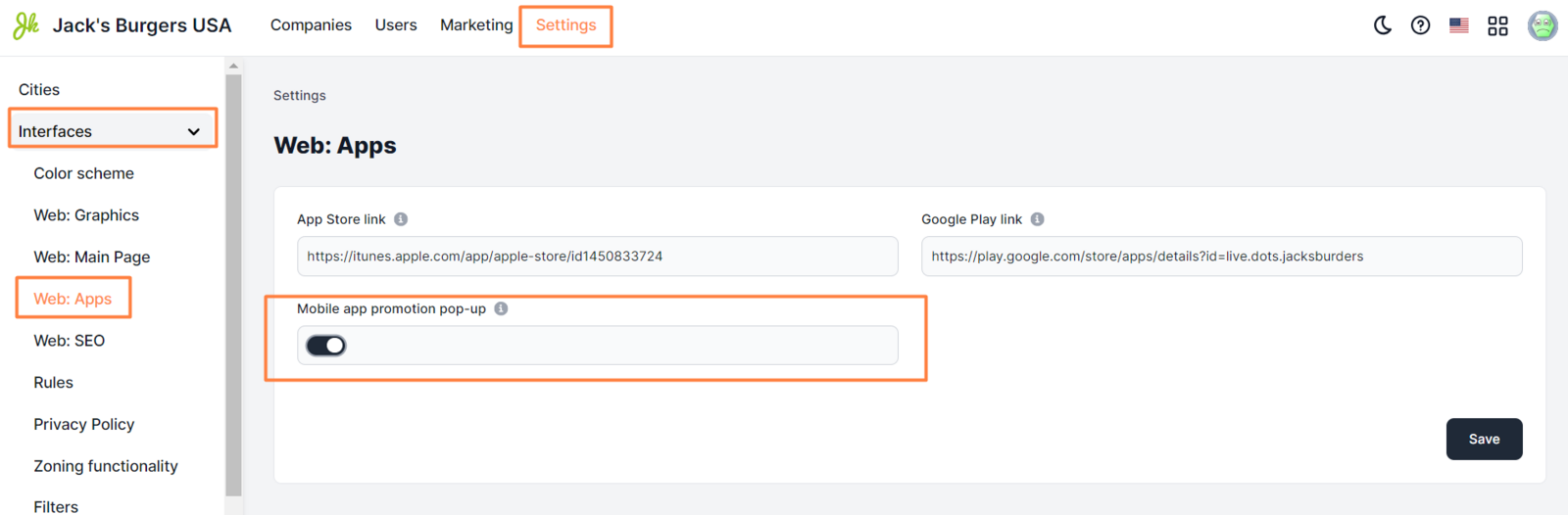
To enable a pop-up:
- In the Control Panel, click Settings.
- Go to Interfaces > Web: Apps.
- Select the Mobile app promotion pop-up checkbox.
- Click Save.
The pop-up window appears only in the mobile version of the website.
Note: Enabling this feature can slightly slow down opening a page.

Link to this article: ** here **
Was this article helpful?
Thanks for your feedback!