
2.0 Set the company’s priority
Set the priority which affects the order of companies on the city webpage.
To set company priority:
- Click Companies on the Control Panel menu.
- Locate the company you need and click the pencil icon.
- Click General.
- In the Priority field, set the desired value.
- Click Save.
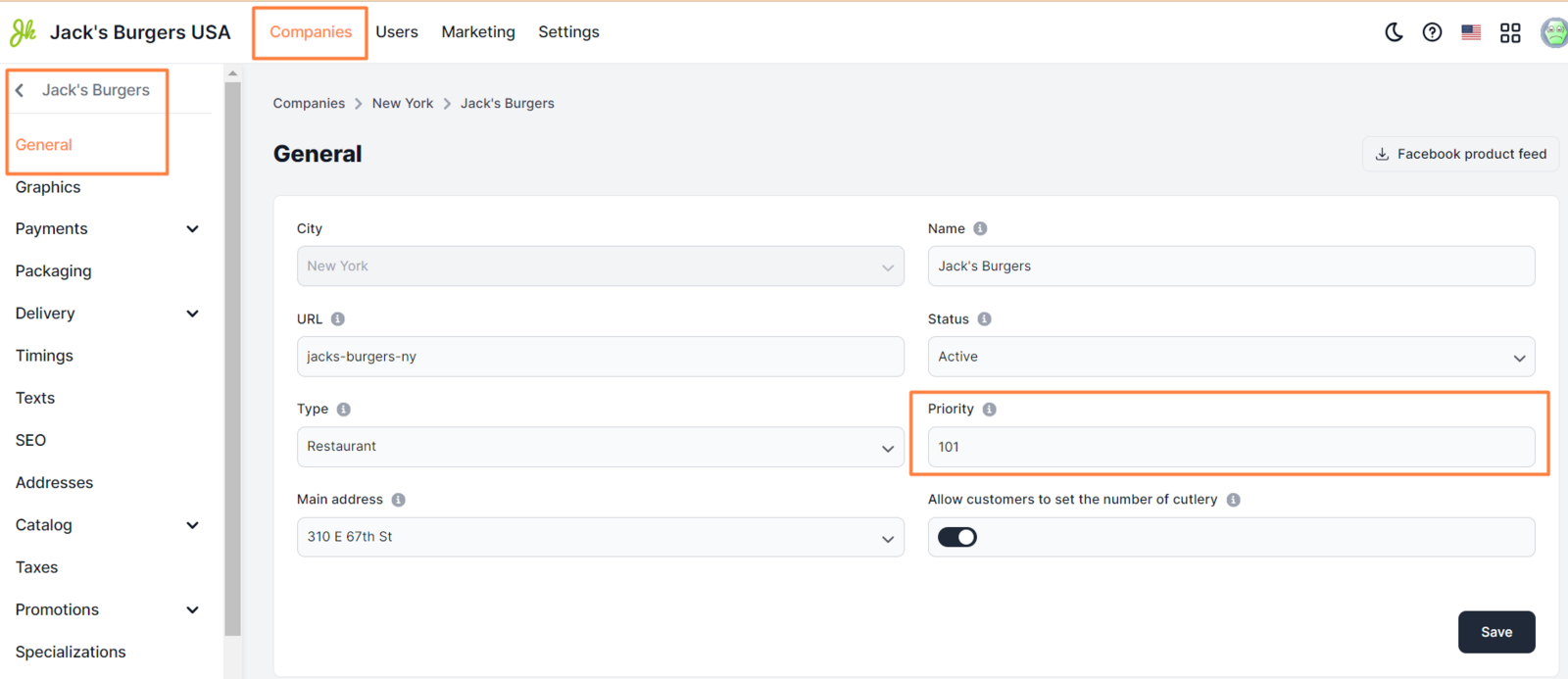
The higher the value, the higher the priority. If you set a decimal value, it will be automatically rounded to an integer value.
** Examples ** First company’s priority - 1100 Second company’s priority - 1085

Note: You can also change the priority of a company directly from the company management page.
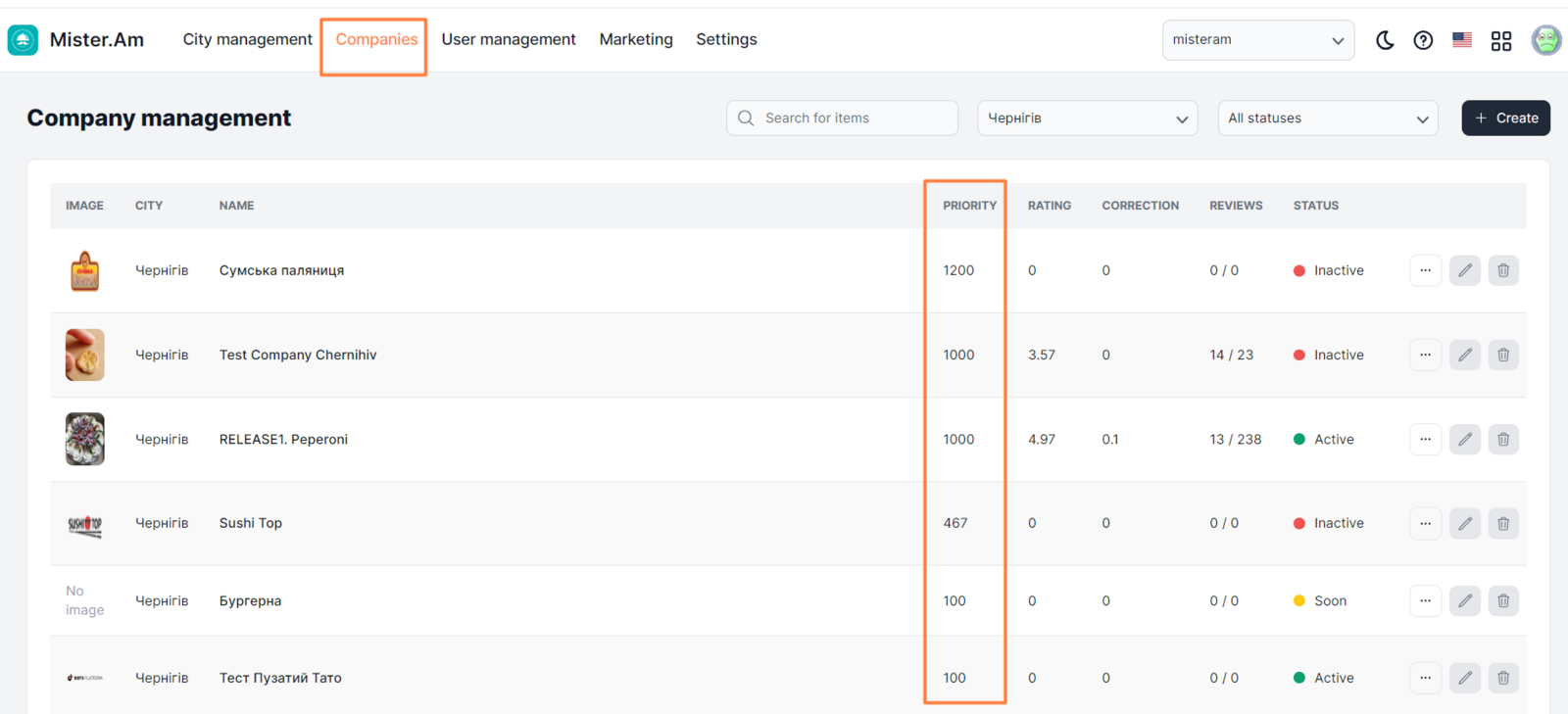
Examples of display
The priority of the first company is 1100, the second is 1085, and the third is 1084.

Link to this article: here
Was this article helpful?
Thanks for your feedback!