
How to change the delivery cost for an order?
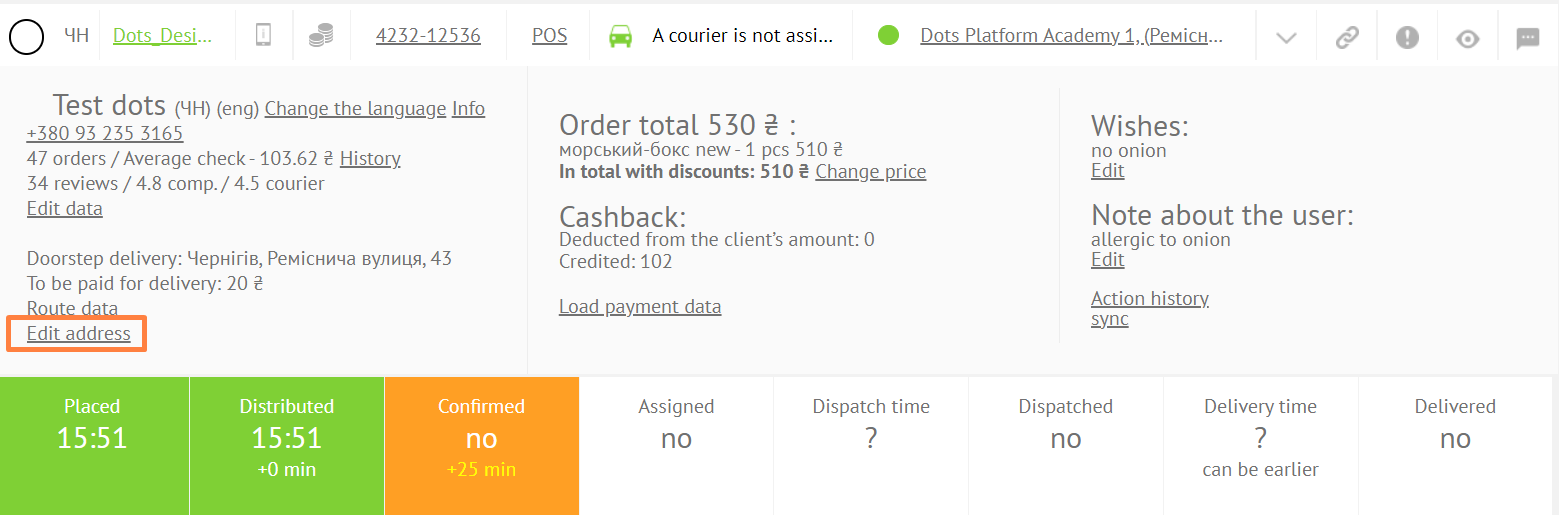
In order to change the delivery cost in the order, go to the Monitoring Panel → Order card → the edit address button.
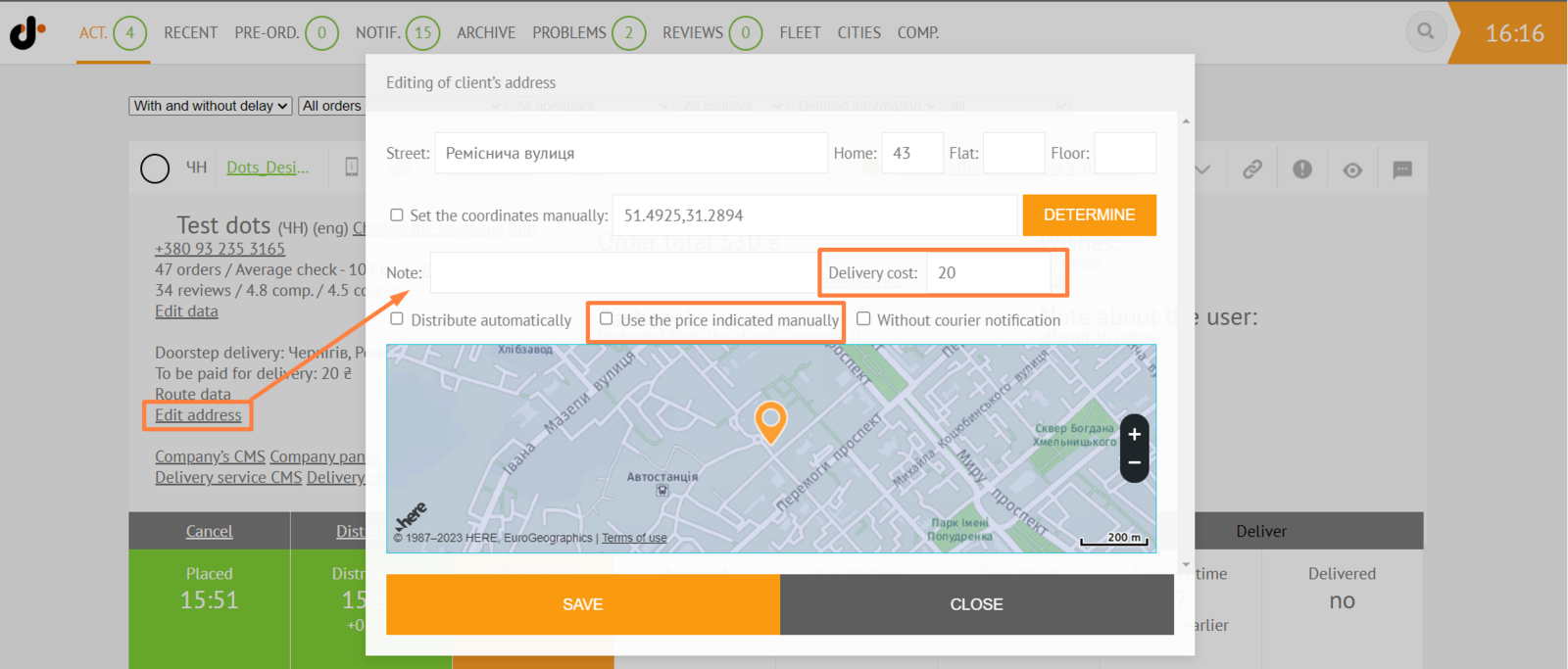
Check the Use the price specified manually box. Enter the cost in the Delivery cost field.
Link to this article: here
Was this article helpful?
Thanks for your feedback!