
How to change the delivery time of an order?
In order to change the delivery time, you need to change the dispatch time.
This can be done in two ways:
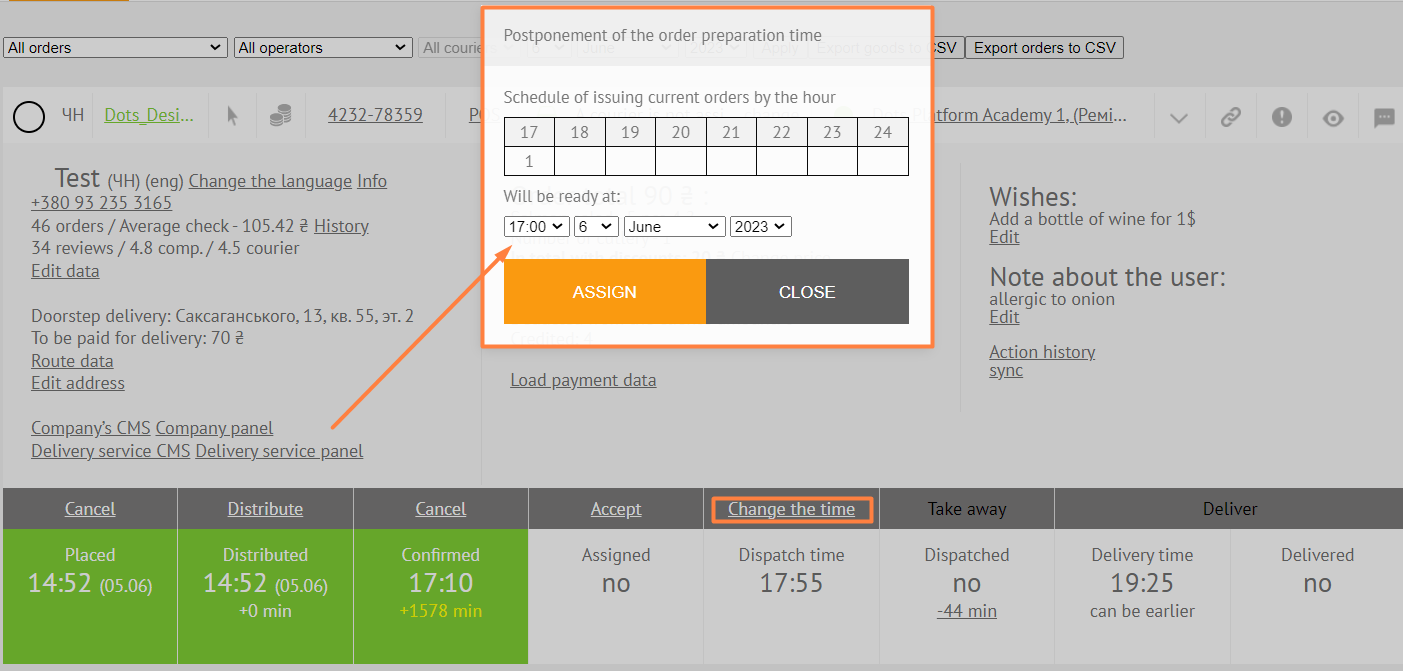
- In the Monitoring Panel, click on the Change the time field.
- In the Company Panel, click on the field with the time and select the appropriate time for dispatching the order from the list.

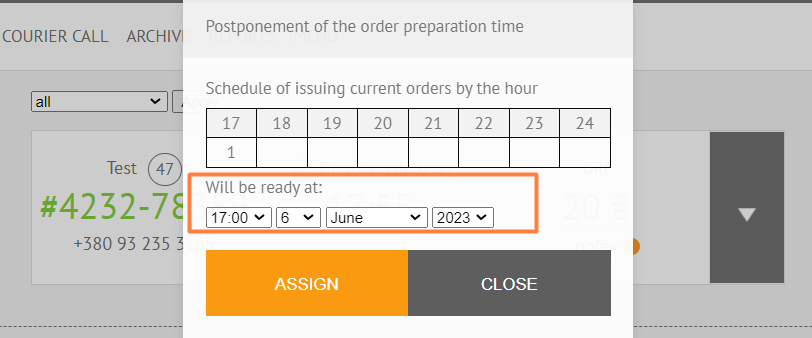
- If the order is placed for a certain time, then when accepting the order, the company cannot change the delivery time. But can change it after accepting the order.

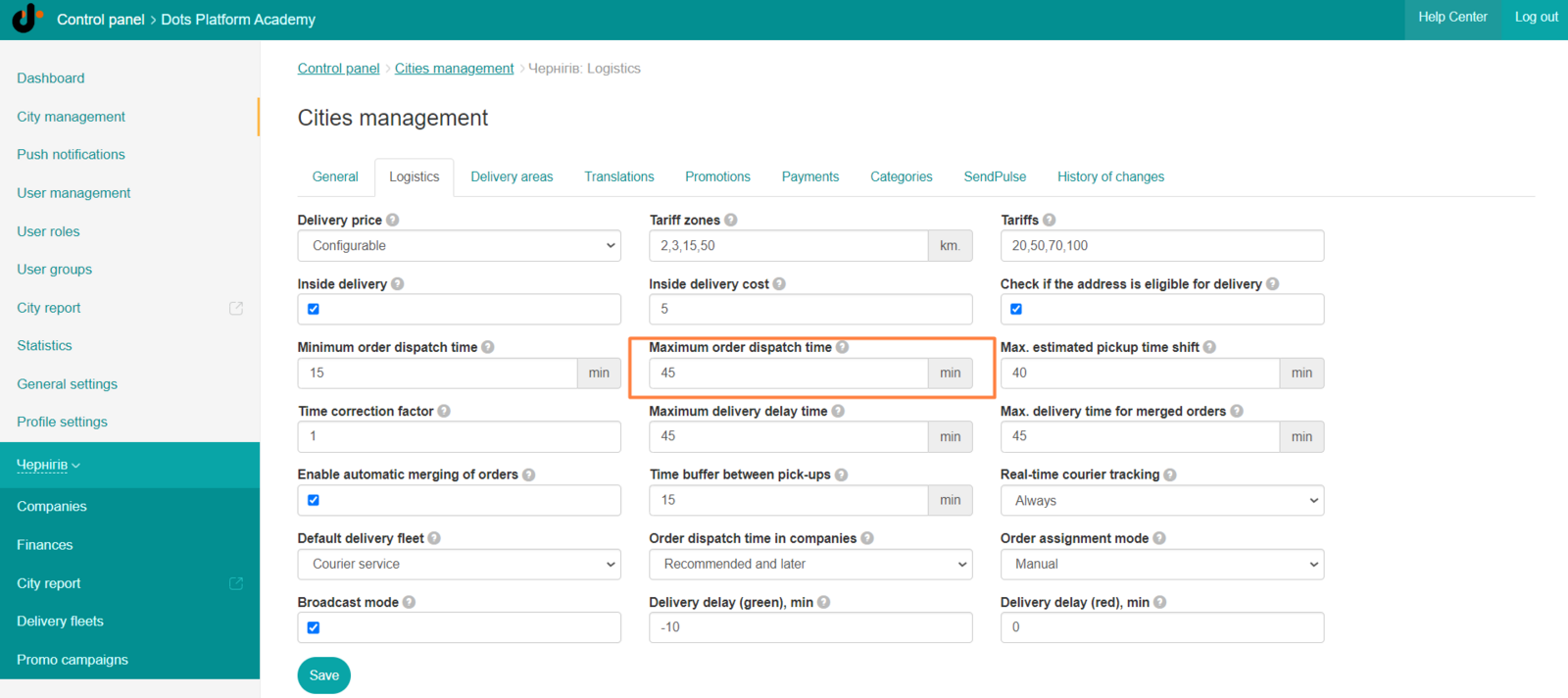
- After making the changes, the Monitoring Panel will change the delivery time, which is calculated as dispatch time + max. delivery time of the order (according to the logistics settings).
Link to this article: ** here **
Was this article helpful?
Thanks for your feedback!