
How to find out the number of repeat orders of a particular customer for a certain period?
- By entering the client's phone number in the search field on the Monitoring Panel;

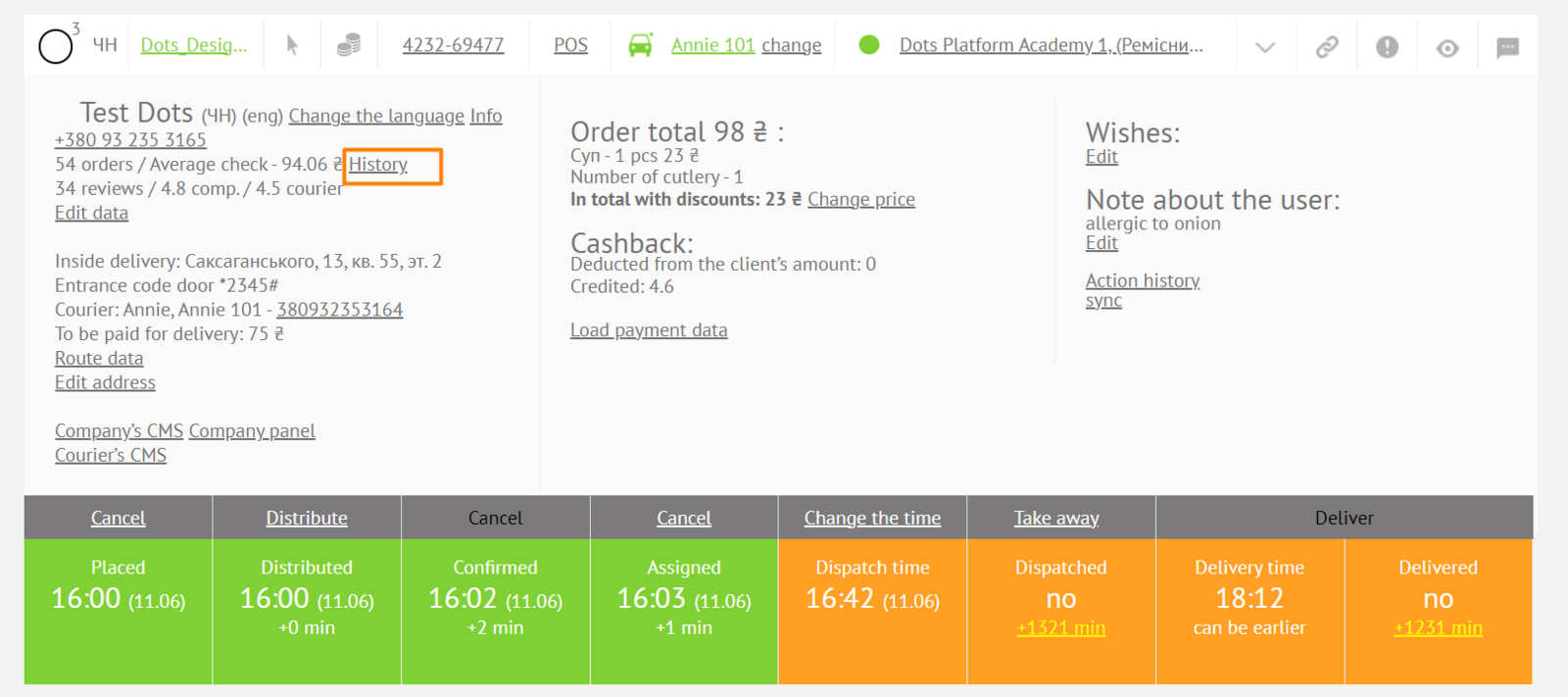
- By clicking on the History link, in the Monitoring Panel → Order Card → Personal Data Block.
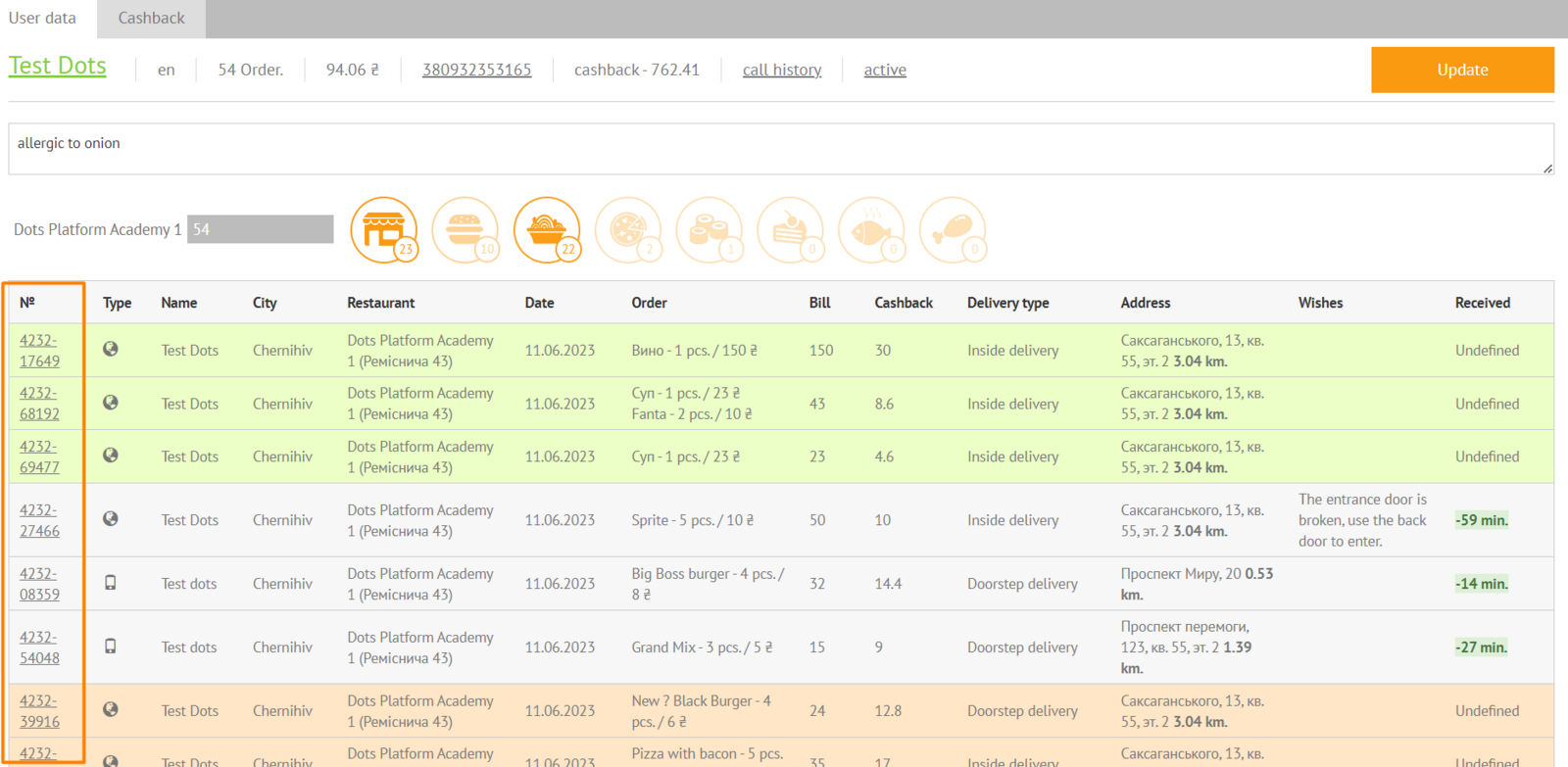
- In the order card, you will see a list of all the customer's orders.
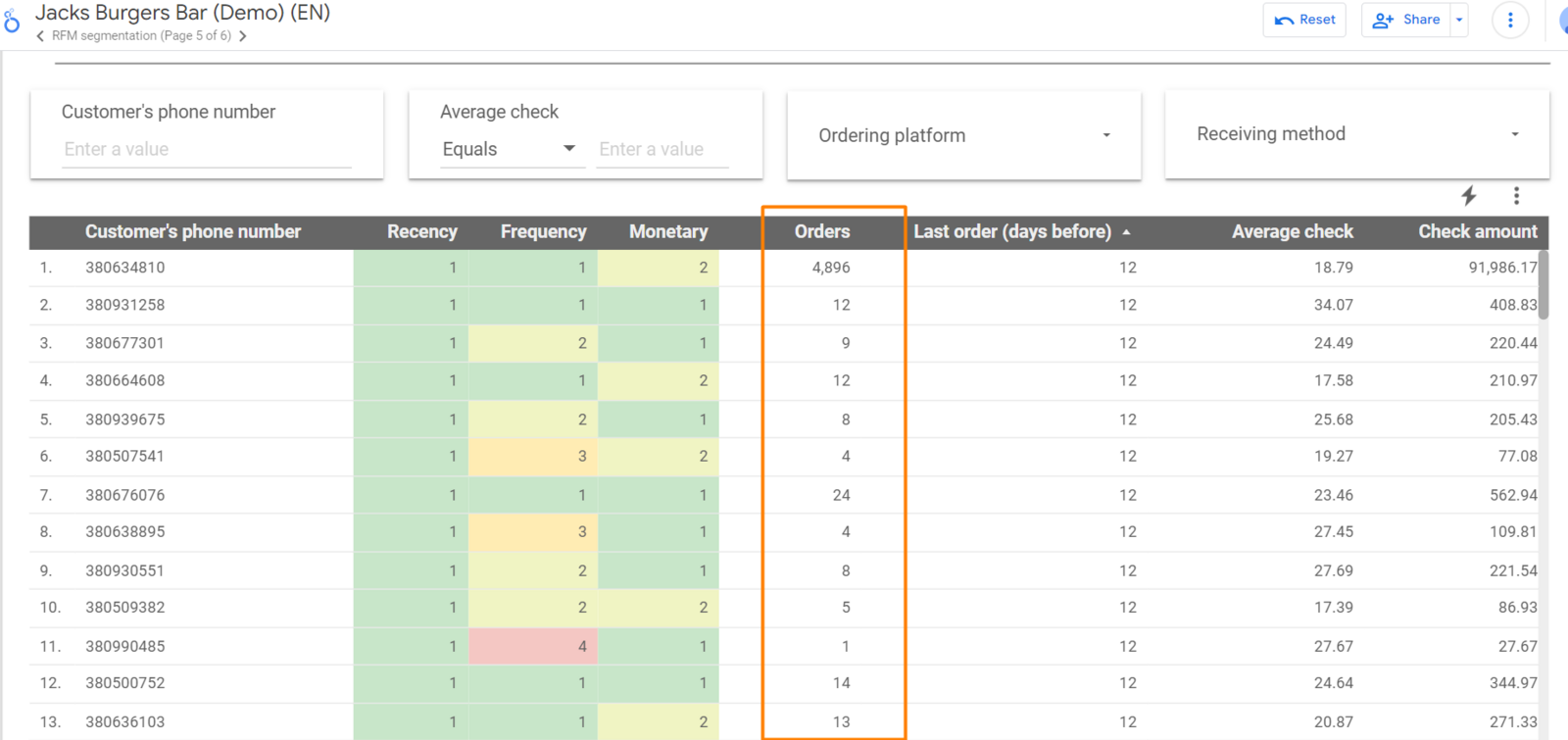
- The number of customer repeat orders can be viewed in the Control Panel → Report on the RFM tab. When you click on the Phone drop-down list, you can make a selection.
Link to this article: here
Was this article helpful?
Thanks for your feedback!