
How to put the company on pause?
There are several ways to pause a company:
- In the Company Panel, in the upper right corner, click the Pause button, in the drop-down list of the window that appears, select the required status.
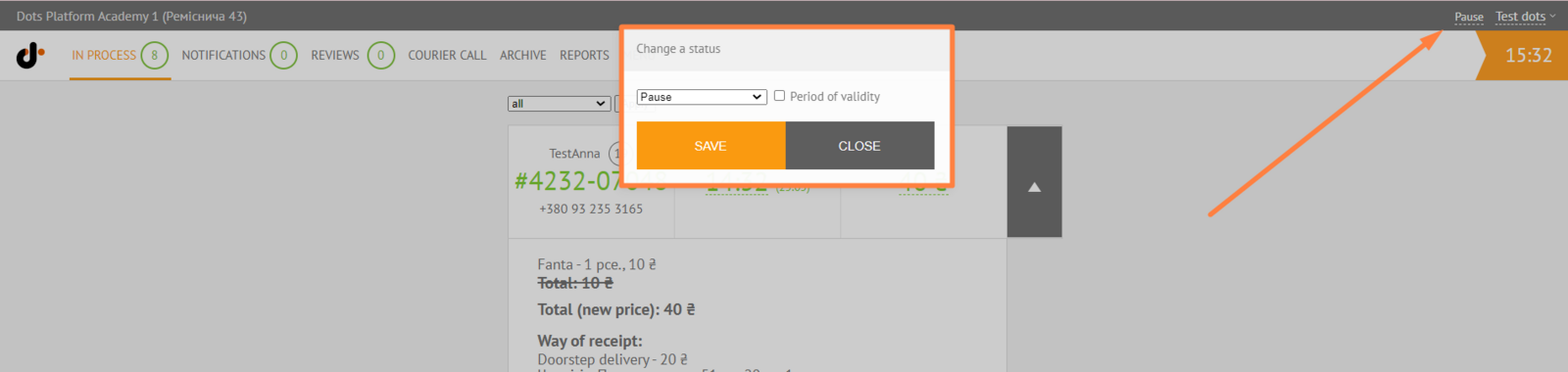
- On the Monitoring Panel→ Rest., click on the status of the restaurant, in the drop-down list of the window that appears, and change it to the required one.

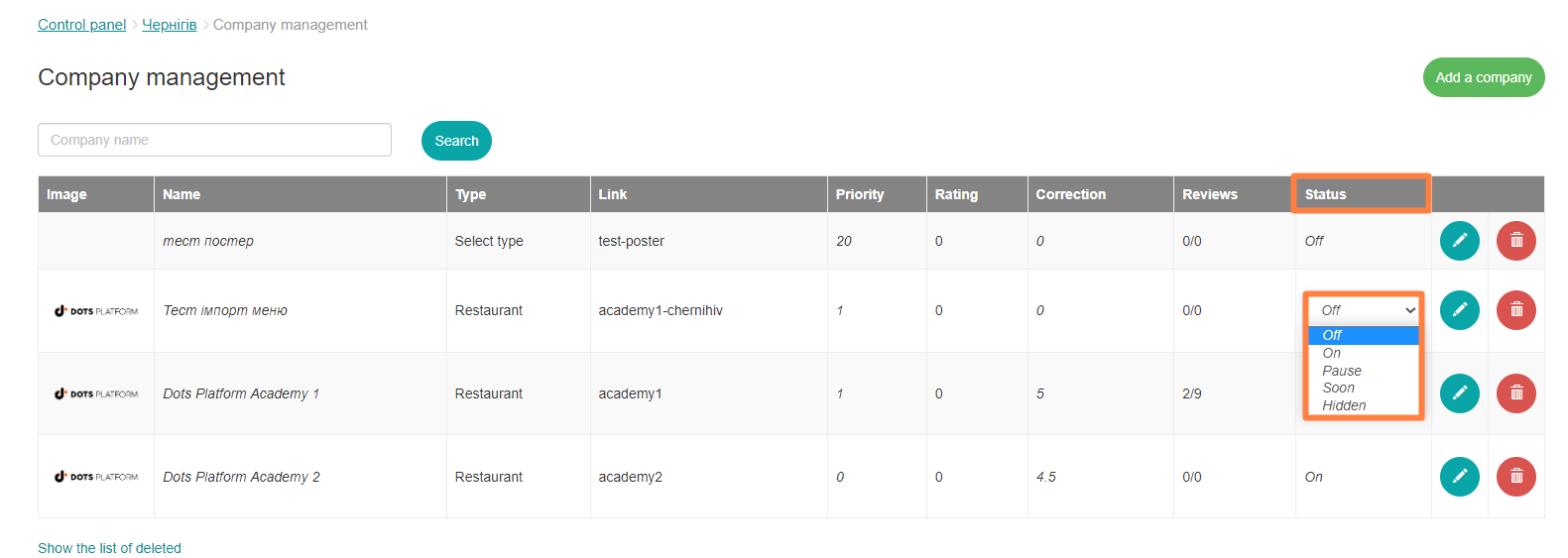
- In the Control Panel → Companies, click on the status of the company, in the drop-down list of the window that appears, and change it to the required one.
Link to this article: here
Was this article helpful?
Thanks for your feedback!