
Import CSV data from the Monitoring Panel
Import the CSV file downloaded from the Monitoring Panel into the previously downloaded ** file with statistics ** for convenient work with data.
Importing Statistics
-
Open the "Statistics" file in Microsoft Excel.
-
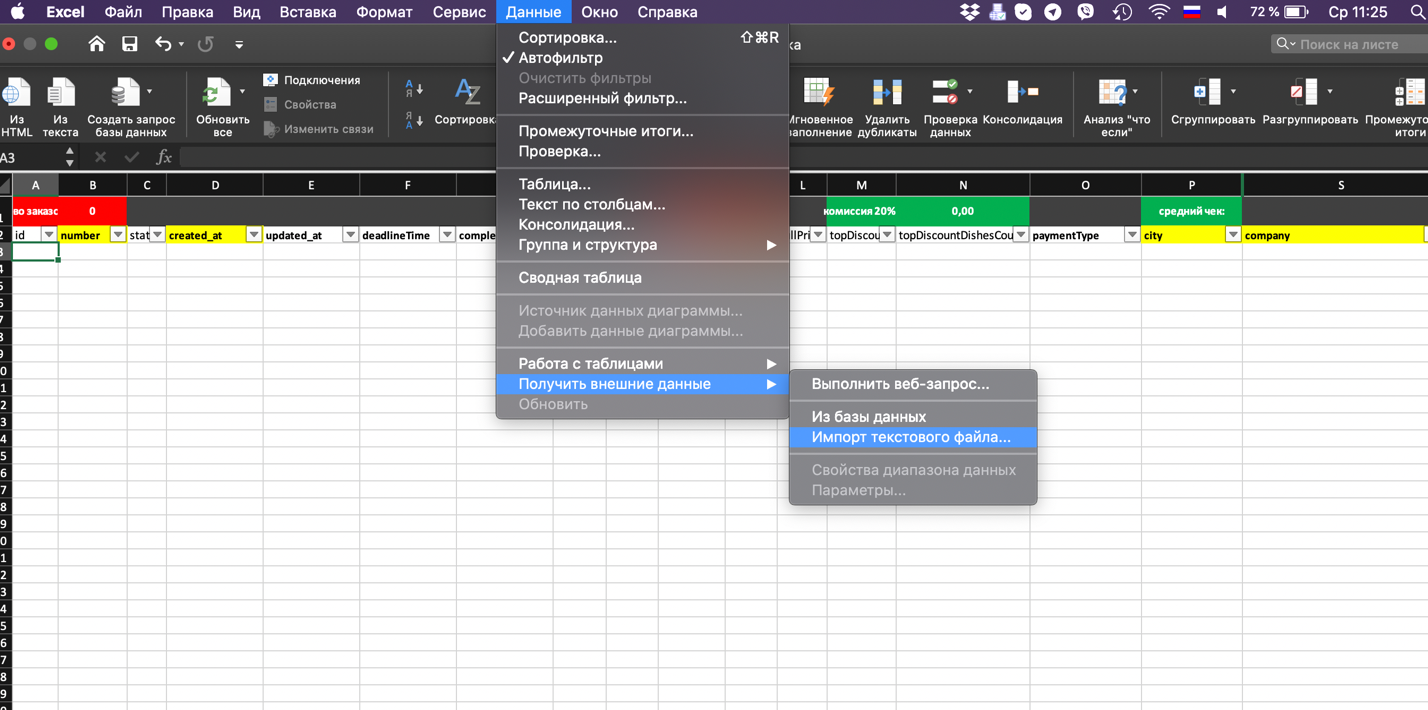
Click Data > Get External Data > Import Text File.
-
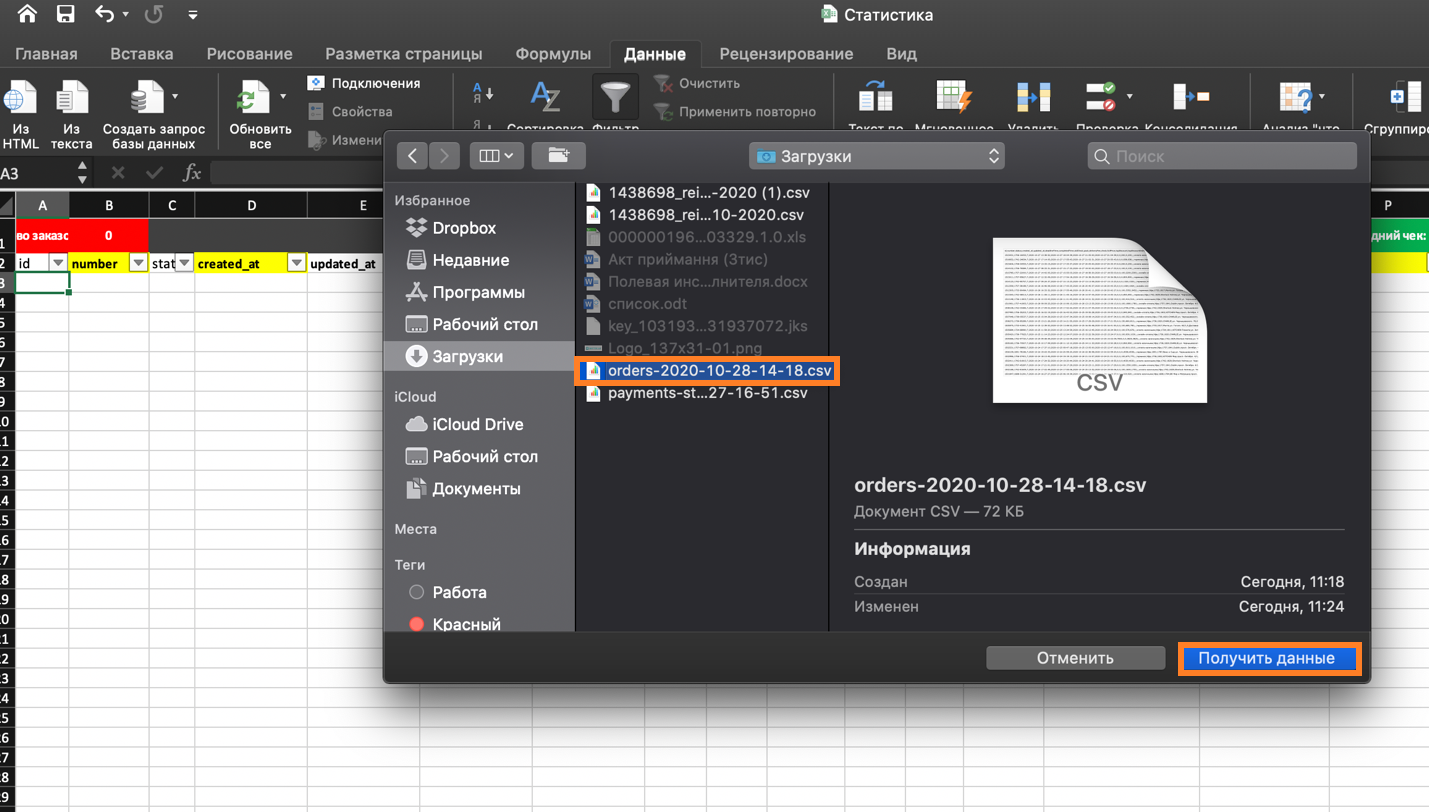
Select the required file and click Get Data.
-
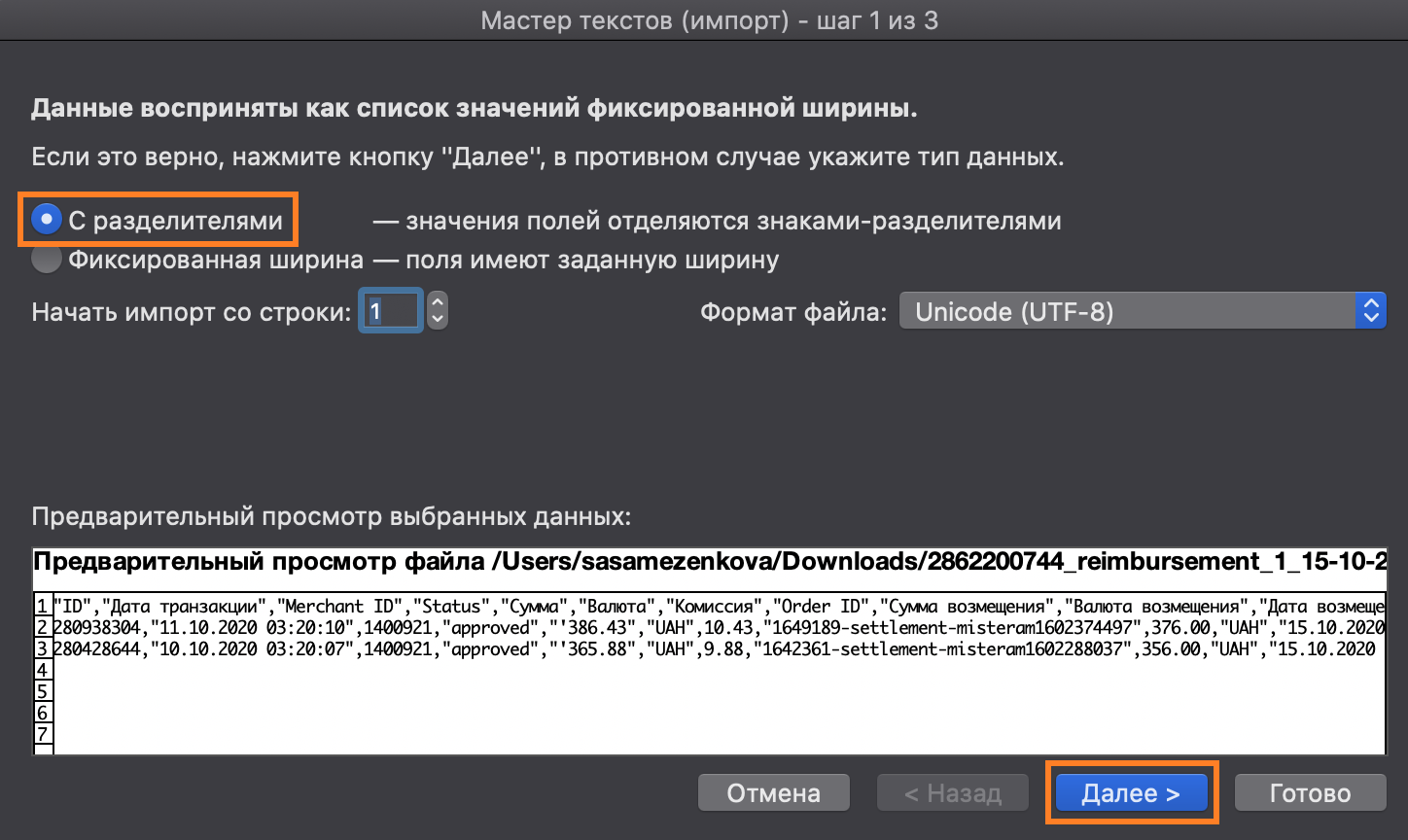
In the window that appears, select Delimited and click Next.
-
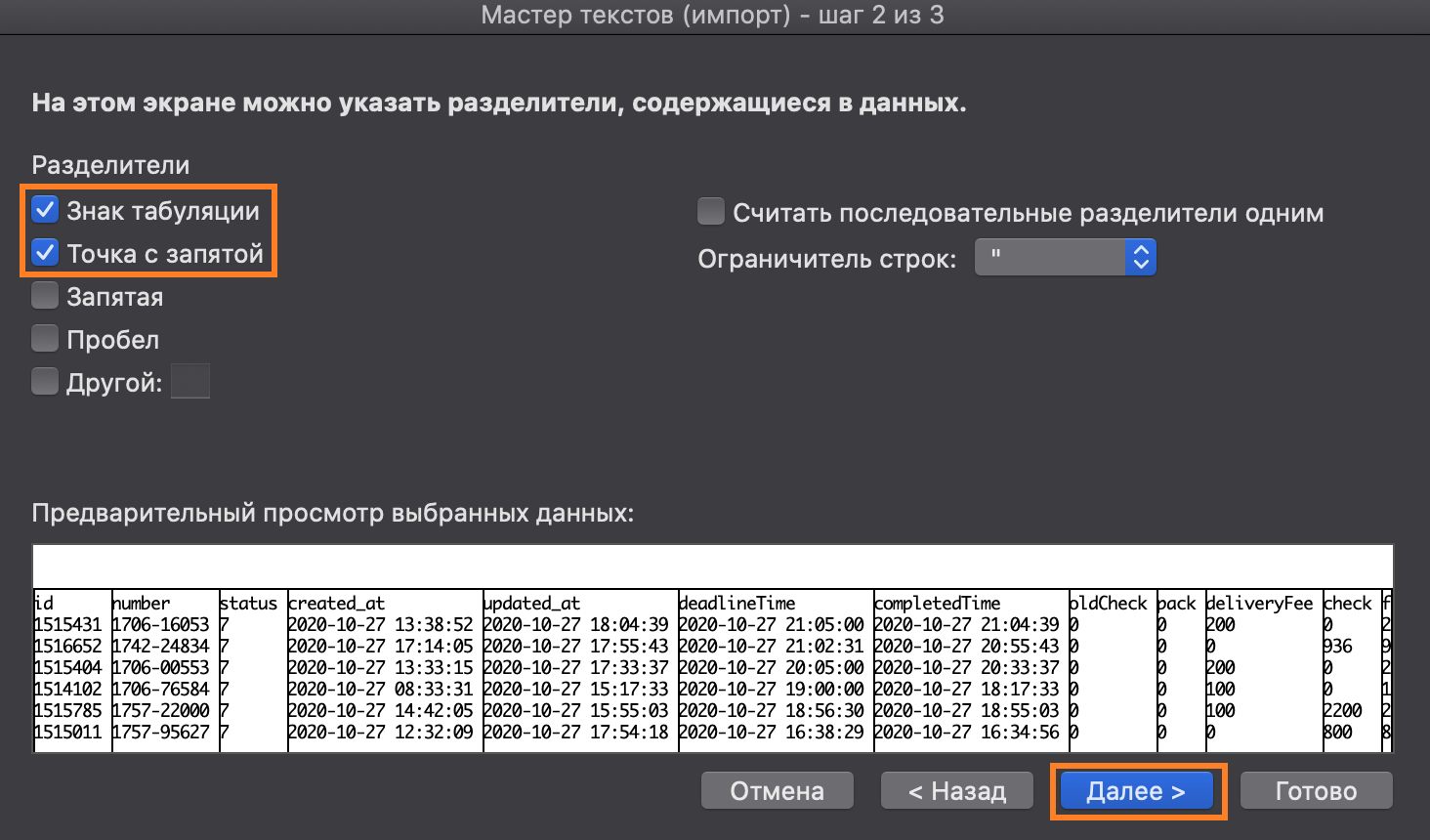
Specify the separators as in the screenshot below and click Next.
-
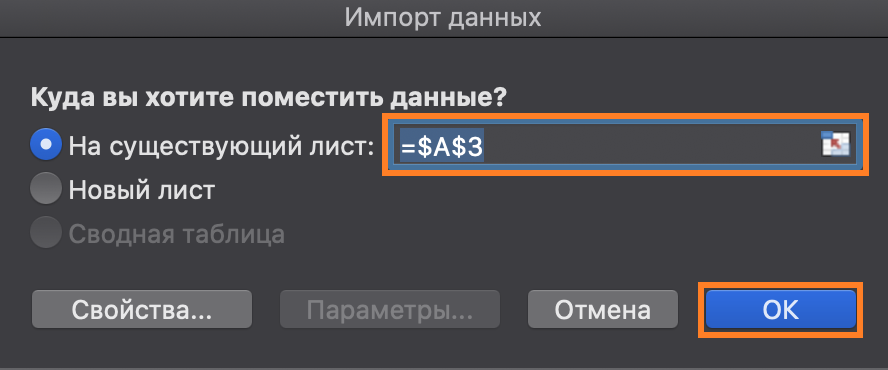
Select an existing data sheet and click OK.


Setting up the calculation of total and average mileage
-
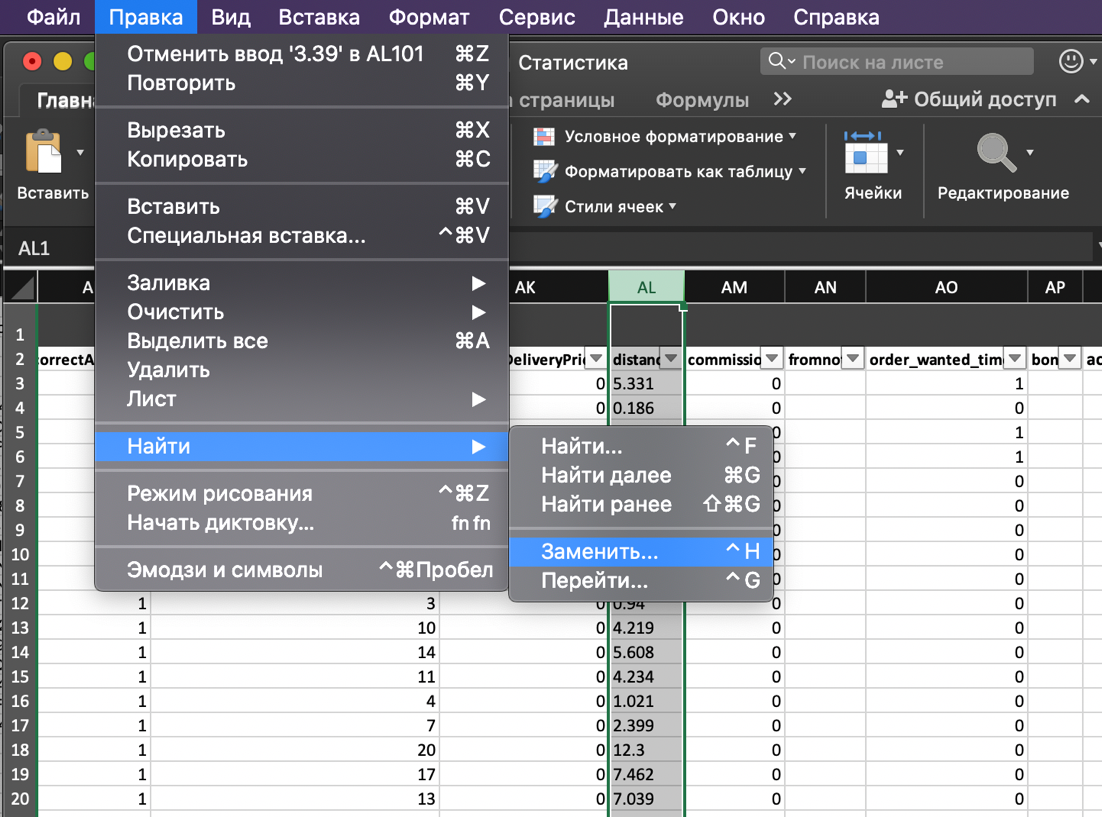
Select the distance column and click Edit > Find > Replace.
-
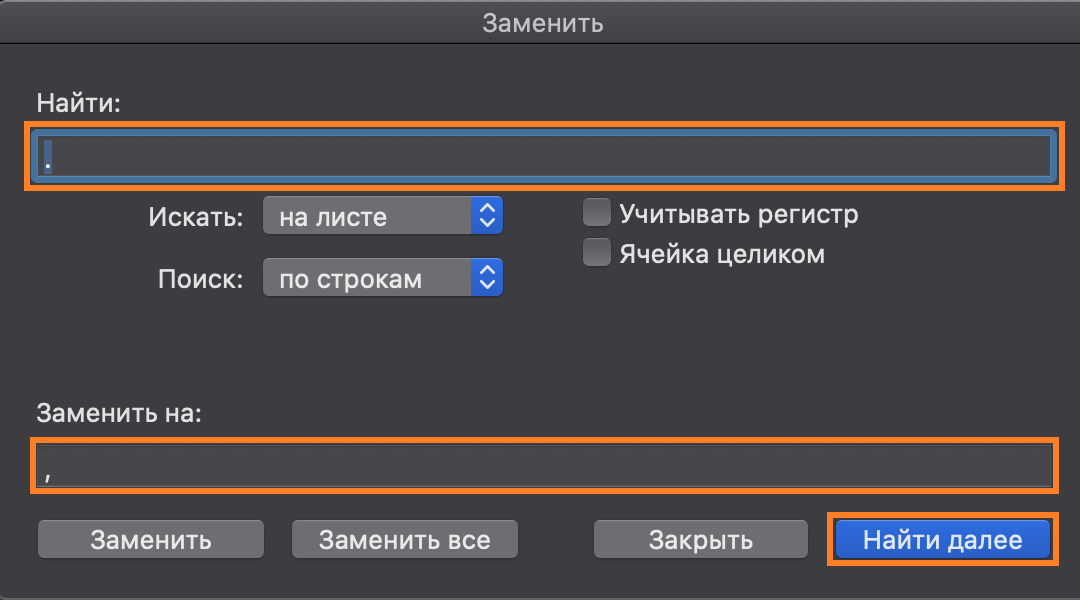
In the Find: field, specify a point. In the Replace with field, specify a comma. Then click Find Next.
-
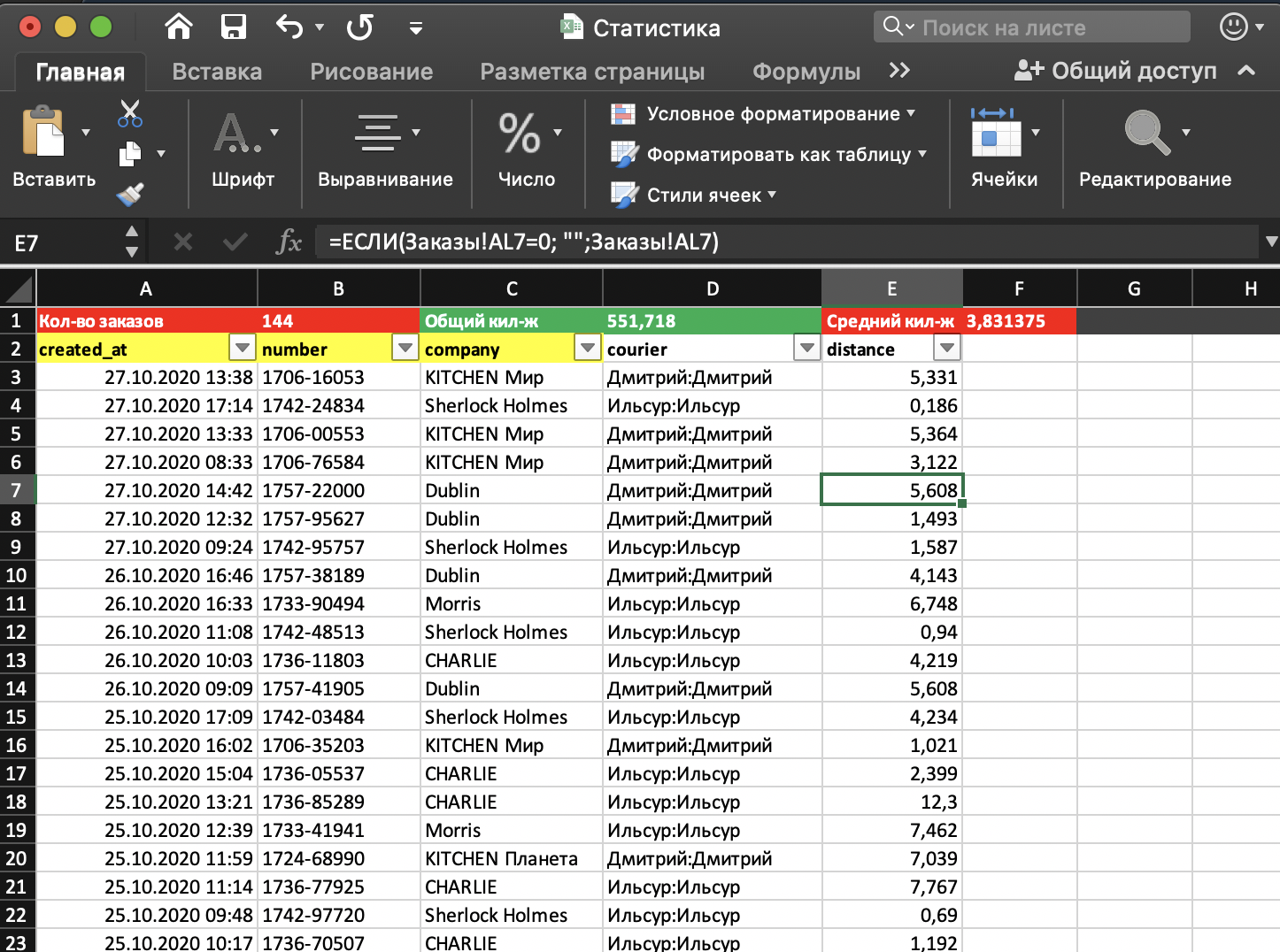
Now the data is displayed separated by commas.

Link to this article: here
Was this article helpful?
Thanks for your feedback!