
2.0 Control panel. Editing a company. Taxes
This tab enables delivery and product taxes at a Company level.
Setting up Taxes:
- Select the Companies section in the Control Panel.
- Click on the edit icon opposite the desired company.
- Go to the Taxes tab.
- Set the desired settings (see below).
- Click Save.
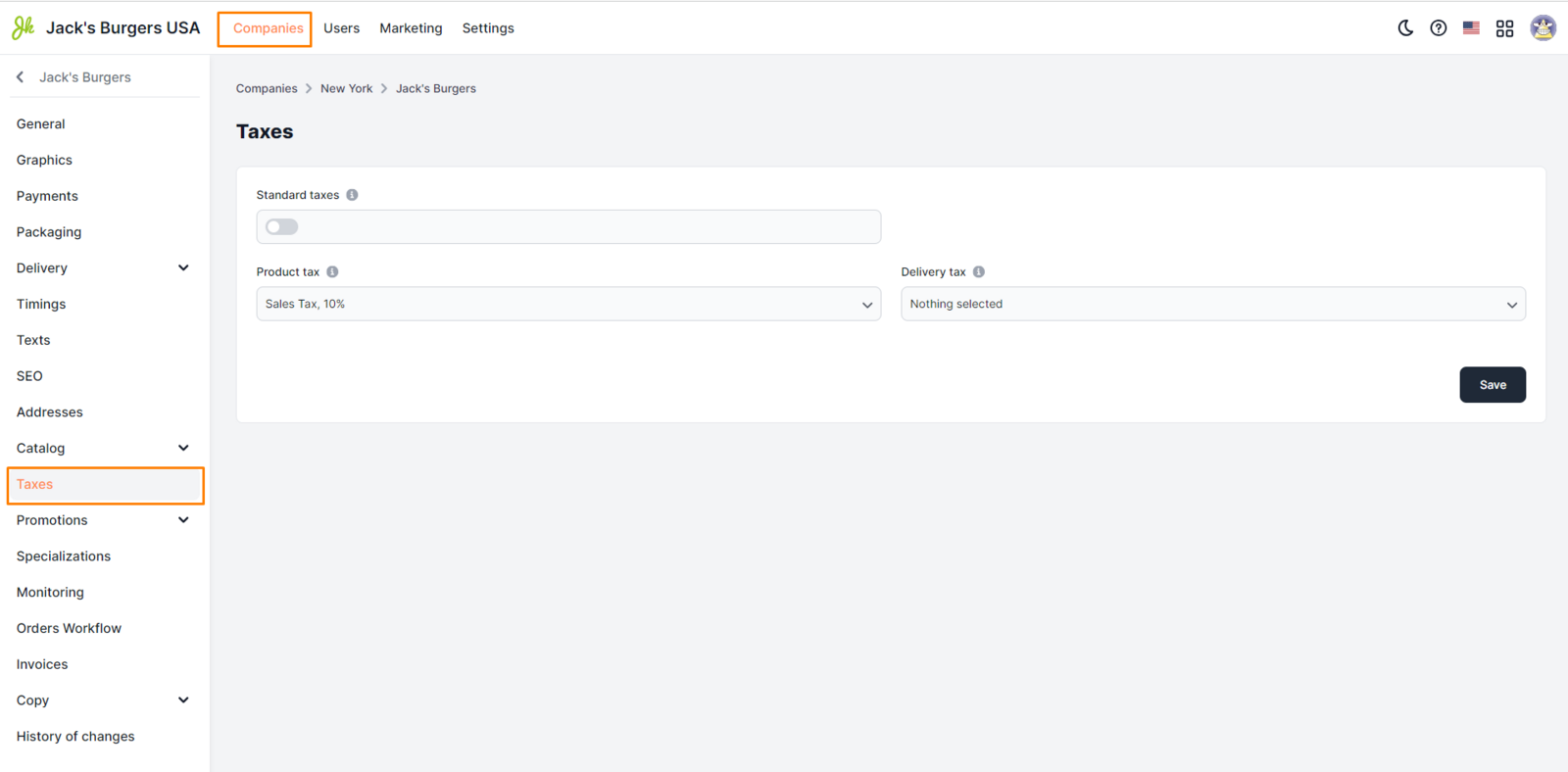
Customization requirements:
- Standard taxes. On - The standard tax is used, which is specified in the main settings of the city. Off - You can select individual taxes for the company
If the switch in the Standard taxes field is inactive, additional fields for selecting taxes appear. Product tax. Choose a tax from the list of created ones. The list displays only Product taxes. Delivery tax. Select a tax from the list of created ones. The list displays only Delivery taxes
|| Creating Taxes for selection is available in Control Panel => Settings => Taxes => List of Taxes => Create. More details at the link.
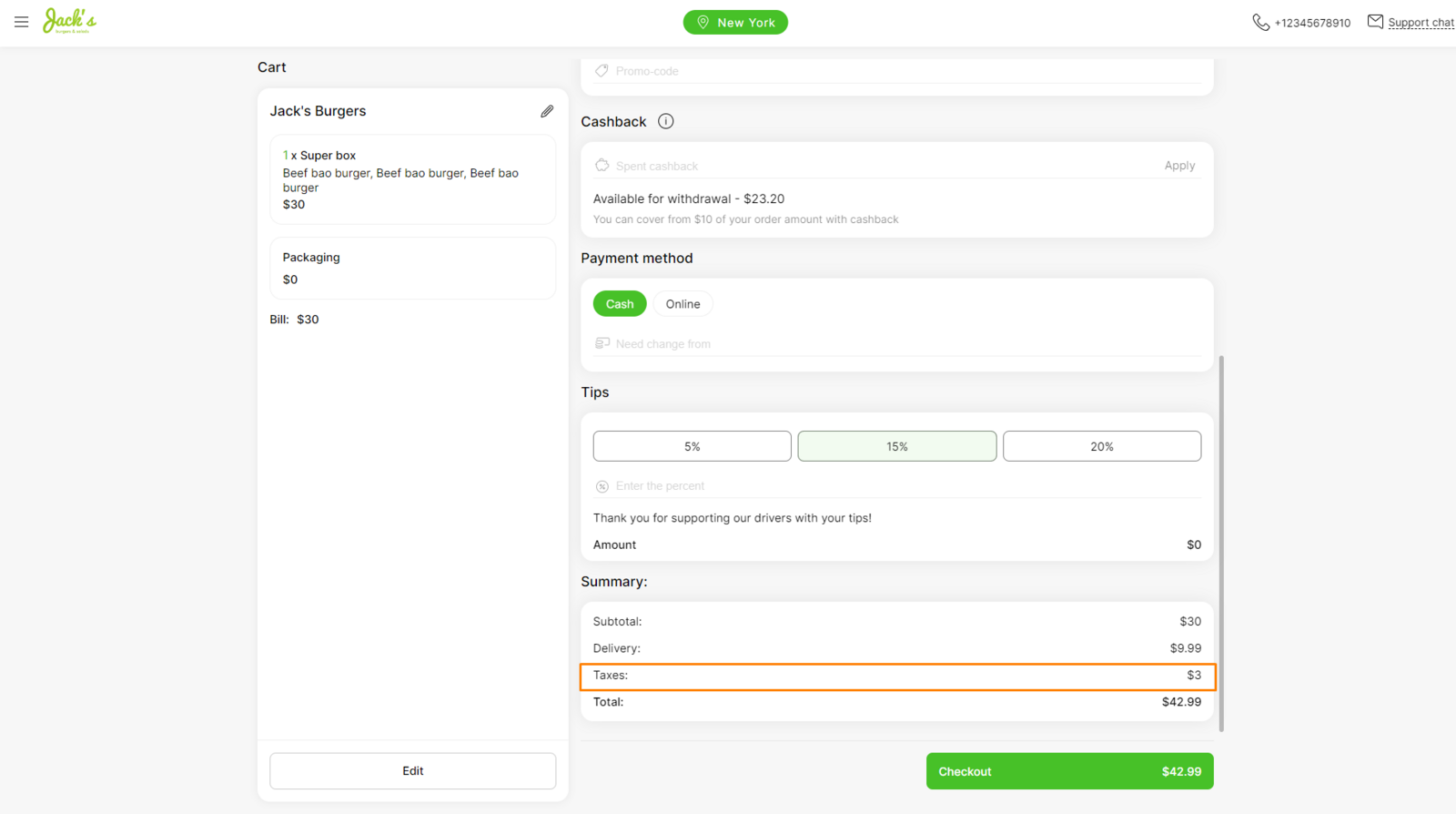
Display examples:
|| See also: How to set a tax at the city level?
Link to this article: here.
Was this article helpful?
Thanks for your feedback!