
2.0 How to log in to the Company Panel/Dots Business app?
You can enter the Company Panel in several ways:
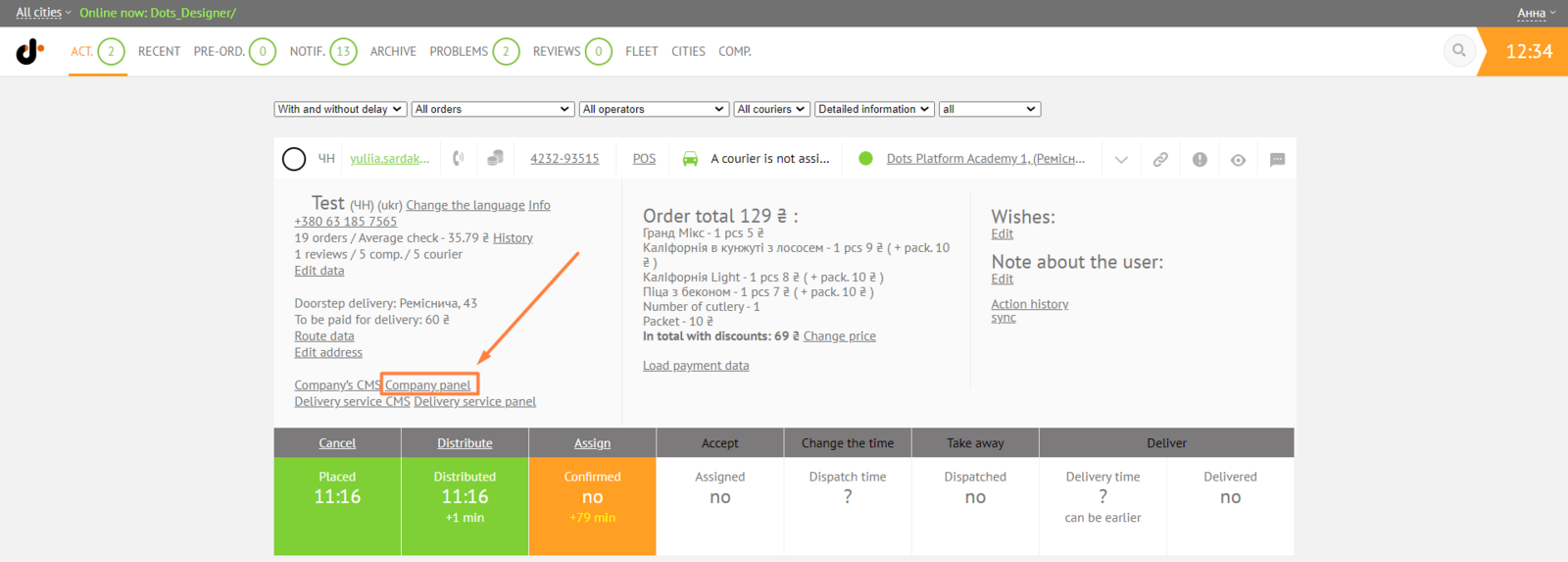
- ** From the order card in the Monitoring Panel by clicking on the Company Panel link.**
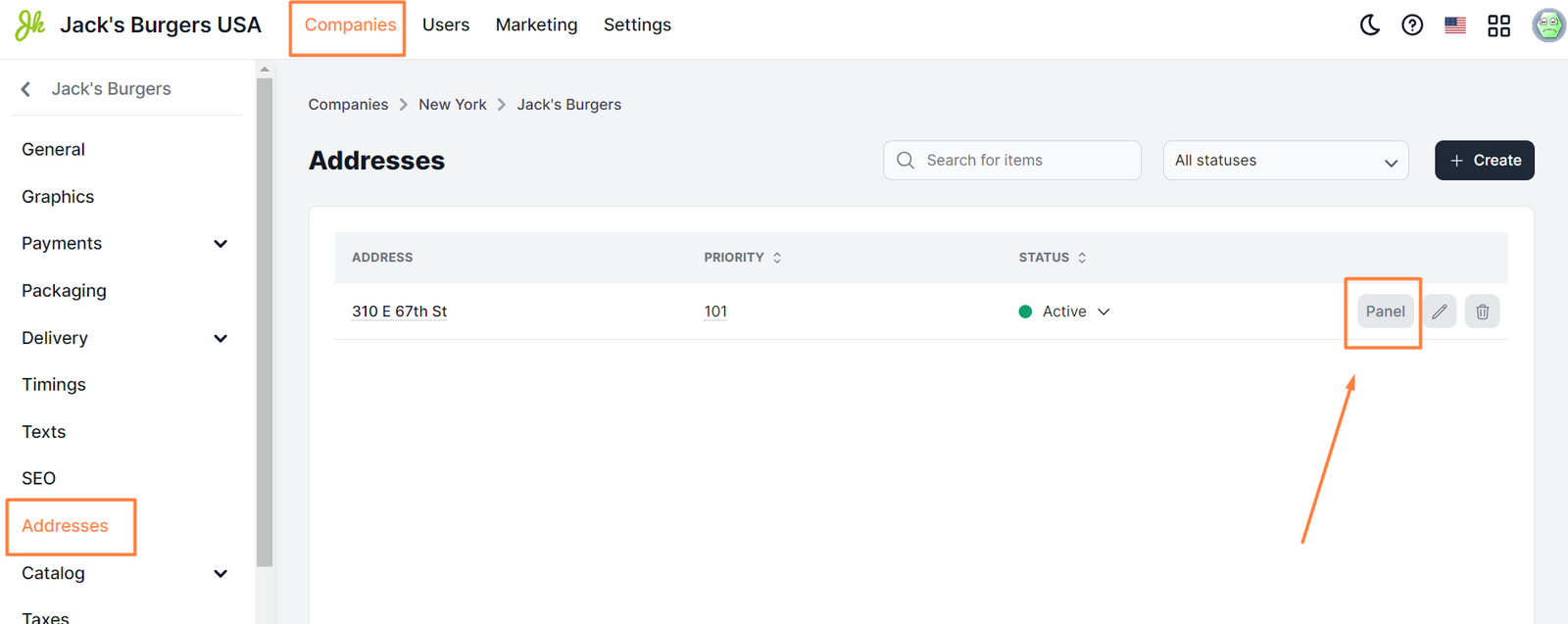
- ** From the Control Panel, click on Companies → Addresses.**
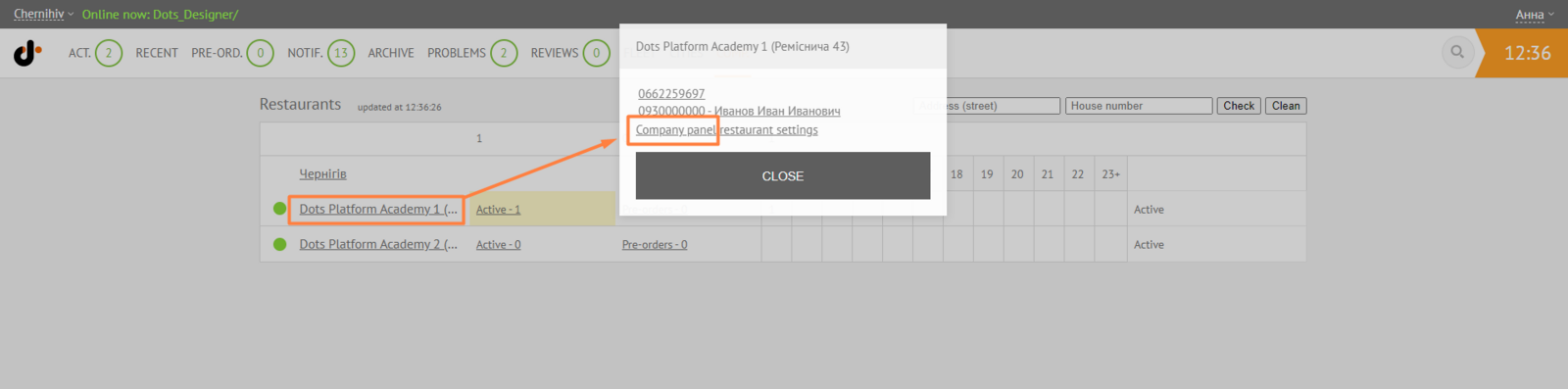
- ** From the Monitoring Panel → Comp. → after clicking on the name of the establishment, in the window that opens, select the link - restaurant panel.**
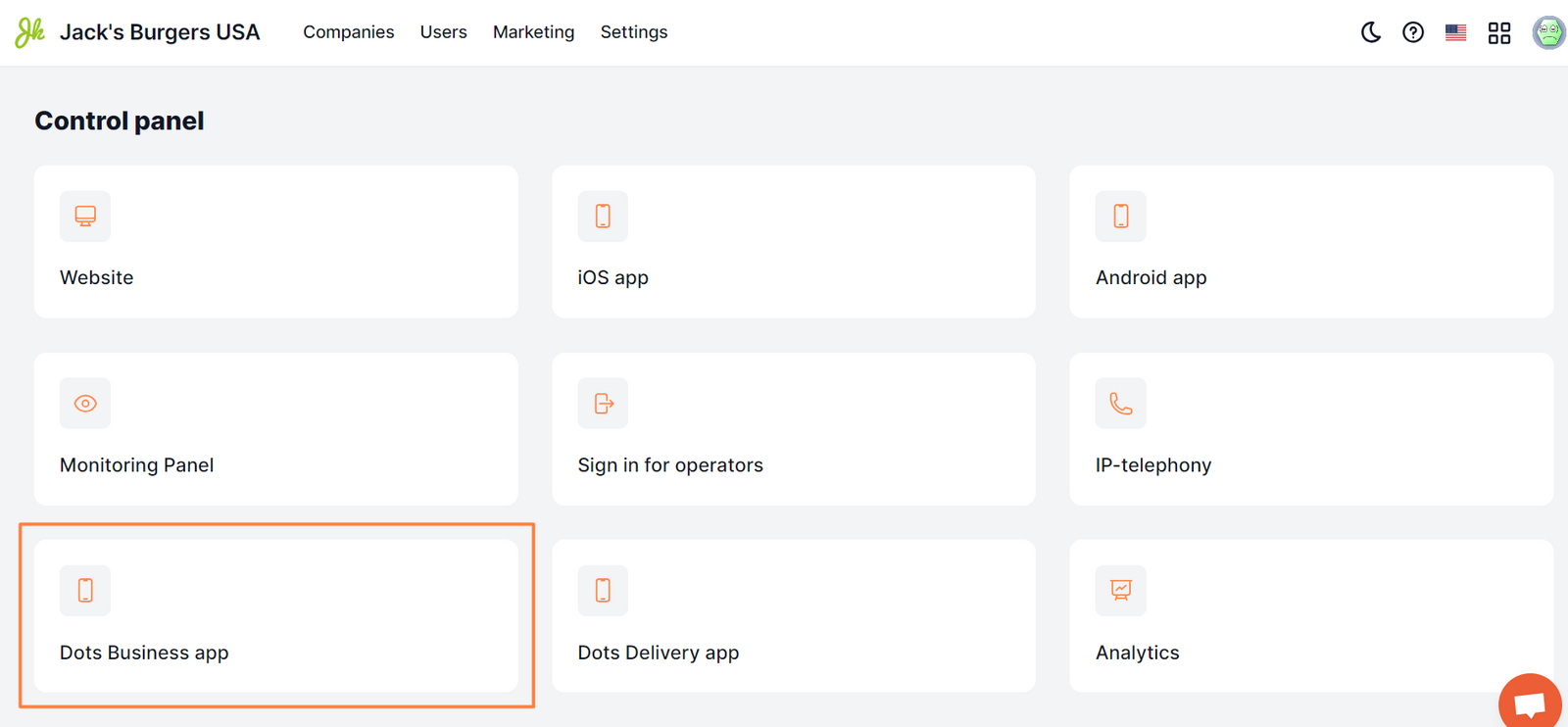
- ** Log in to Dots Business by specifying the name of the project, your email and password. The link to the app is in Control Panel → Dashboard.**
- ** By direct link. More details on how to create a link are described in this instruction.**
The user will be able to go to the Company Panel only if he has the appropriate access rights.
Link to this article: here.
Was this article helpful?
Thanks for your feedback!