
Creating a new company address
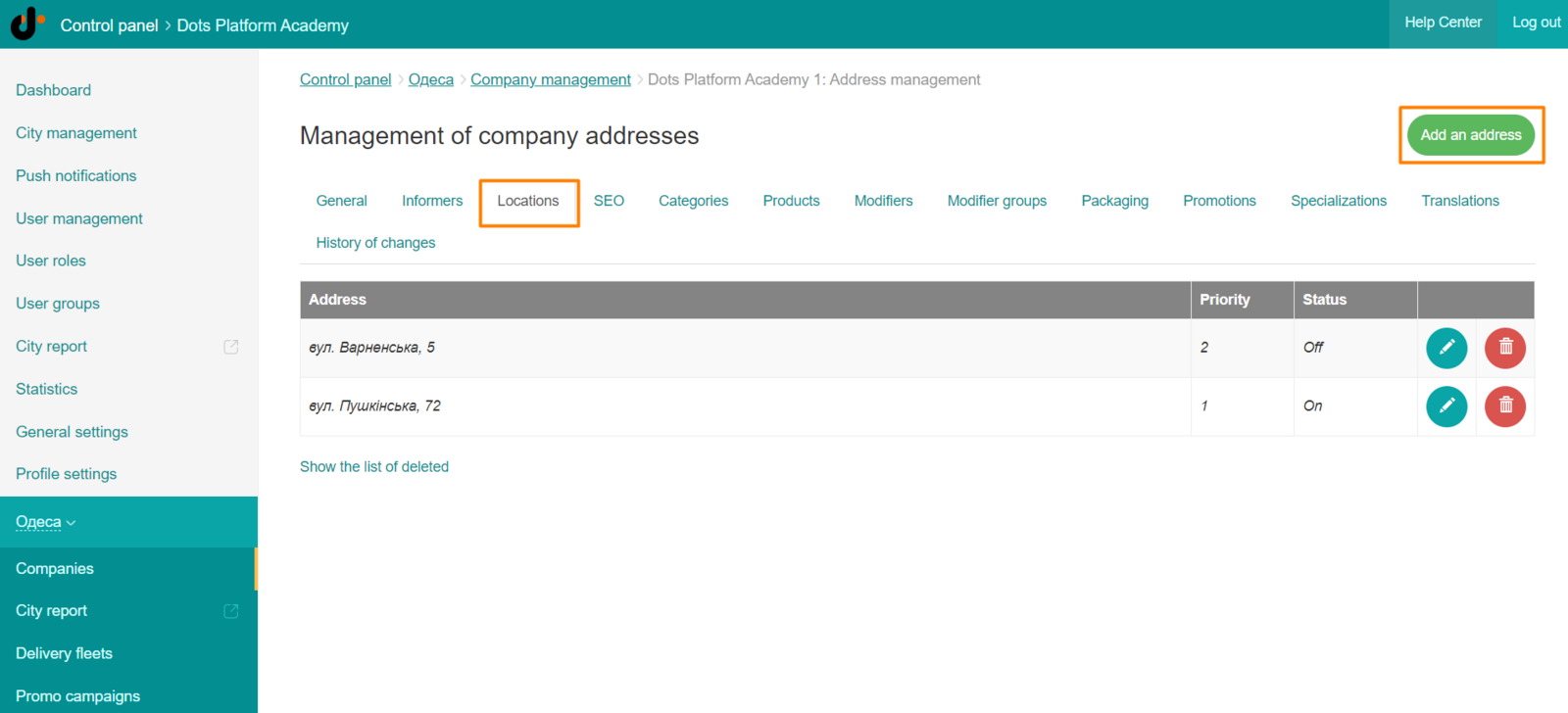
- Create a new address for the company. To do this, go to Control Panel → City → Companies → Addresses → the Add address button.
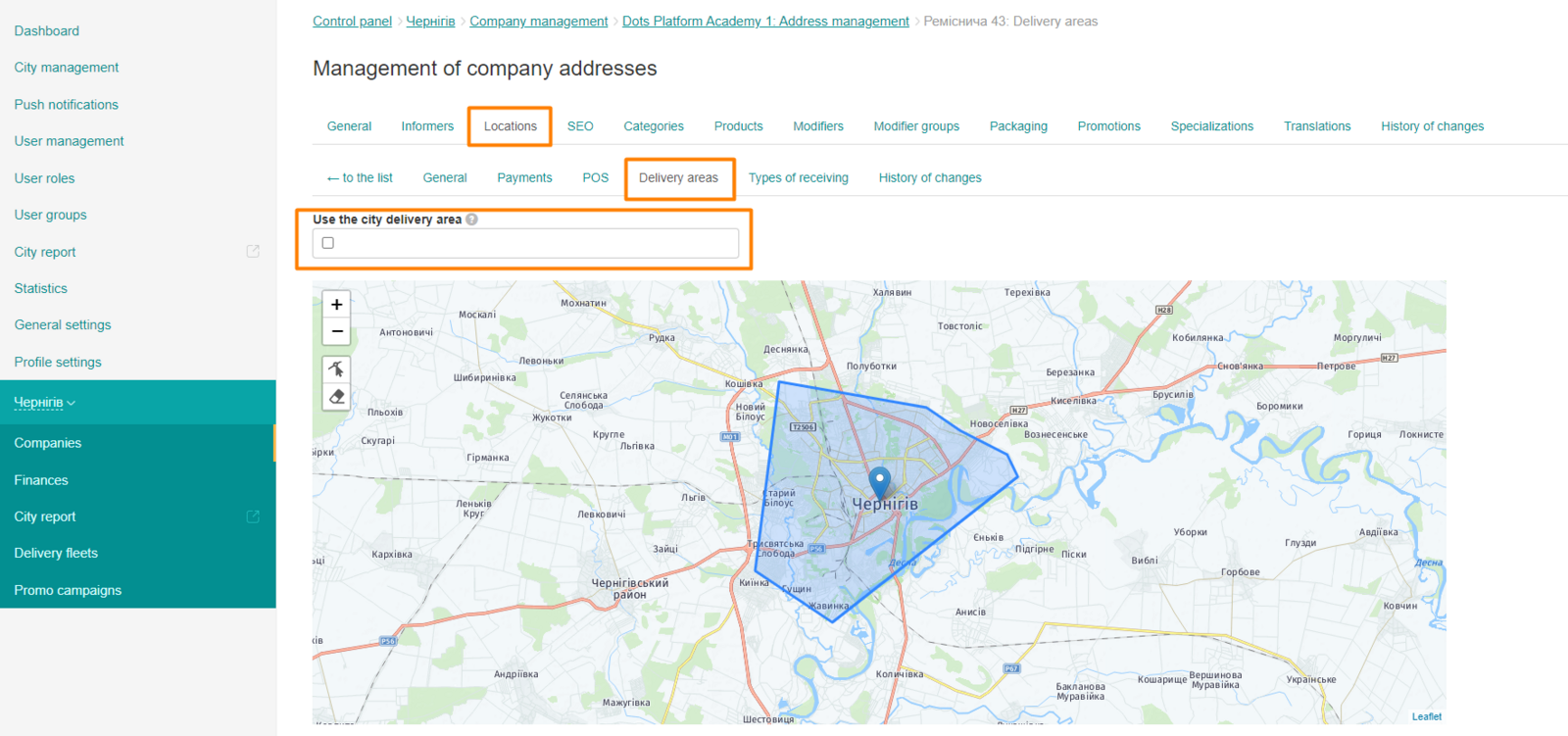
- Set your own delivery zone or choose to use delivery within the standard city range. To configure, go to Control Panel → City → Companies → Addresses → Delivery zones.
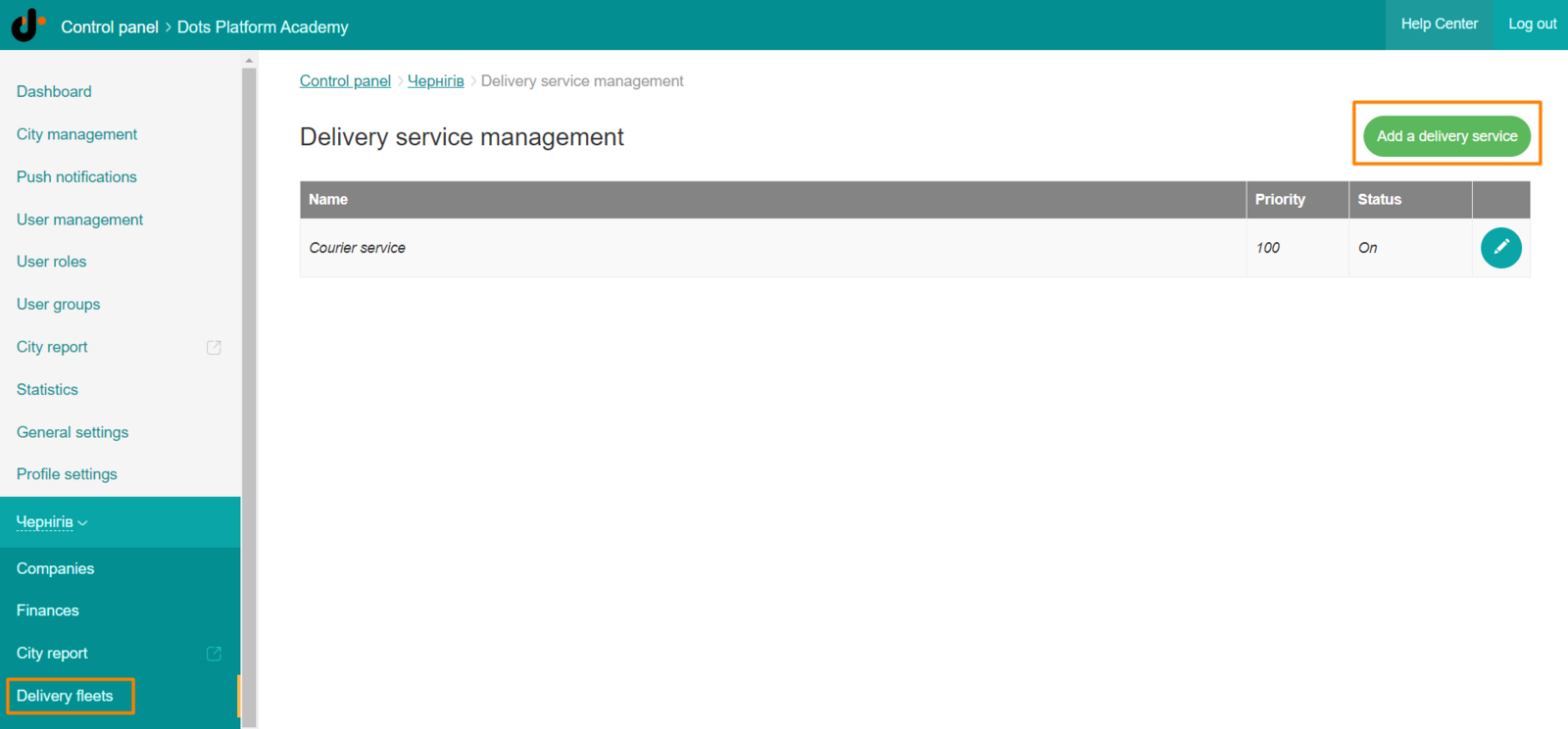
- Create a delivery service. To configure, go to Control Panel → City → Delivery Services.
-
Create at least one courier. You can learn more about working with couriers in the ** text ** instruction.
-
The menu in the new address of the company will be the same as in your main company and you will immediately be able to take orders.
Link to this article: ** here **
Was this article helpful?
Thanks for your feedback!