
How to add a courier to the system?
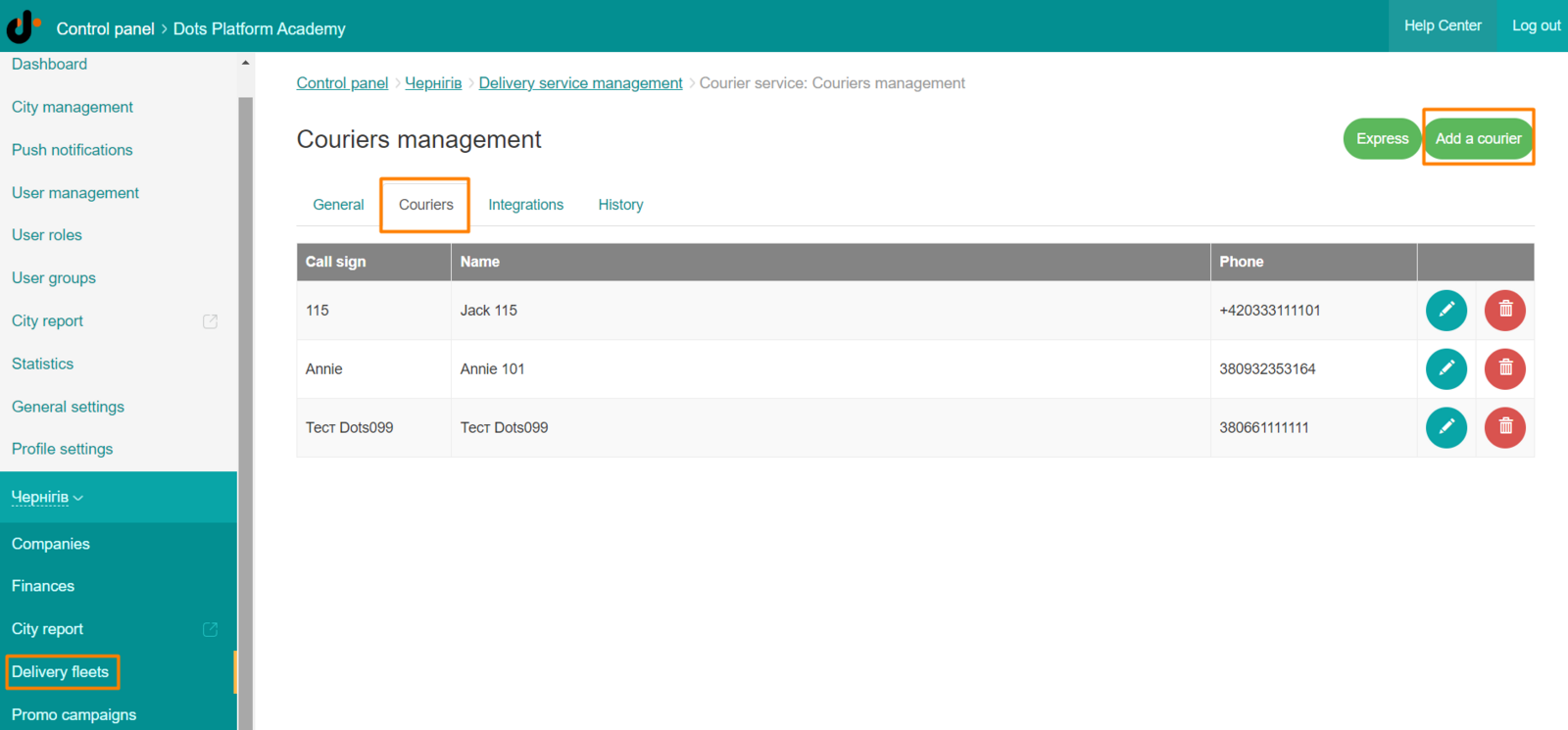
To add a courier to the system, go to Control Panel → Delivery Service, select a courier network → Couriers → Add courier.
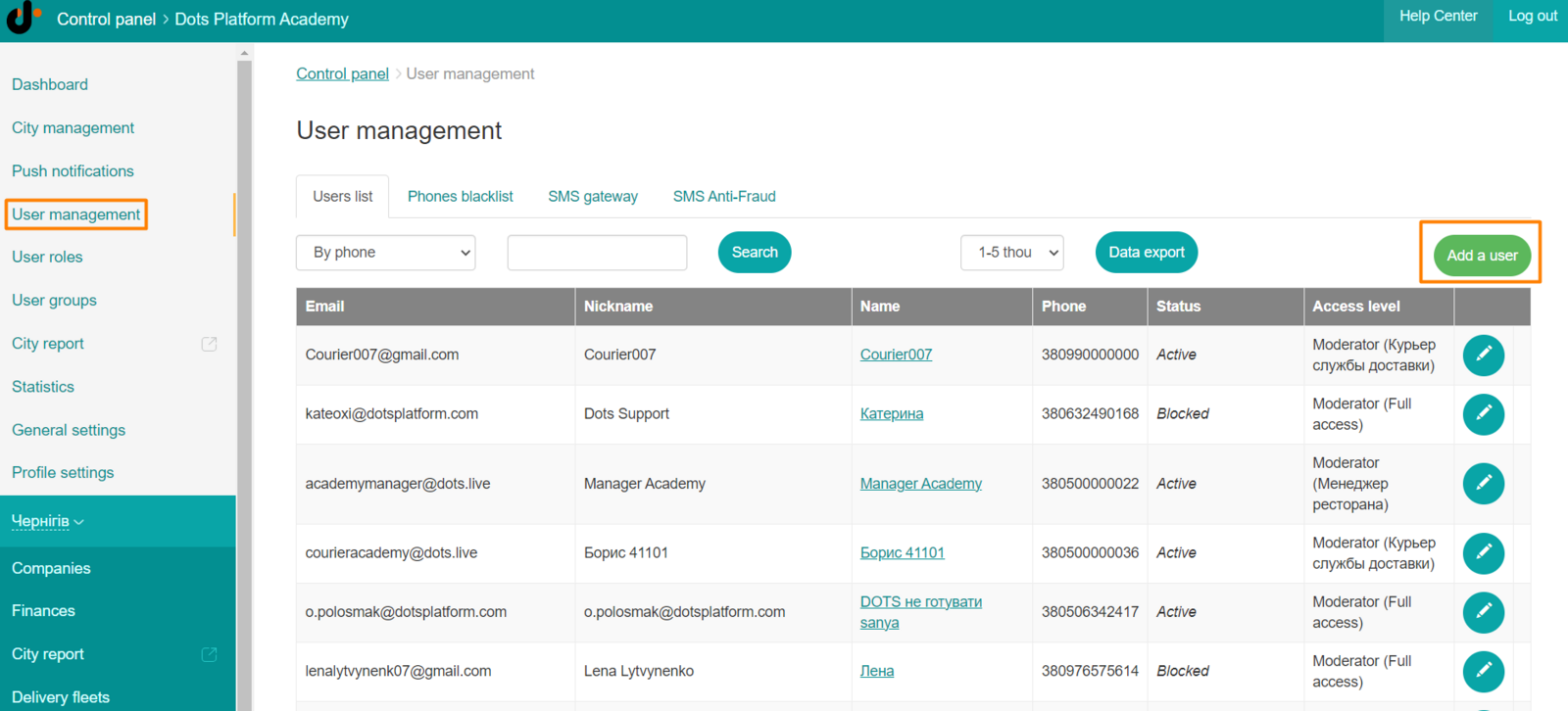
After that, you need to create a user account linked to this courier. Go to Control Panel → Users → Add User. In the Moderator Role field, specify Delivery Service Courier.
You can learn more about this functionality in the ** text ** instruction.
Link to this article: here
Was this article helpful?
Thanks for your feedback!