
Where to download the client database?
You can download the client base in two ways in the Control Panel if you have the appropriate access:
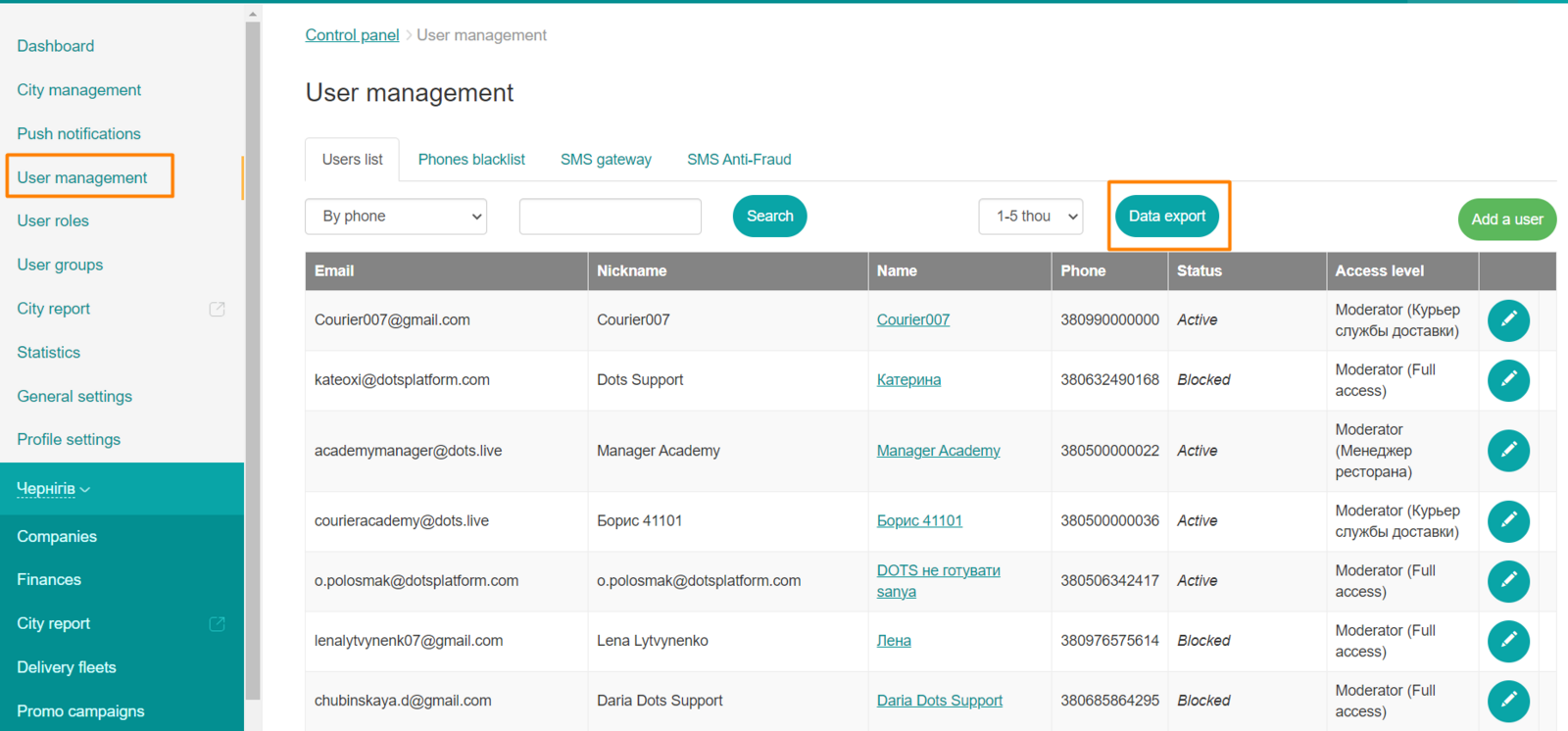
- Through the users list - to do this, go to Control Panel → Users → Data Export.
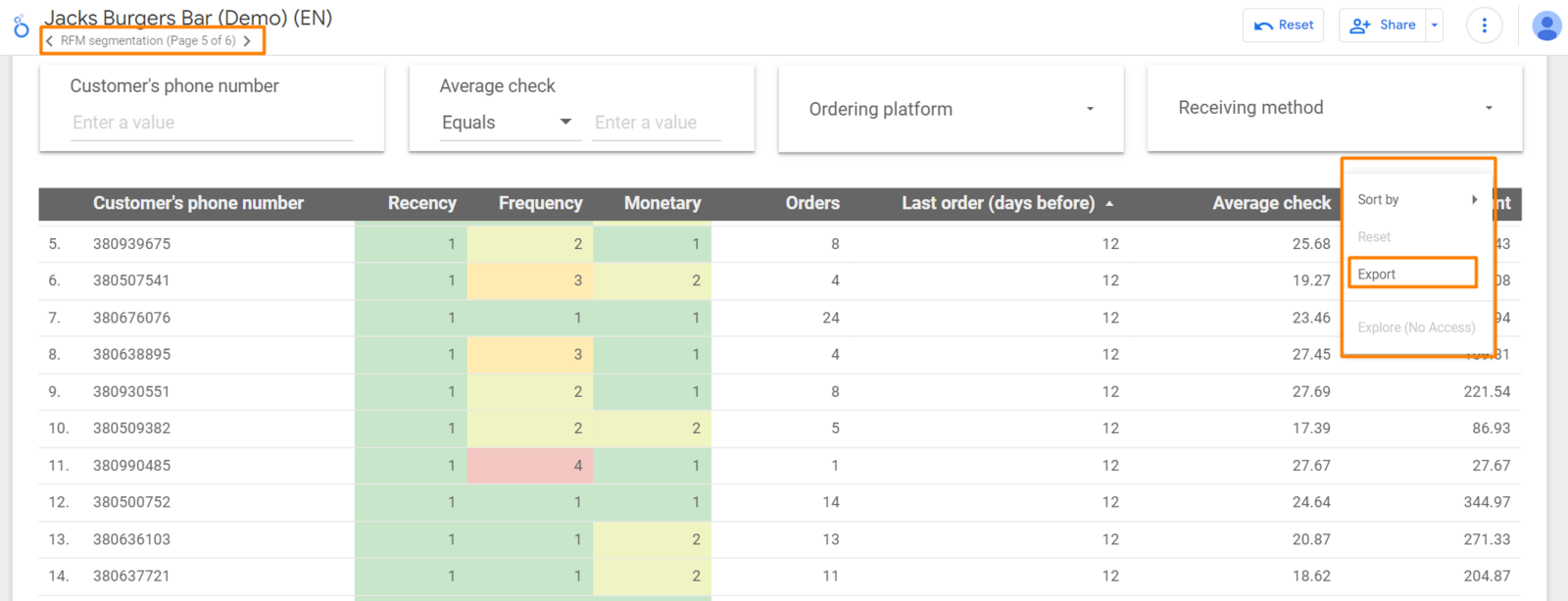
- From Reports - to do this, go to Control Panel → Reports → open the fifth page of the report, which displays a table with phone numbers that you can export by clicking on the menu in the upper corner above the table. At the same time, you can filter and segment customers by frequency, time and amount of purchases:
Link to this article: here
Was this article helpful?
Thanks for your feedback!