
2.0 Add or edit the URL of a city webpage
You can set a unique URL slug of a city webpage.
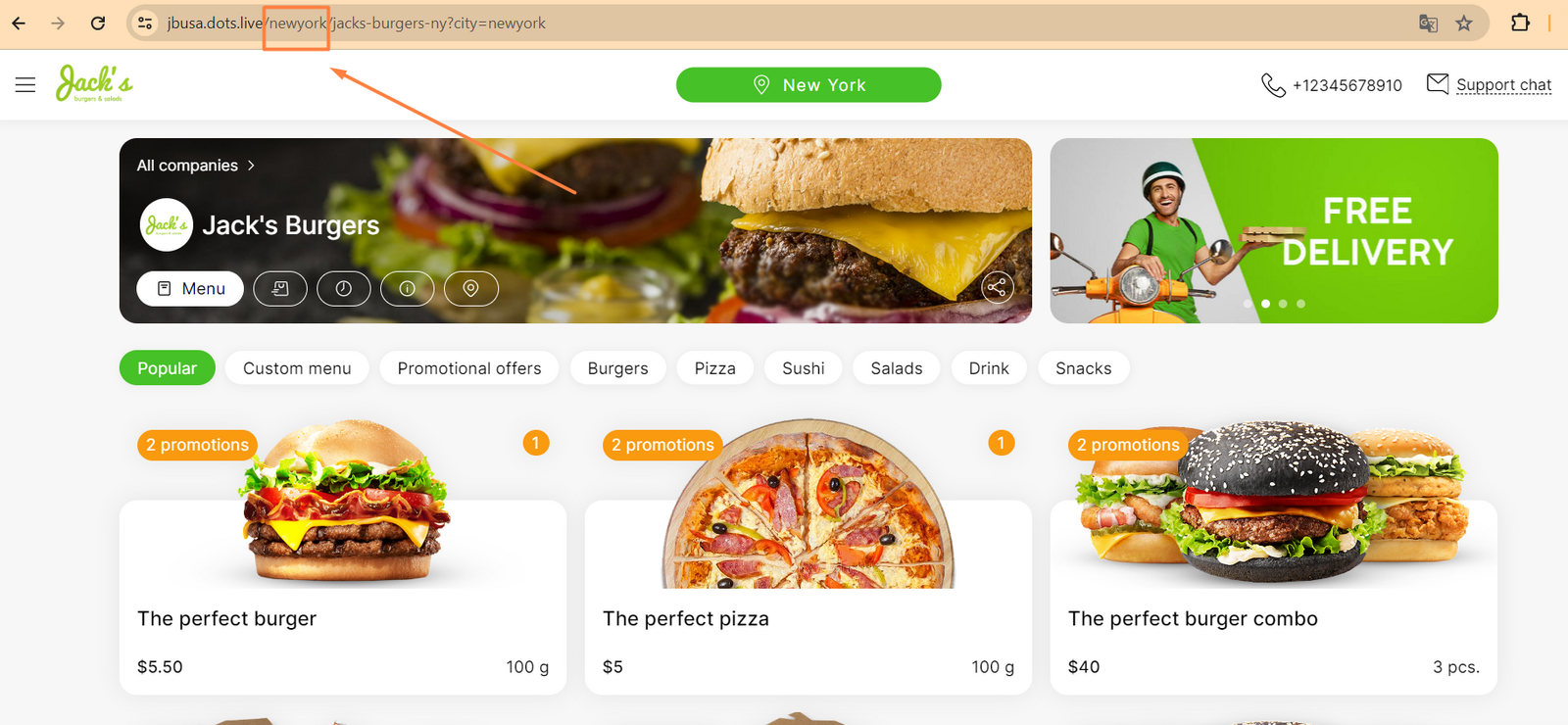
- In the Control Panel, click Settings → Cities.
- Locate the city you need and click the pencil icon.
- Click the System tab.
- In the Link field, enter the desired URL slug.
- Click Save.
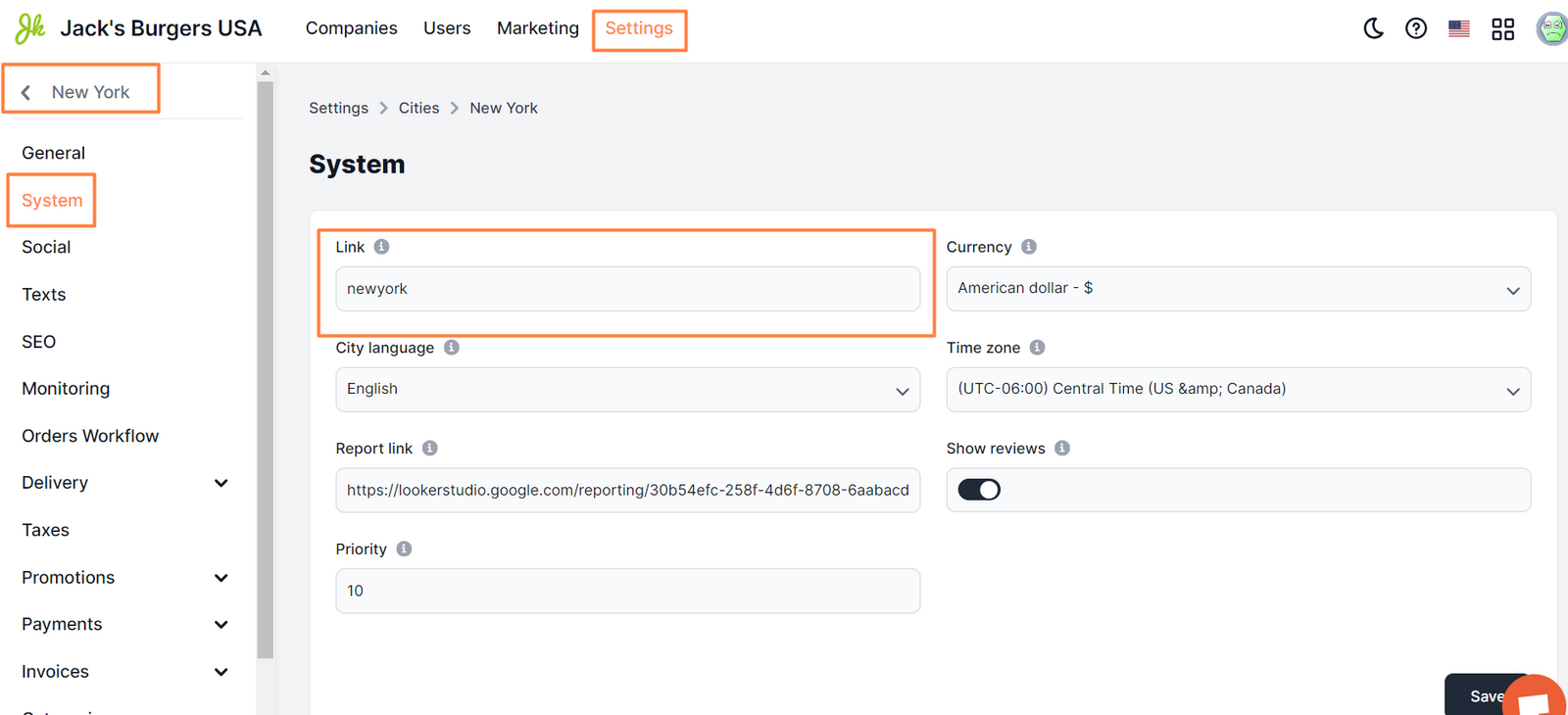
Customize the URL using Latin characters without numbers, spaces, and special characters. Use underscores instead of spaces for cities composed of two or more words.
** Correct format ** london paris _New__orleans
** Incorrect format ** New York berlin!
Link to this article: here
Was this article helpful?
Thanks for your feedback!