
2.0 How to change statuses and close reviews?
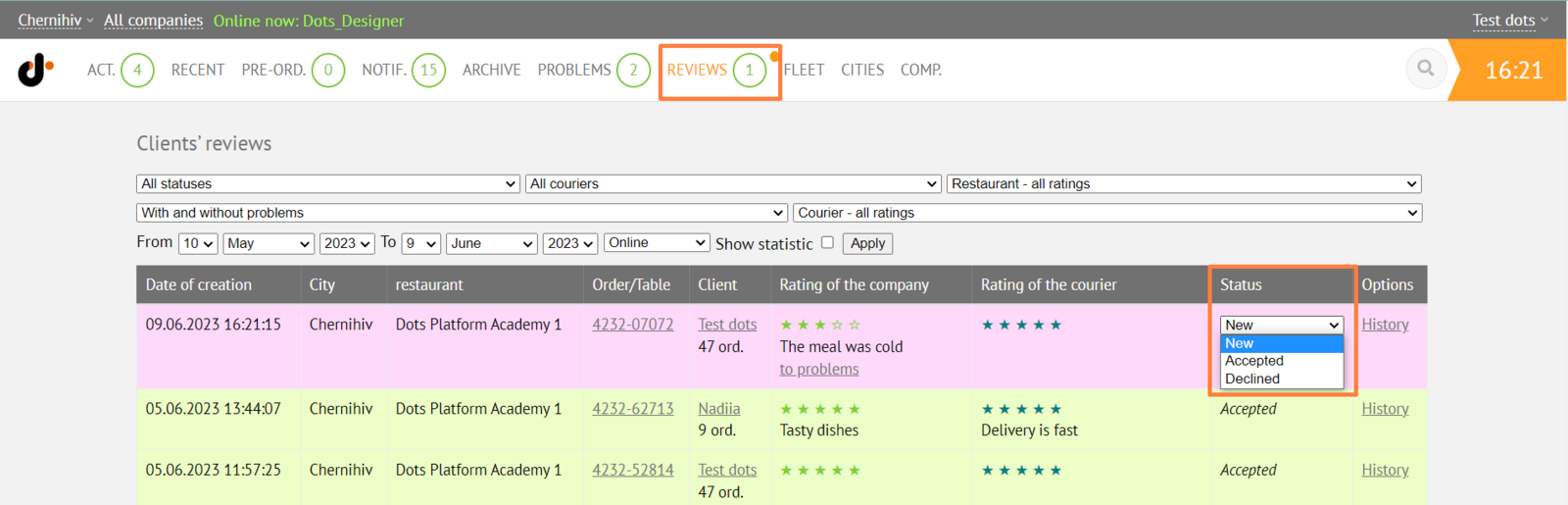
All customer reviews are processed in the Monitoring Panel → Reviews. To change, double-click on the review status.
-
New - not yet processed review that entered the system.
-
Accepted - the review will be displayed on the website and mobile app.
-
Declined - the review will not be displayed on the website and mobile app.
Link to this article: here
Was this article helpful?
Thanks for your feedback!