
2.0 How to pause a dish?
There are several ways to pause a dish:
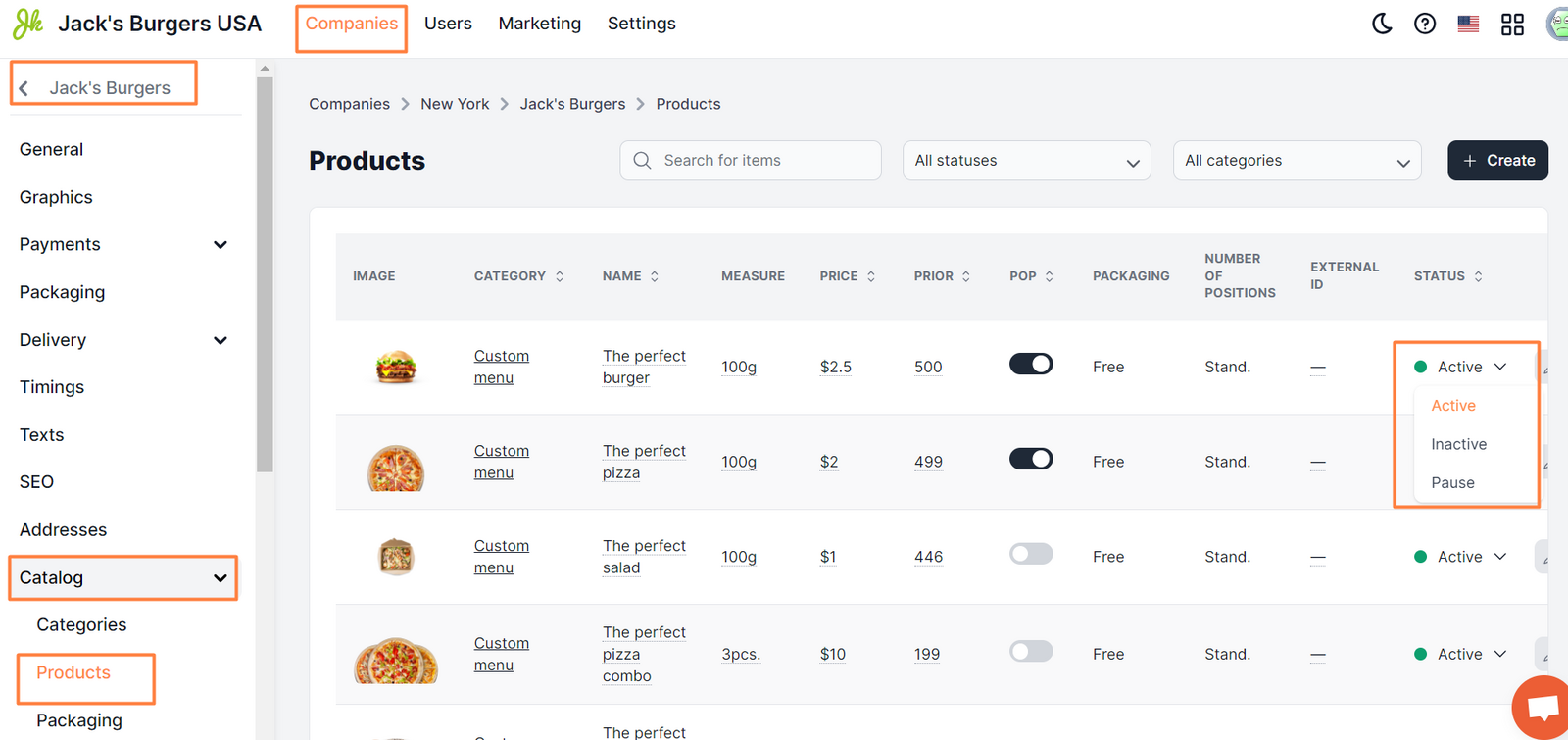
- In Control Panel → Companies → edit → Catalog → Products, select Pause in the Status field:
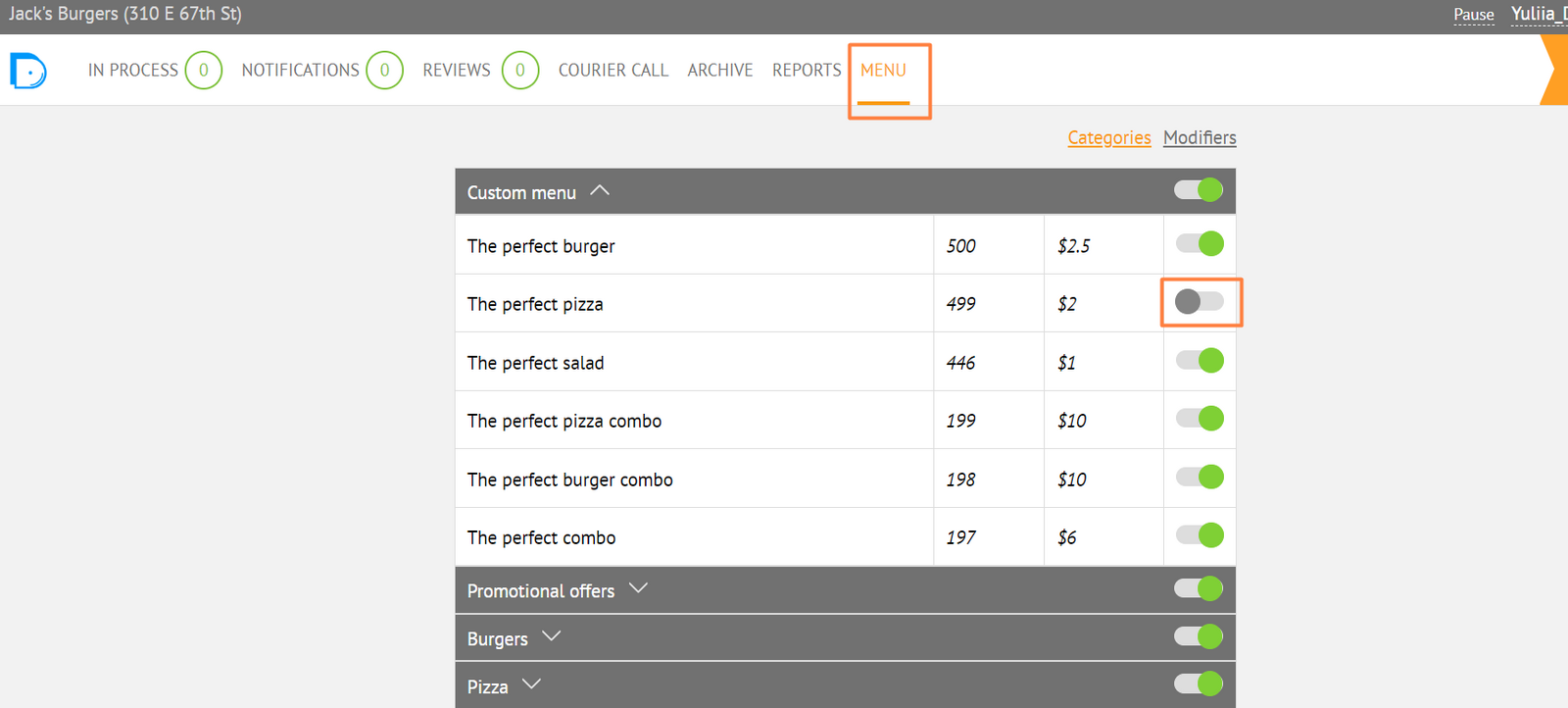
- In the Company Panel, on the Menu tab, change the slider value:
If you pause a dish, it will be unavailable for ordering, but it will be displayed in the list of dishes on the website and in mobile apps
Link to this article: here
Was this article helpful?
Thanks for your feedback!