
2.0 How to set the cashback expiry date?
To do this, you need:
- In the Control Panel, select the Marketing section
- Go to the Cashback tab → General
- Configure the Cashback expiry date and Period fields.
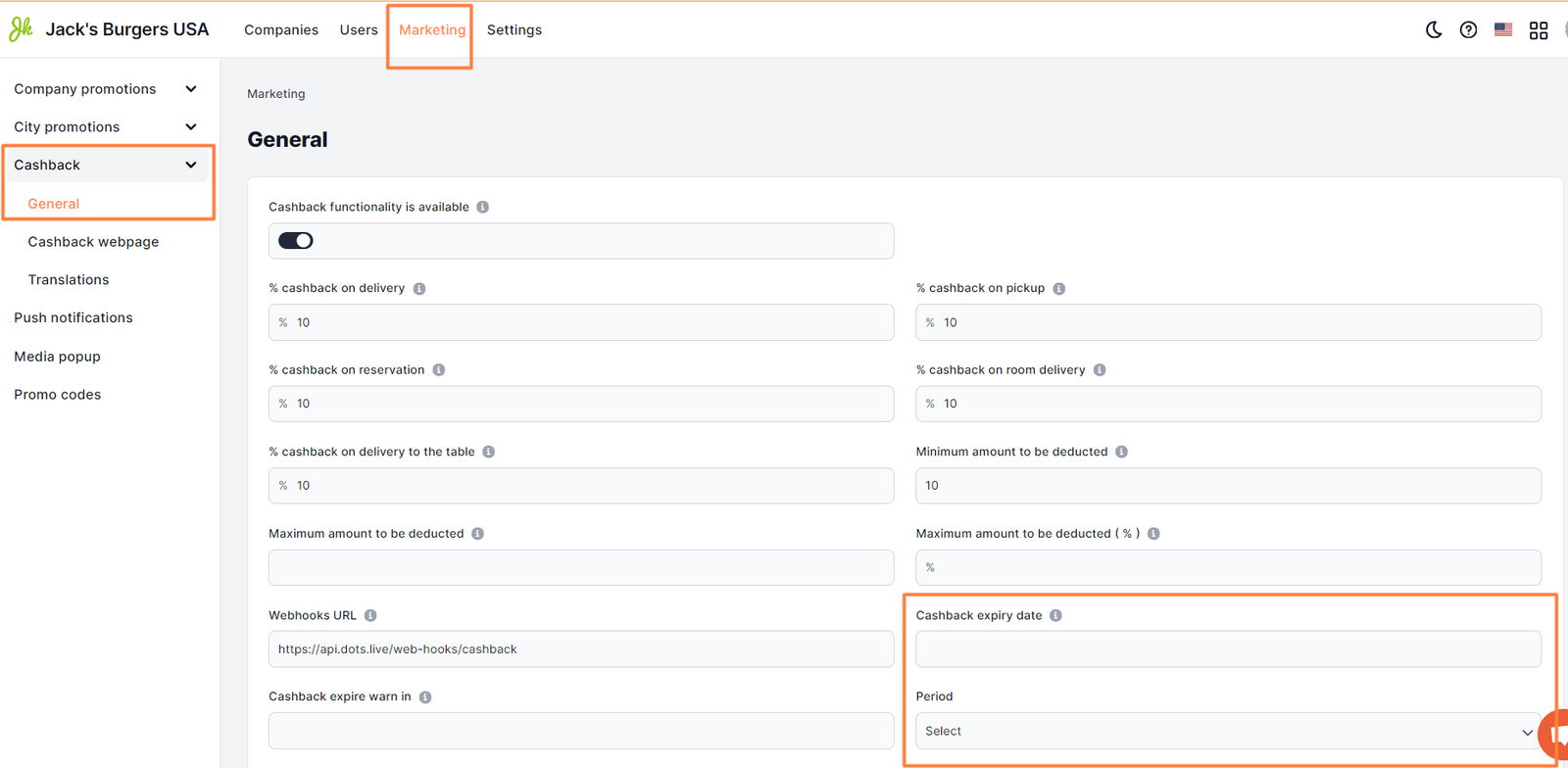
Available period options: minute, hour, day, week, month.
Detailed information on setting up the Cashback feature can be found in the article
Link to this article: here
Was this article helpful?
Thanks for your feedback!