
2.0 How to view the average receipt per customer?
The average customer check can be found in several ways:
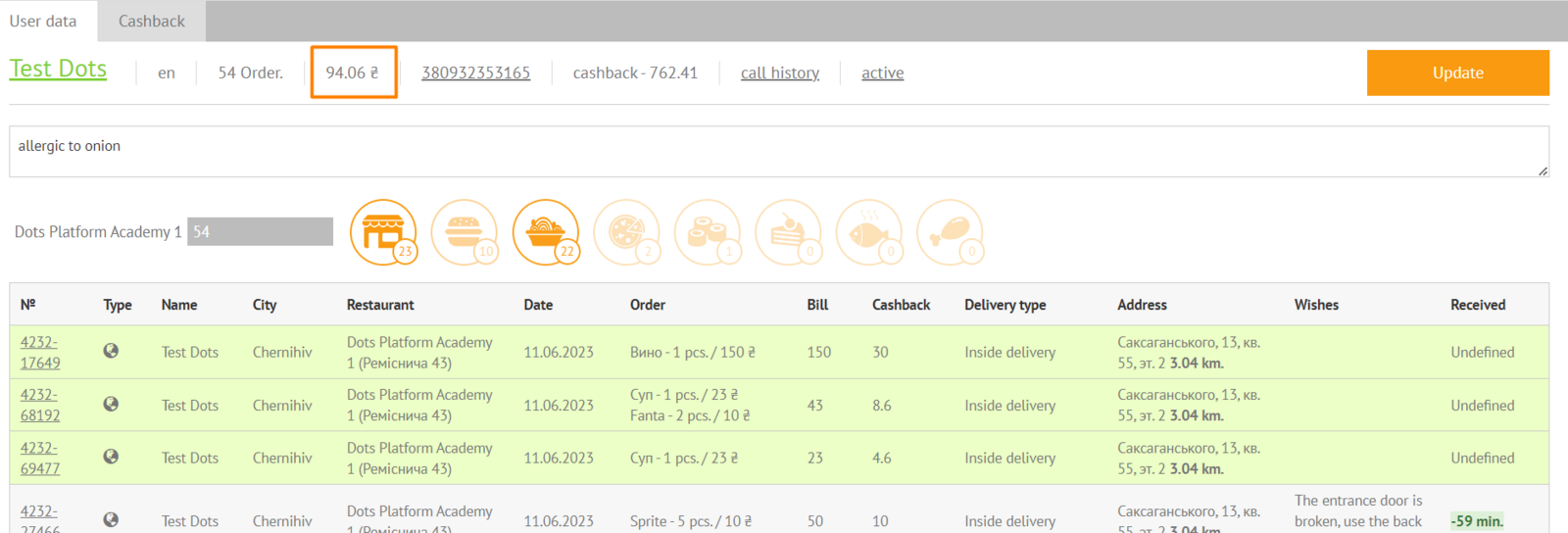
- in the client card. To enter it, enter the client's phone number in the search field on the Monitoring Panel:
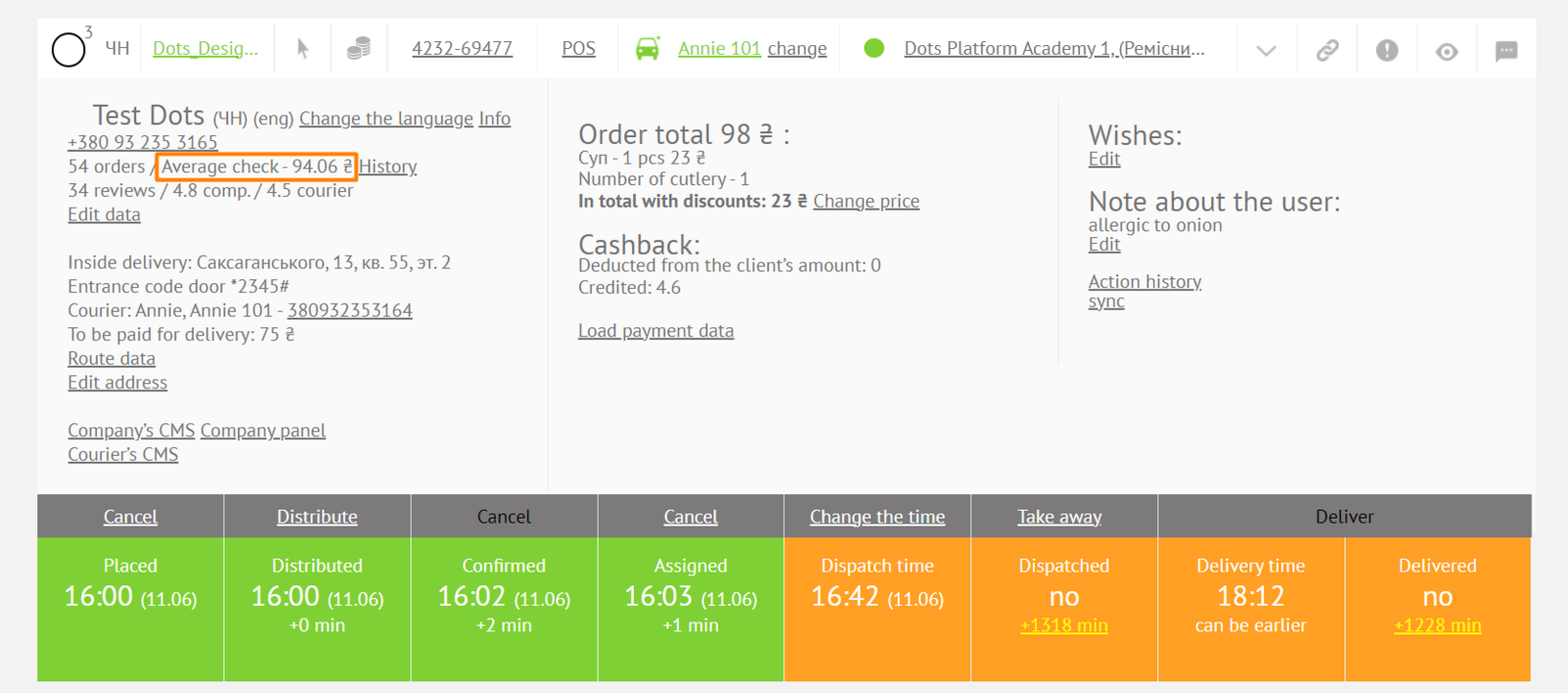
- in the order card. Go to Monitoring Panel → Order card → Personal data block → Average receipt:
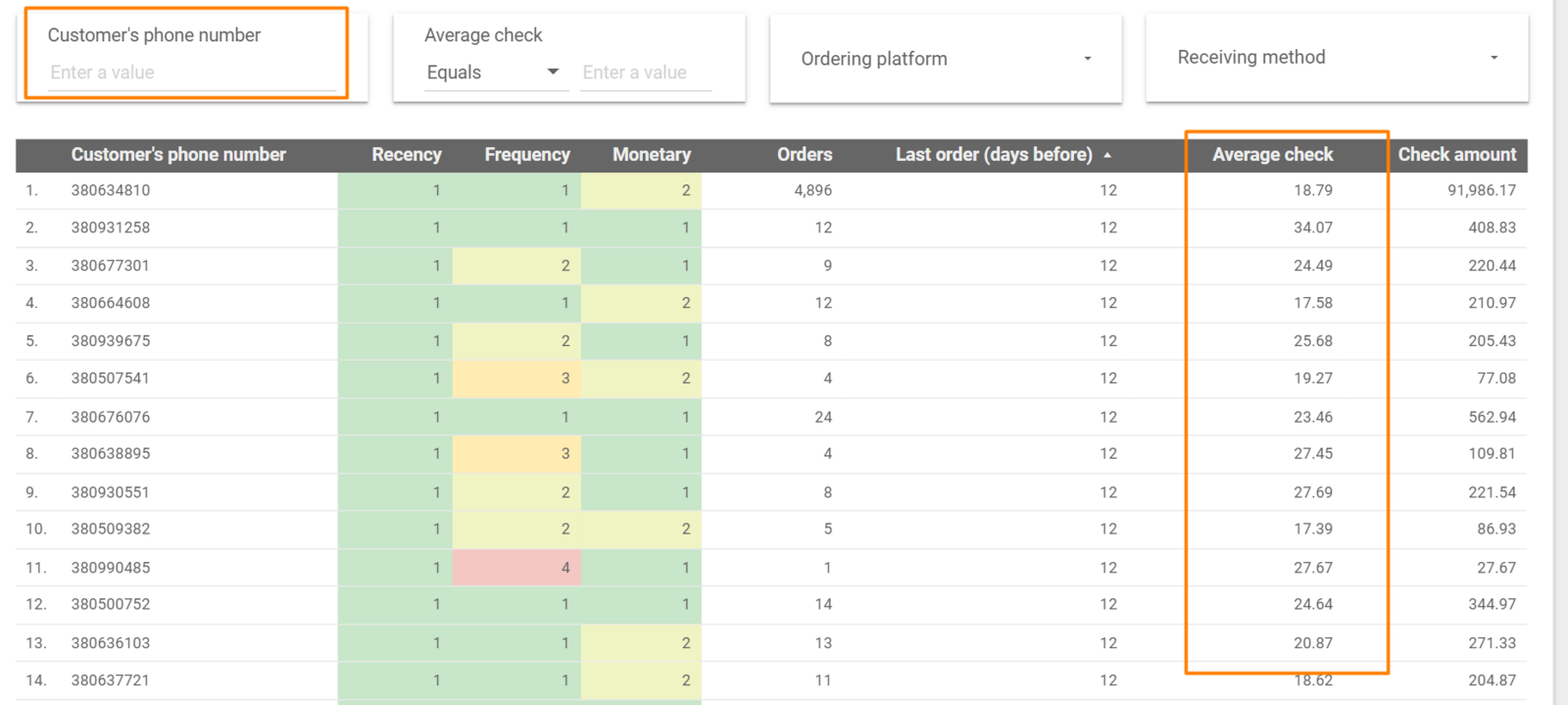
- in the Report section of the Control Panel on the RFM tab. When you click on the Phone drop-down list, you can make a selection.
Link to this article: here
Was this article helpful?
Thanks for your feedback!