
2.0 What is the Broadcast mode?
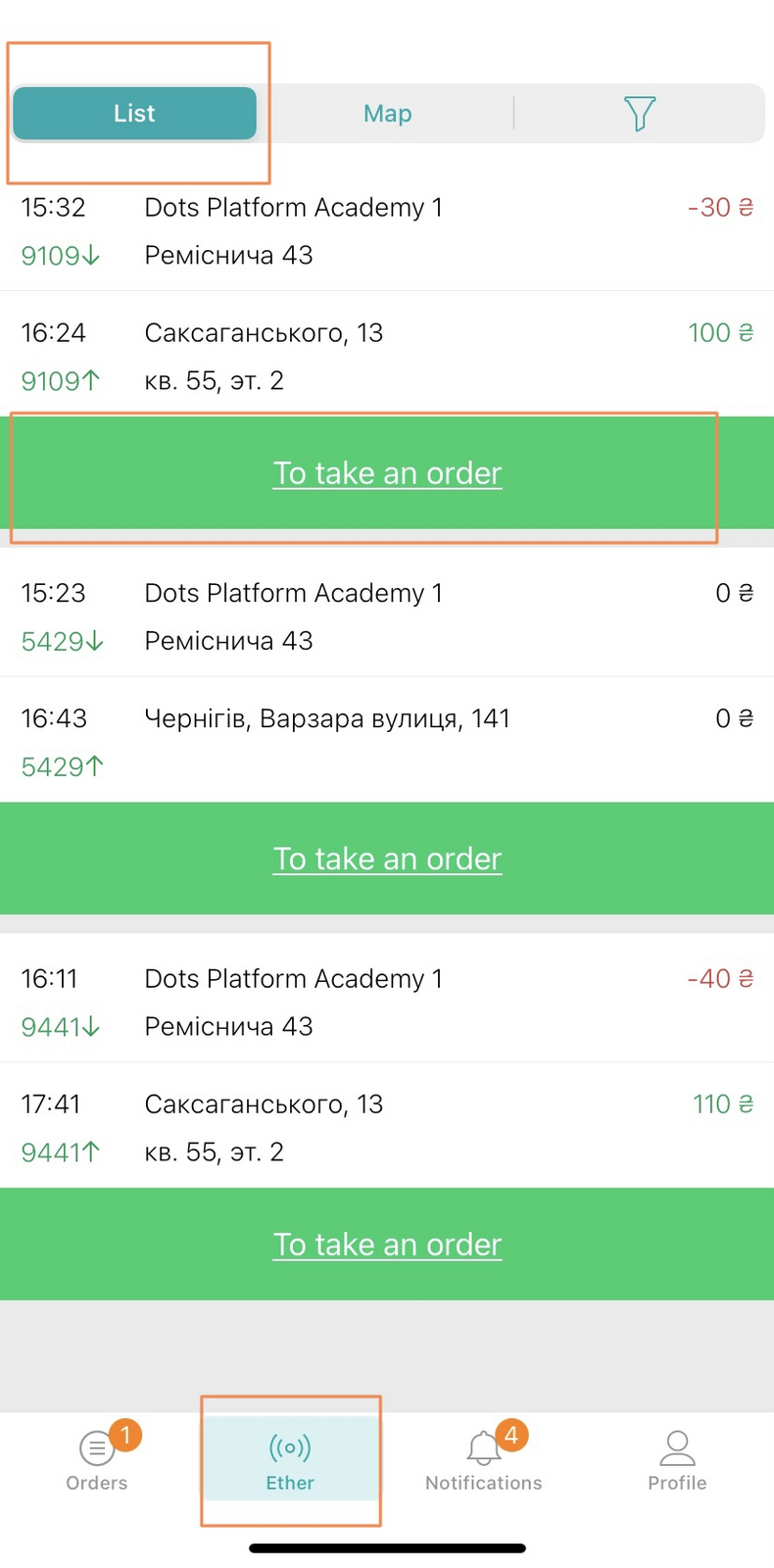
Broadcast is the place where orders that are not assigned to couriers are displayed. Couriers can take an order from the Broadcast on their own. Also, couriers can send their order to the Broadcast.
Broadcast is displayed in the courier app in the Broadcast section, if it is enabled in the system settings.
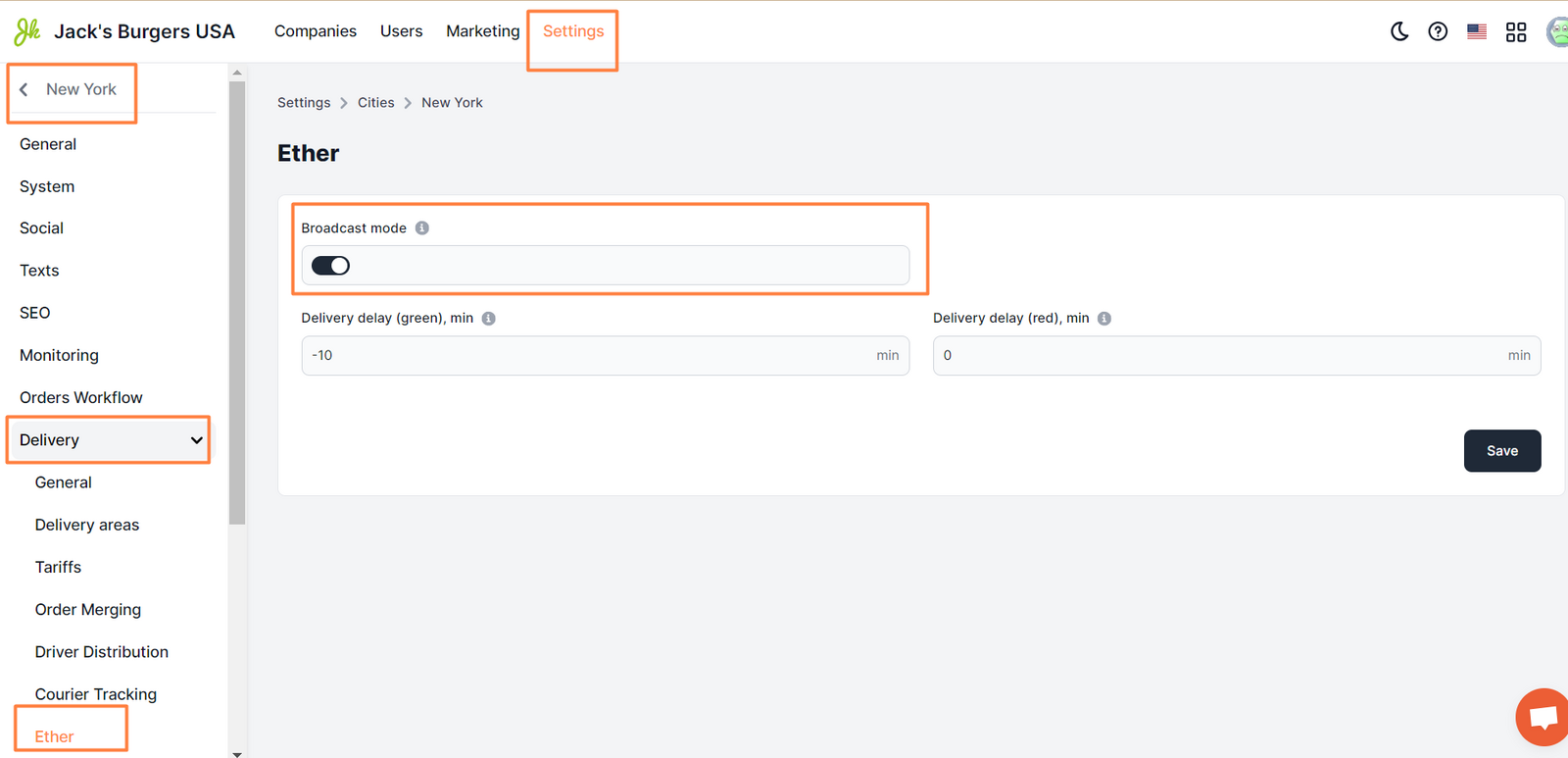
To activate this mode, go to Control Panel → Settings →Cities → Delivery → Ether → Broadcast Mode field.
You can learn more about the operation of the Broadcast mode in the ** text **
Link to this article: ** here **
Was this article helpful?
Thanks for your feedback!